
Opus Clip Alternative for Faceless Videos

Stella writes SwipeStory guides about AI faceless video creation, short-form video strategy, creator tools, and automated publishing workflows.
The best Opus Clip alternative for faceless videos is SwipeStory when you want to create original shorts from prompts or scripts instead of clipping footage you already recorded. OpusClip is still a strong tool for repurposing podcasts, interviews, webinars, livestreams, and YouTube videos into short clips. Choose SwipeStory when the real job is faceless video creation: script, visuals, voiceover, captions, music, rendering, and scheduled publishing for TikTok, YouTube Shorts, and Instagram Reels.
Updated May 12, 2026. We checked current public product and pricing pages for OpusClip, SwipeStory, Revid.ai, and YouTube Shorts guidance. Pricing and feature packaging change often, so treat this as a workflow comparison first and a buying checklist second.
Quick Verdict
| Need | Best fit | Why |
|---|---|---|
| Create faceless videos from a prompt or script | SwipeStory | Built for idea-to-video generation with AI visuals, voiceover, captions, music, rendering, and scheduled publishing |
| Turn long videos into Shorts, TikToks, and Reels | OpusClip | Built around AI clipping, reframing, animated captions, and repurposing existing footage |
| Run a broad AI video toolkit | Revid.ai | Offers many creation modes, text/link/recording inputs, voiceovers, hooks, scripts, and publishing tools |
| Build a story-first faceless channel | StoryShort or SwipeStory | StoryShort is narrow and story-led; SwipeStory is broader across short-form formats |
| Cut a podcast or interview library | OpusClip | You already have the raw material, so clipping is the right category |
If you have no footage yet, start with SwipeStory's faceless AI video generator. If you already have hours of long-form footage and need highlights, OpusClip is still the more natural category fit. If you are comparing the wider market, read the best AI faceless video generators roundup after this guide.
What OpusClip Does Well
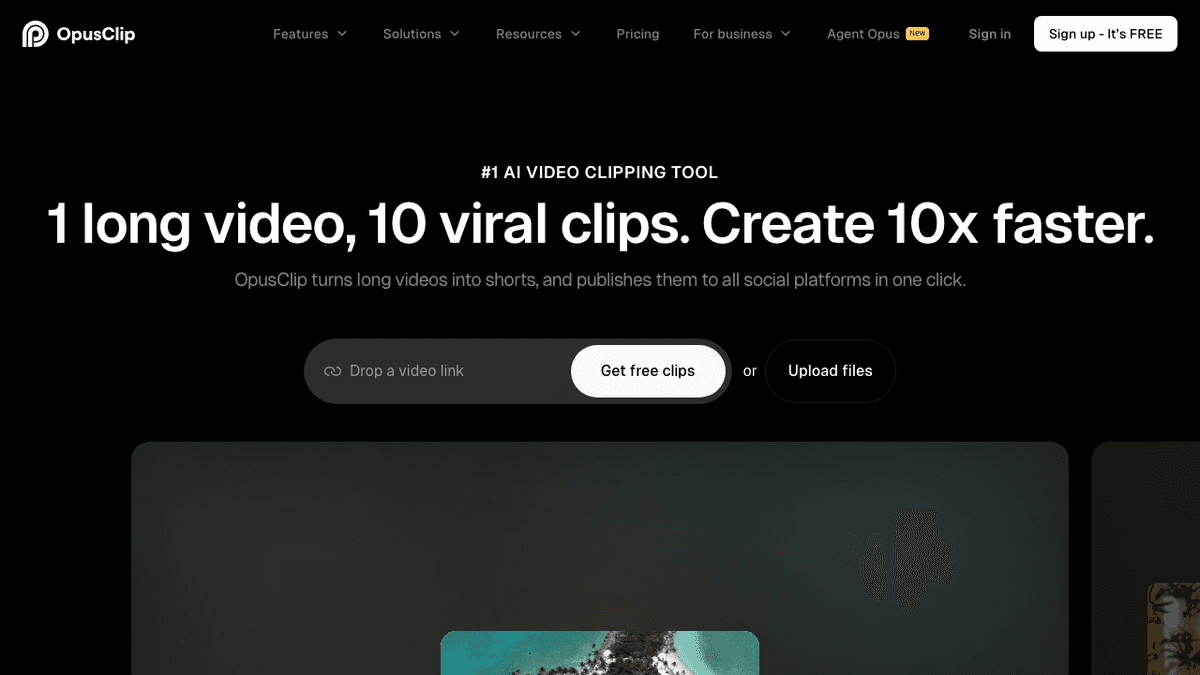
OpusClip is a clipping-first product. Its public homepage positions the tool as an AI video clipping and editing tool that turns long videos into shorts and publishes them to social platforms. The page highlights ClipAnything, animated captions, AI Reframe, AI B-Roll, social scheduling, brand templates, editor tools, XML export, and team workspaces.
That is a very specific job. OpusClip starts with footage that exists already. You drop in a video link or upload files, then the system tries to find short-form moments, reframe them, caption them, score them, and help publish them.
OpusClip makes sense if:
- You already record podcasts, interviews, sermons, livestreams, product demos, webinars, or long YouTube videos.
- Your short-form strategy is repurposing existing footage, not creating new faceless videos from scratch.
- You need AI reframing, animated captions, filler or silence removal, and bulk clip review.
- Your clips still need the real speaker, screen recording, or source footage visible.
- You want a workflow that can publish cutdowns to YouTube Shorts, TikTok, Instagram Reels, or downloads.
The limitation is not that OpusClip is weak. The limitation is category fit. A clipping tool cannot magically create a new faceless channel if you do not already have footage, a host, or long-form source material.
Where OpusClip Can Feel Limiting for Faceless Videos
The phrase "faceless video" can mean two different things. One creator means "I have a long podcast and want clips where my face is not the main focus." Another means "I want a no-camera channel where AI creates the script, narration, visuals, captions, and video from a topic." Those are different workflows.
OpusClip is strongest in the first case. SwipeStory is stronger in the second.
Check these points before choosing OpusClip as a faceless video tool:
- Starting material: OpusClip is built around long videos. If your input is only an idea, prompt, or script, you may be forcing the wrong workflow.
- Originality: Clipping improves distribution of content you already made. It does not replace topic research, scriptwriting, source review, or faceless story packaging.
- Voice and visuals: Faceless channels often need AI voiceover and generated visuals as the primary asset. OpusClip can help edit and enhance clips, but its core job is repurposing source footage.
- Series planning: A daily faceless channel usually needs repeatable formats, prompt libraries, caption rules, and scheduled publishing. A clipping tool helps after production, not before it.
- Platform fit: You still need to check aspect ratio, length, music, Content ID, captions, and posting workflow before relying on any automation.
That is why an Opus Clip alternative for faceless videos should not simply be another clipper. The better alternative depends on whether you want to repurpose footage or create new videos from scratch.
OpusClip Pricing Checked May 12, 2026
OpusClip's public pricing page currently shows a free tier, Starter, Pro, and Business.
| Plan | Public pricing snapshot | Useful notes |
|---|---|---|
| Free | $0/month | 60 credits/month, up to 1080p rendered clips, auto reframe, captions, watermark, no editing, limited export window |
| Starter | $15/month | 150 credits/month, AI clipping with Virality Score, animated captions in 20+ languages, auto-post or download, editor, one brand template, watermark removal |
| Pro | Annual page state showed $174 billed annually, with $14.50/month displayed | 3,600 credits/year, team workspace with two seats, six social account connections, AI B-roll, 10+ sources, XML export, multiple aspect ratios, scheduler, custom fonts |
| Business | Custom | Priority processing, custom credits and seats, business assets, dedicated storage, API/custom integrations, MSA, priority support, enterprise-level security |
The pricing is attractive if you can feed the system long videos. The hidden cost appears when you still need to produce those long videos first. For a no-camera faceless channel, the expensive part is often the blank page: hook, script, visual direction, voiceover, captions, and consistent publishing. That is the work a faceless-first tool should remove.
OpusClip vs SwipeStory
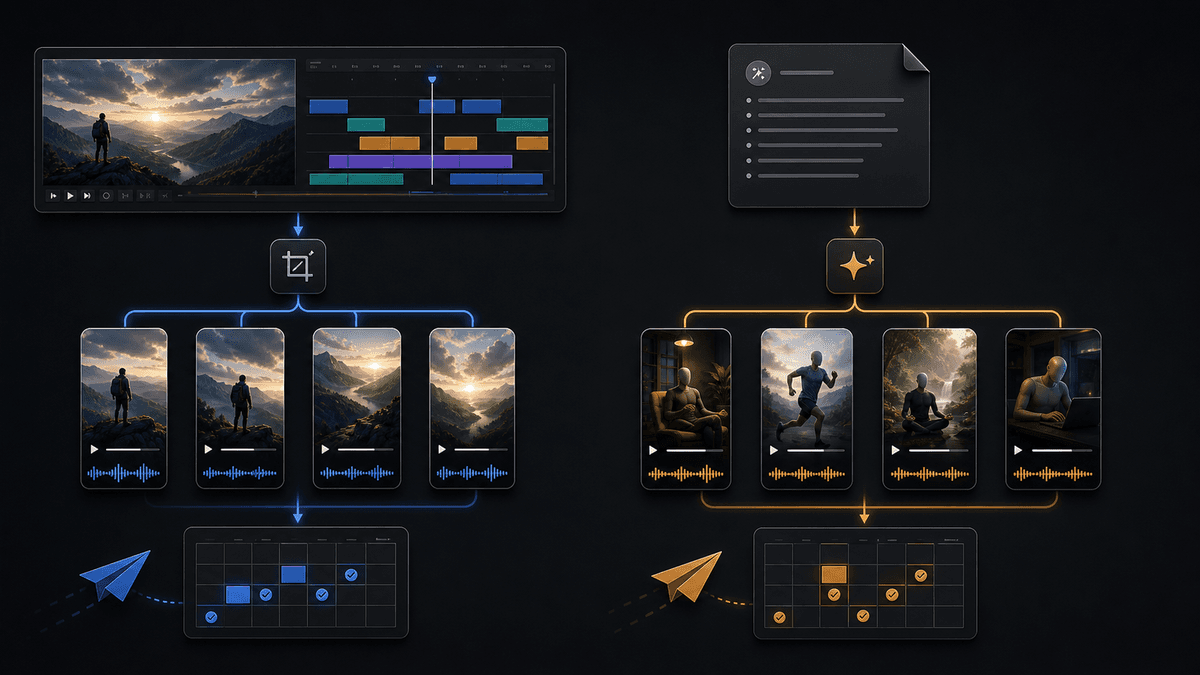
SwipeStory is the stronger Opus Clip alternative when your input is an idea or script. It turns prompts or scripts into vertical videos with AI-generated visuals, voiceovers, captions, background music, editing, rendering, and scheduled publishing for TikTok, YouTube Shorts, and Instagram Reels.
On SwipeStory's current pricing page checked May 12, 2026, annual launch pricing lists Hobby at $16/month for 120 credits and one series, Creator at $31/month for 300 credits and two series, Influencer at $55/month for 600 credits and three series, and Studio at $174/month for 2,000 credits and five series. The same page lists custom AI voiceovers, background music, auto-captions, no watermark, automated posting, art styles, and fast video generation across plans.

The practical difference is simple:
| Question | OpusClip | SwipeStory |
|---|---|---|
| What do you start with? | A long video, file, or video link | A prompt, script, idea, or short-form concept |
| Core job | Clip and reformat existing footage | Create original faceless videos from scratch |
| Best user | Podcaster, interviewer, educator, webinar host, livestreamer | Creator building repeatable no-camera TikToks, Shorts, and Reels |
| AI voiceover | Helpful as an editing feature | Central to the faceless creation workflow |
| Visuals | Based mostly on source video and B-roll | AI-generated visuals and style choices can be part of the draft |
| Publishing | Social scheduler and export tools | Scheduled publishing as part of a faceless video series workflow |
Choose SwipeStory over OpusClip if:
- You do not have long-form footage.
- You want a prompt-to-video or script-to-video AI workflow.
- You need AI voiceover, generated visuals, captions, music, and rendering in one place.
- You are building a repeatable faceless series, not only cutting highlights.
- You publish across TikTok, YouTube Shorts, and Instagram Reels.
Choose OpusClip if:
- You already publish long videos and want more distribution from them.
- Your source footage has strong spoken moments that can become clips.
- You need AI reframing, animated captions, timeline edits, and clip scoring.
- Your workflow starts with a podcast, interview, webinar, or livestream.
Best Opus Clip Alternatives for Faceless Videos
1. SwipeStory: Best Overall Opus Clip Alternative for Faceless Videos
SwipeStory is the best first choice if your real search intent is "I want to make faceless videos without filming." You can start from a topic, use a prompt-to-video workflow, shape the script, generate visuals and voiceover, review captions, and schedule the finished video.
Use SwipeStory for:
- Faceless educational shorts.
- Motivational or story-led videos.
- AI TikTok drafts from ideas.
- YouTube Shorts series.
- Instagram Reels made from the same content premise.
- Image-to-video or script-to-video workflows.
The strongest starting pages are the faceless AI video generator, AI YouTube Shorts generator, AI TikTok video generator, and AI Reel generator. If you need a practical production primer, read how to make faceless videos with AI.
2. Revid.ai: Best for a Broad AI Video Toolbox
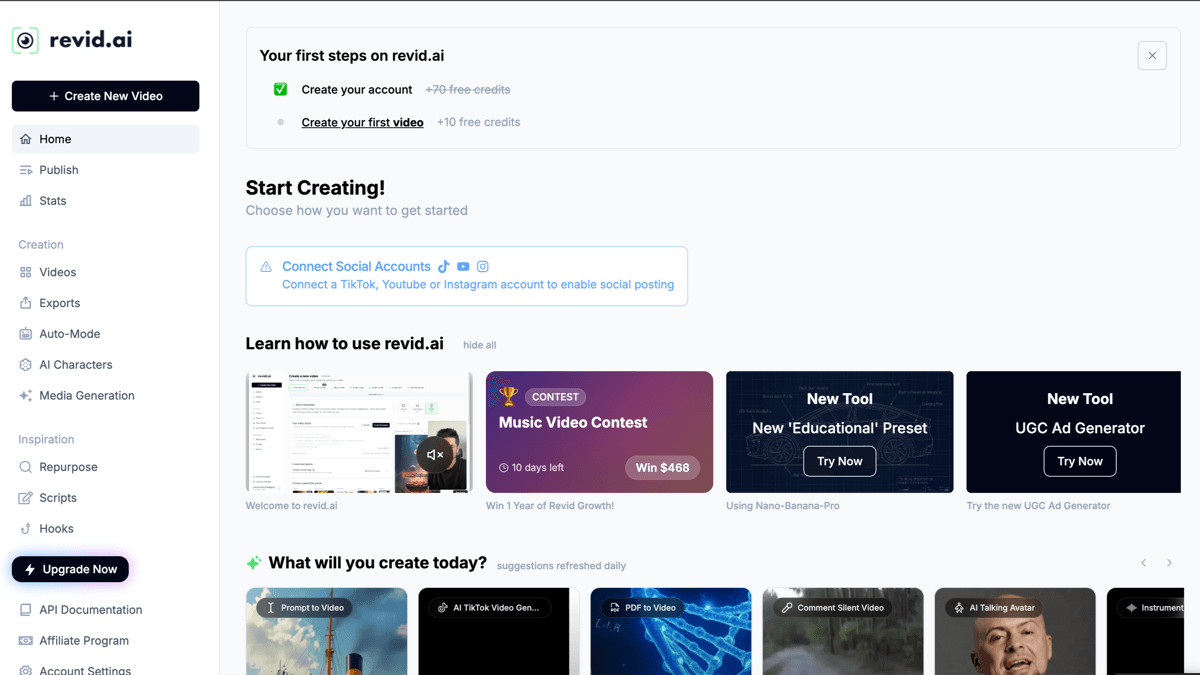
Revid.ai is worth testing if you want many AI video modes in one workspace. Its current pricing page lists a Hobby plan at $39/month, a Growth plan surfaced at $39/month during the checked promo state, Elite at $89/month, Ultra at $199/month, and larger high-volume credit tiers. The Growth tier highlights 100+ AI video tools, text/link/recording inputs, 70+ language voiceovers, hooks, scripts, rewrites, publishing to TikTok, Instagram, and YouTube, API/MCP/CLI access, auto-mode workers, and monthly AI credits.
Revid is broader than SwipeStory and OpusClip. That can be useful if you want to experiment across many formats. It can also be more surface area than you need if your main goal is a tight faceless series workflow.
3. StoryShort: Best for Story-Led Faceless Channels
StoryShort is a better Opus Clip alternative than a generic clipper if your channel is built around narrated stories, history, horror, facts, Reddit-style episodes, or niche explainers. It is closer to SwipeStory than OpusClip because it starts from a story premise instead of long footage.
The tradeoff is focus. StoryShort is attractive for story-first channels. SwipeStory is stronger if you want the same system to handle broader short-form formats, platform-specific generators, image-to-video ideas, and scheduled publishing.
4. Keep OpusClip if Repurposing Is the Real Job
Do not switch away from OpusClip just because your videos are "faceless." If you already have a podcast, lecture, screen recording, interview show, or webinar library, clipping may be exactly the right job. A from-scratch AI video generator can create additional videos, but it will not automatically extract the best moments from footage you already recorded.
The cleanest split is:
| Starting point | Better category |
|---|---|
| A long podcast or interview | Clipping tool like OpusClip |
| A topic or blank page | SwipeStory |
| A finished script | Script-to-video AI workflow |
| A repeatable no-camera channel premise | Faceless AI video generator |
| A broad experiment across AI video tools | Revid.ai or another large toolkit |
Platform Rules Still Matter
YouTube's current Shorts documentation says square or vertical videos uploaded after October 15, 2024 can be categorized as Shorts when they are up to three minutes long. The same help page says Shorts over one minute with active Content ID claims can be blocked globally until the claim is resolved.
That matters for both OpusClip and SwipeStory. If you are repurposing long footage, check the music, source clips, captions, aspect ratio, and rights before scheduling. If you are creating faceless videos from scratch, use clean music, review generated visuals, and keep claims factual.
Recommended SwipeStory Workflow if You Are Switching
Here is a practical replacement workflow for creators moving from a clipping-first setup to faceless AI video creation:
- Pick one repeatable series premise, such as "daily strange history stories," "one-minute productivity myths," or "simple founder lessons."
- Write five hooks and choose the one with the clearest payoff.
- Turn the hook into a 90- to 140-word script with one idea per scene.
- Generate the faceless video in SwipeStory with a consistent voice, style, and caption treatment.
- Review the claims, visuals, music, pacing, and caption timing before publishing.
- Schedule the video and keep the same format for at least five episodes before judging.
- Track topic, hook angle, retention notes, comments, and what to improve in the next prompt.
The point is not to remove judgment. The point is to remove repetitive editing work so you can spend more energy on the part that actually compounds: better topics, better hooks, clearer scripts, and a consistent series.
Final Recommendation
SwipeStory is the best Opus Clip alternative for faceless videos if you want to create original no-camera shorts from ideas or scripts. OpusClip is the better choice when your raw material already exists and your job is clipping, reframing, captioning, and distributing it.
Use this shortcut:
- Choose OpusClip when you already have long videos.
- Choose SwipeStory when you need new faceless videos from prompts or scripts.
- Choose Revid.ai when you want a broad AI video toolbox.
- Choose StoryShort when your format is narrowly story-led.
If you are deciding today, test one topic in SwipeStory's faceless AI video generator and one long video in OpusClip. Compare the finished output by source fit, voice, captions, editability, visual quality, platform readiness, and how easily you can schedule the next video.
Frequently Asked Questions
What is the best Opus Clip alternative for faceless videos?
SwipeStory is the best Opus Clip alternative for faceless videos when you want prompt-to-video or script-to-video creation with AI visuals, voiceover, captions, music, rendering, series automation, and scheduled publishing.
Is OpusClip good for faceless videos?
OpusClip is good for faceless repurposing when you already have long videos to cut down. It is not the best category fit when you have no footage and need AI to create the full faceless video from a topic or script.
Should I use OpusClip or SwipeStory?
Use OpusClip if your workflow starts with podcasts, interviews, webinars, livestreams, or long YouTube videos. Use SwipeStory if your workflow starts with an idea, prompt, or script and you want a finished vertical video.
Can I use both OpusClip and SwipeStory?
Yes. Many creators can use OpusClip for repurposing long videos and SwipeStory for net-new faceless videos that fill publishing gaps between recordings.
