Seedance 2.0 AI Video: What Creators Need to Know

Stella writes SwipeStory guides about AI faceless video creation, short-form video strategy, creator tools, and automated publishing workflows.
Seedance 2.0 is ByteDance Seed's newer AI video model for generating and editing video with text, image, video, and audio references. For short-form creators, the useful part is not just "better video quality." It is the shift toward more controllable shots: reference images for characters or style, reference video for motion, reference audio for rhythm, and native audio that can line up with the scene.
If you create TikToks, YouTube Shorts, Reels, faceless channels, product clips, or cinematic story videos, Seedance 2.0 is worth watching closely. It can help produce more polished source clips, while tools like SwipeStory turn those clips into a repeatable publishing workflow with scripts, captions, music, editing, rendering, and scheduling.
Quick Verdict
Seedance 2.0 is best for creators who want higher-control AI video generation: cinematic motion, native audio, image-to-video, mixed references, and short multi-shot ideas. It is less useful if you only need simple captioned clips or a full content system that writes, edits, schedules, and publishes videos for you.
That is where the workflow matters. Use Seedance 2.0 for the high-quality shot. Use SwipeStory's AI image-to-video workflow to turn that shot into creator-ready vertical content, then connect it with your broader short-form strategy across TikTok, YouTube Shorts, and Instagram Reels.
What Is Seedance 2.0?
ByteDance Seed officially launched Seedance 2.0 on February 12, 2026, describing it as a next-generation video creation model built on a unified multimodal audio-video architecture.
In plain English, that means the model can use several types of input at once:
- Text for scene direction, camera movement, style, dialogue, and pacing.
- Images for character, product, location, visual style, or first-frame reference.
- Video clips for movement, shot language, editing rhythm, or scene continuation.
- Audio clips for rhythm, sound design, ambience, or voice reference.
ByteDance says Seedance 2.0 supports mixed-modality input with up to 9 images, 3 video clips, and 3 audio clips alongside natural language instructions. It also says the model can create 15-second high-quality multi-shot audio-video output with dual-channel audio.
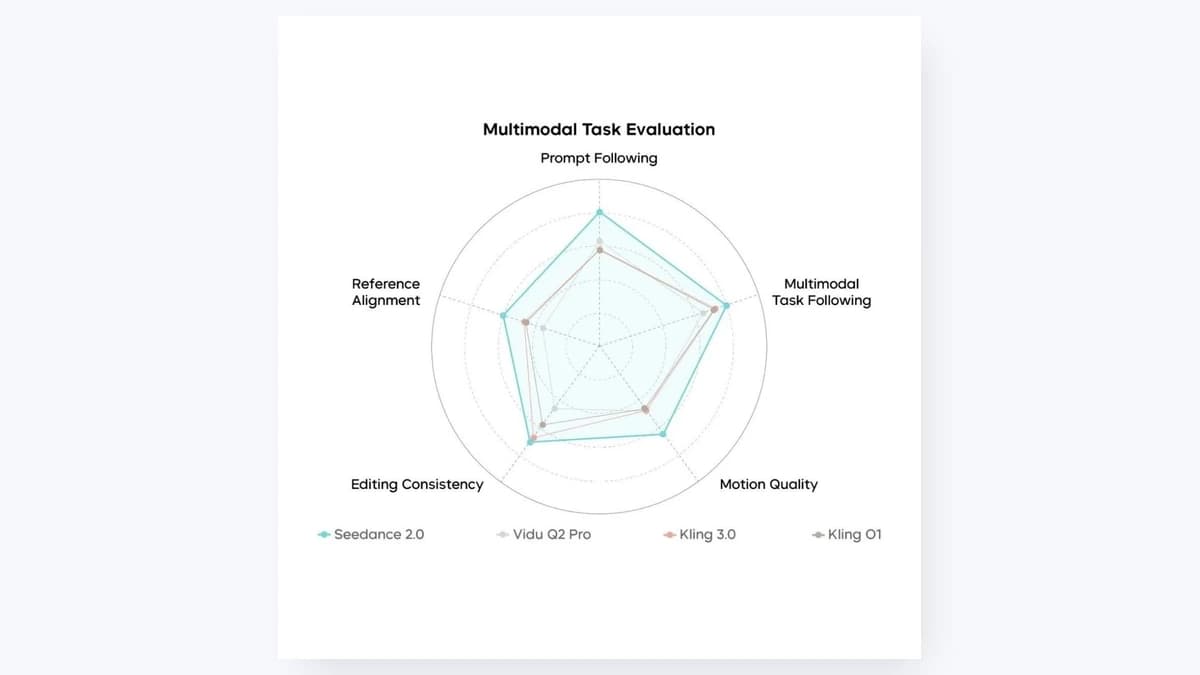
The official Seedance 2.0 model page also positions the model around immersive audio-visual generation, director-level control, and references for images, audio, and video.
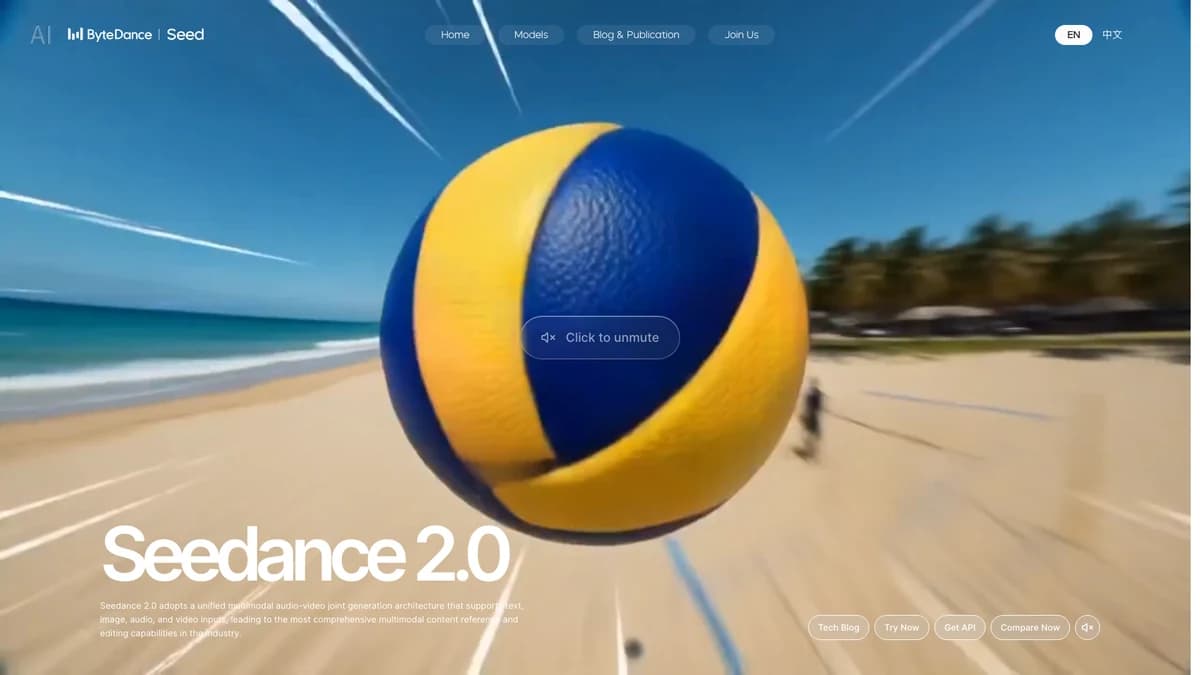
For creators, the practical takeaway is simple: Seedance 2.0 is trying to move AI video from "type a prompt and hope" toward "direct a shot with references."
What Makes Seedance 2.0 Different?
Most AI video tools are useful, but they often break down in three places:
- Movement feels floaty or physically wrong.
- Characters or objects drift between shots.
- Audio has to be added later, which can make the final video feel pasted together.
Seedance 2.0 is built to attack those problems directly.
Native Audio and Video Together
The Replicate model page for bytedance/seedance-2.0 describes Seedance 2.0 as a multimodal video model with native audio, reference inputs, and intelligent duration control. Replicate's readme also notes that audio and video are generated together, so dialogue, sound effects, and background music can be synchronized from the start.
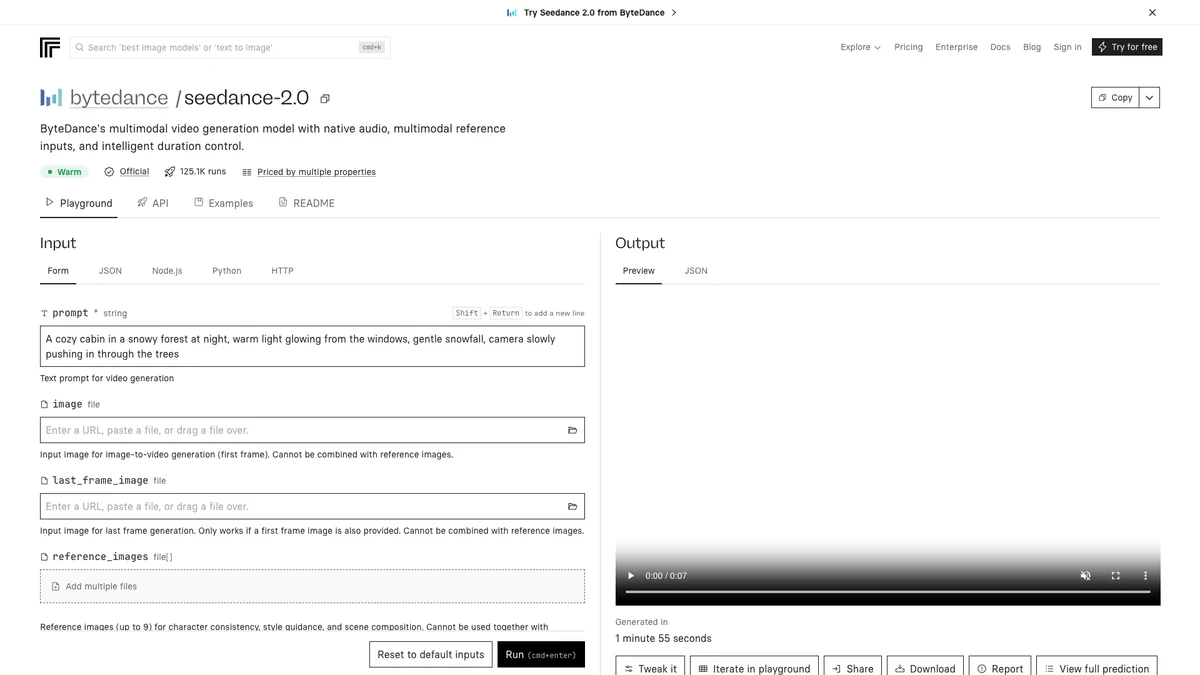
That matters for short videos because audio is often the difference between a clip that feels like a draft and a clip that feels publishable. A silent cinematic shot can look impressive, but a synchronized footstep, door slam, crowd noise, or line of dialogue makes it much easier to build a complete story.
Mixed References
Seedance 2.0 can combine reference images, videos, and audio in the same generation. A creator might use:
- A character image for appearance.
- A product photo for the object being shown.
- A reference video for camera movement.
- A short audio clip for rhythm or ambience.
- A text prompt for the actual scene.
This is especially useful for creators who want repeatable formats. Instead of reinventing the entire prompt each time, you can keep a consistent character, visual style, or shot language and change the story.
Better Camera and Motion Control
ByteDance's launch post emphasizes complex motion, physical plausibility, camera planning, and editing instruction following. The official examples include figure skating, ASMR, wuxia action, dance, product-style scenes, and video extension.
You should still expect imperfections. ByteDance itself says the model needs further refinement in areas like detail stability, hyper-realism, dynamic vitality, text rendering accuracy, multi-subject consistency, and some complex editing effects. That caveat is important. Seedance 2.0 can be impressive, but it is not a guaranteed one-prompt final video machine.
Seedance 2.0 vs. Seedance 2.0 Fast
SwipeStory currently exposes both Seedance 2.0 and Seedance 2.0 Fast in its AI video generation flow.
| Model | Best for | Tradeoff |
|---|---|---|
| Seedance 2.0 | Final shots, higher-quality clips, reference-heavy creative work | More expensive per second and better for deliberate generations |
| Seedance 2.0 Fast | Quick iteration, testing prompts, choosing direction before spending more credits | Usually a better draft path than a final polish path |
Inside SwipeStory, Seedance 2.0 and Seedance 2.0 Fast are available in 5-second and 10-second durations, with 9:16, 3:4, 1:1, 4:3, 16:9, and 21:9 aspect ratios. The default creator workflow favors 9:16 because it fits TikTok, Reels, and YouTube Shorts.
If you are testing an idea, start with Seedance 2.0 Fast. If the prompt, character, or motion is close to what you want, move to Seedance 2.0 for the final shot.
Best Use Cases for Seedance 2.0 Video
Seedance 2.0 is strongest when the clip itself needs to carry production value. Here are the practical creator use cases.
1. Cinematic Faceless Shorts
Faceless channels need visuals that hold attention without a host on camera. Seedance 2.0 can help create scenes that feel more directed: slow camera pushes, action beats, atmospheric locations, visual story moments, and sound design.
Example prompt:
A cinematic vertical shot of an abandoned lighthouse during a storm. The camera slowly pushes toward the cracked door as waves crash below. Cold blue moonlight, realistic rain, tense ambience, subtle thunder, no text.
Use this kind of output as the visual base, then use SwipeStory to add narration, captions, music choices, and a publishing schedule.
2. Product and Concept Videos
For product-style content, mixed references can be helpful. You can provide an image of a product, a reference for the lighting style, and a prompt describing the action.
That said, be careful with branded products. AI video models can struggle with exact logos, labels, package geometry, and product consistency. For client work, always review the generated clip closely before publishing.
3. Story-Driven Shorts
Seedance 2.0 is a good fit for short narrative moments: a character enters a strange room, a historical scene comes alive, a fantasy creature moves through a forest, or a true-crime style reenactment shows an empty street at night.
For SwipeStory users, this pairs well with a script-first workflow:
- Write or generate a short script.
- Pick the key visual beat.
- Generate a Seedance 2.0 shot for that beat.
- Add narration, captions, and music.
- Render and publish as a vertical short.
4. Audio-Driven Visuals
Because Seedance 2.0 supports audio references, it can be useful for music-synced shots, ambience-heavy shorts, ASMR concepts, and scenes where sound is part of the hook.
This is a major difference from older workflows where AI video is generated silently and the creator has to retrofit sound afterward.
How to Use Seedance 2.0 in a Short-Form Workflow
The mistake most creators make is treating a video model as the entire content strategy. Seedance 2.0 can generate a shot. It does not automatically solve the hook, script, caption pacing, title, niche selection, publishing schedule, or follow-up series.
Use this workflow instead.
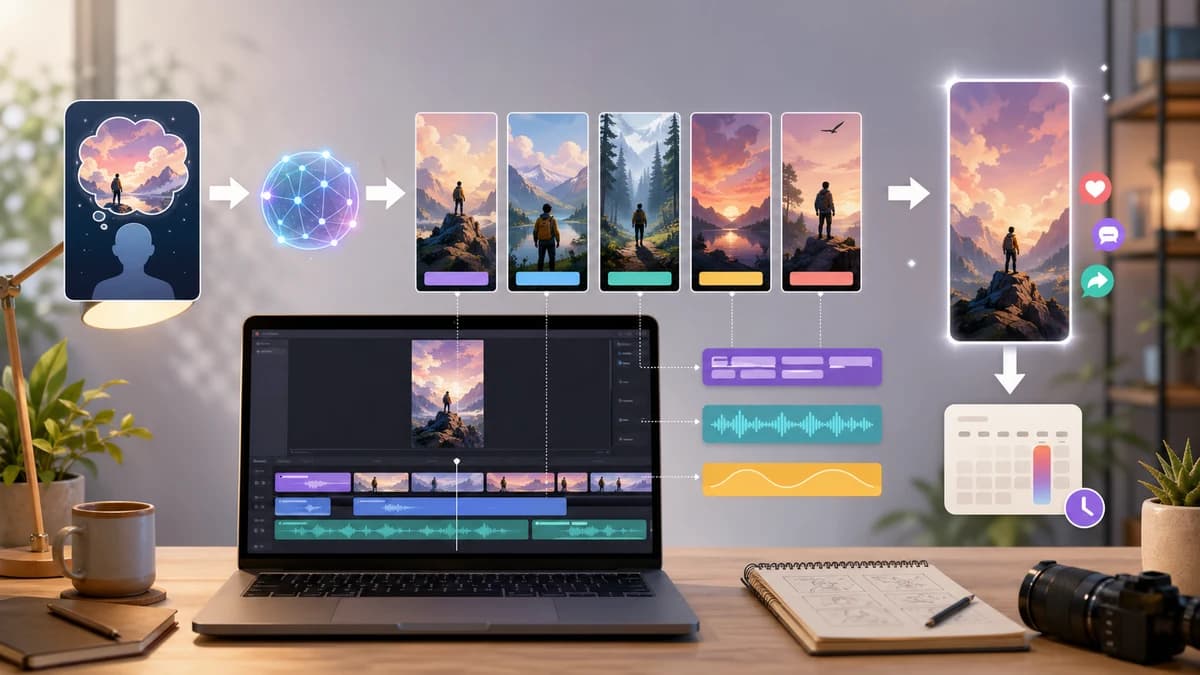
Step 1: Start With the Video Format
Before prompting, decide the final format:
- TikTok story.
- YouTube Short.
- Instagram Reel.
- Product teaser.
- Faceless channel episode.
- Series intro.
If the final destination is short-form social, choose a vertical aspect ratio first. In SwipeStory, 9:16 is the default path for most creators.
Step 2: Write the Hook Before the Visual
Seedance 2.0 can create beautiful clips, but the viewer still needs a reason to keep watching.
Weak hook:
A man walks through a forest.
Stronger hook:
Every night, the same lantern appeared deeper in the forest.
Now the Seedance prompt has a job: make the mystery feel real.
Step 3: Prompt Like a Director
Good Seedance 2.0 prompts tend to include:
- Subject.
- Action.
- Camera movement.
- Lighting.
- Mood.
- Sound.
- Aspect ratio or platform intent.
- What to avoid.
Example:
Vertical cinematic video. A lone explorer follows a glowing lantern through a foggy pine forest at night. Slow handheld camera behind the explorer, soft blue moonlight, realistic fog, distant owl call, subtle footstep sounds, suspenseful but not horror, no text, no logos.
Step 4: Generate Short, Then Iterate
Start with a shorter clip. If the framing, character, or motion is wrong, revise before spending credits on longer or higher-quality generations.
This is where Seedance 2.0 Fast can be useful. Use it to test direction, then switch to Seedance 2.0 when the prompt is working.
Step 5: Finish the Video for Publishing
The generated clip is only the source material. For a creator-ready short, you still need:
- Narration or voiceover.
- Captions.
- Background music.
- Title/hook pacing.
- Cuts and timing.
- Export format.
- Publishing workflow.
SwipeStory handles that broader workflow. You can create AI videos from scripts, build YouTube Shorts, make Instagram Reels, or use image-to-video when you already have a strong visual starting point.
Seedance 2.0 Prompt Examples
Use these as starting points, not final templates.
Faceless History Short
Vertical cinematic scene. A Roman messenger runs through a rain-soaked marble corridor at dawn, clutching a sealed letter. Low tracking shot, dramatic torchlight reflections, fast footsteps, distant thunder, realistic clothing movement, tense historical atmosphere, no text.
AI Story Video
A cozy animated storybook scene of a small wooden house floating above the clouds at sunrise. The camera slowly circles the house as warm light spills from the windows. Gentle wind ambience, soft magical tone, no words, no logos.
Product Teaser
Close-up product-style video of a matte black water bottle on a wet stone surface. Slow dolly-in camera, condensation droplets, soft studio backlight, subtle water ripple sound, premium minimalist mood, no visible brand logo, no text.
Horror Channel Visual
Vertical realistic night shot of an empty suburban playground swinging by itself in the wind. Slow push-in, flickering streetlamp, distant dog bark, cold blue lighting, unsettling but not graphic, no text.
Creator Intro Clip
A fast-paced vertical montage of blank storyboards becoming colorful video scenes on a creator's desk. Smooth camera sweep, glowing timeline, energetic electronic ambience, clean modern lighting, no readable text, no logos.
Safety, Rights, and Real People
Do not use Seedance 2.0 or any AI video model to imitate real people, celebrities, actors, influencers, or copyrighted characters without permission. ByteDance's own launch post includes a note that demos with character references are for capability demonstration and says real human portrait references require identity verification or legal authorization.
For creators, the safest path is:
- Use original characters.
- Use your own product images.
- Avoid celebrity likenesses.
- Avoid copyrighted characters and brand marks.
- Keep source files and permissions organized for client work.
This is not just a legal issue. It is also a brand issue. Content built on unauthorized likenesses can get removed, demonetized, or damage trust with viewers.
Is Seedance 2.0 Good for YouTube Shorts and TikTok?
Yes, but with the right expectations.
Seedance 2.0 is useful for producing strong visual clips for YouTube Shorts, TikTok, and Reels. It is especially useful when your video needs a cinematic moment, a reference-based animation, or synchronized audio.
But short-form performance still depends on:
- The first 1-2 seconds.
- The clarity of the story.
- Caption pacing.
- Voiceover quality.
- Topic selection.
- Posting consistency.
- Audience feedback.
That is why a model-only workflow often stalls. Creators generate a few impressive clips, then get stuck turning them into a consistent channel.
SwipeStory is built for the repeatable part: scripts, faceless video generation, voiceovers, captions, rendering, series automation, and scheduled publishing. Seedance 2.0 can make the visuals stronger, but the system around the video is what helps you publish consistently.
Seedance 2.0 vs. Sora, Veo, Kling, and Hailuo
Creators are going to compare Seedance 2.0 with models like Sora, Veo, Kling, and Hailuo. The honest answer is that there is no universal winner for every use case.
| Model family | Usually strong for | Watch out for |
|---|---|---|
| Seedance 2.0 | Multimodal references, native audio, cinematic short clips, reference-guided shots | Detail stability, real-person/rights constraints, exact brand consistency |
| Sora | General high-quality text-to-video and broad creator interest | Access, cost, and workflow fit can vary |
| Veo | Realism, cinematic shots, and Google ecosystem momentum | Pricing/access and creative control depend on where you use it |
| Kling | Motion, image-to-video, and cinematic generations | Prompt consistency and model/version differences |
| Hailuo | Fast image-to-video and realistic motion in many prompts | Audio and reference controls may differ by provider |
If you want a deeper model comparison, the practical question is not "Which model is best?" It is "Which model gives my channel repeatable output at the cost, speed, and quality I can sustain?"
Frequently Asked Questions
Is Seedance 2.0 the same as Seedance 2.0 AI?
Yes. People use both phrases to describe ByteDance Seed's Seedance 2.0 AI video model. Searchers may also call it "Seedance 2.0 video" or "Seedance AI video generator."
Can Seedance 2.0 create videos with sound?
Yes. ByteDance describes Seedance 2.0 as a unified audio-video generation model, and Replicate lists native audio generation as a key feature. In practice, always review the sound carefully before publishing.
Does Seedance 2.0 support image-to-video?
Yes. Seedance 2.0 supports image inputs and reference-based generation. SwipeStory also supports Seedance 2.0 inside its AI image-to-video tool.
How long can Seedance 2.0 videos be?
ByteDance says the model supports 15-second high-quality multi-shot audio-video output. In SwipeStory's current app flow, Seedance 2.0 and Seedance 2.0 Fast are exposed with 5-second and 10-second duration options.
Should I use Seedance 2.0 or Seedance 2.0 Fast?
Use Seedance 2.0 Fast when you are testing prompts and visual direction. Use Seedance 2.0 when you are closer to a final shot and want stronger output quality.
Bottom Line
Seedance 2.0 is one of the more important AI video model upgrades for creators because it focuses on the problems that actually matter in short-form video: motion, reference control, audio, and controllable direction.
But the model is only one piece of the workflow. A strong short still needs a hook, script, pacing, captions, music, export, and a publishing rhythm. If you want to turn Seedance-style visuals into repeatable TikToks, Shorts, and Reels, start with SwipeStory's AI video tools and build a workflow you can publish with every week.
