Simple Video Tools for Non-Creators: 2026 Guide

Stella writes SwipeStory guides about AI faceless video creation, short-form video strategy, creator tools, and automated publishing workflows.
Simple video tools for non-creators are software platforms designed to make video production accessible to anyone, with no editing experience required. The best options combine intuitive interfaces with AI assistance, so you skip timelines, complex controls, and steep learning curves entirely. Swipestory has already helped thousands of creators produce over 60,000 short videos using exactly this approach. Whether you want to post on TikTok, YouTube, or Instagram, the right tool turns a raw idea into a finished video in minutes. This guide covers the most practical, user-friendly options available in 2026.
Simple video tools for non-creators: what makes them work
The defining feature of any good beginner video tool is that it removes decisions you are not qualified to make yet. You should not need to know what a bitrate is, what a codec does, or how to sync audio manually. The best platforms handle all of that automatically.
TechRadar analysts recommend prioritizing "interface feel" over sheer feature count when selecting beginner video editing tools. A tool that feels collaborative and guides you through prompts produces better results than one that buries you in options. That insight separates genuinely useful tools from ones that just market themselves as "easy."

AI assistance is the biggest shift in this category over the past two years. Prompt-based video creation, automatic scene generation, and smart caption tools now do the heavy lifting that once required professional editors. The result is that video creation for beginners is no longer a compromise between quality and simplicity.
1. AI prompt-to-video generators
AI prompt-to-video tools are the most accessible entry point for anyone who has never edited a video. You type a description, and the platform builds the video for you, including visuals, voiceover, and captions.
Swipestory's prompt to video generator works exactly this way. You enter an idea, and the platform handles scriptwriting, image generation, voiceover, and cloud rendering automatically. No timeline. No manual cuts. No file management.
Key features to look for in this category:
- Text prompt input with no template required
- Automatic voiceover generation
- Customizable captions and text overlays
- Export in vertical or landscape format for social media
Pro Tip: Write your prompt the way you would explain the video to a friend. Specific prompts like "a 30-second video about why dogs make great pets, upbeat tone" produce far better results than vague ones like "dog video."
2. Script-to-video tools
Script-to-video tools are ideal if you already know what you want to say but do not want to film yourself saying it. You paste in your script, and the platform generates a video around it automatically.
Swipestory's script to video tool converts written scripts into short videos with matching visuals and voiceovers. This approach works especially well for educational content, product explainers, and social media posts where the message matters more than the presenter.
Free AI video tools that support script uploads generate videos automatically, making them practical for users without filming resources or a creative background. You do not need a camera, a microphone, or a studio.
3. Faceless video generators
Faceless video generators produce complete videos without requiring you to appear on camera. These platforms are among the fastest-growing categories in user-friendly video software because they remove the biggest barrier for most beginners: being on screen.
Swipestory's faceless AI video generator lets you upload a script or images and generates the full video automatically. The output works for YouTube Shorts, TikTok, and Instagram Reels without any additional editing.
This format is particularly effective for educational content, motivational videos, and niche topic channels where the information is the product, not the personality.
4. Short-form social media video makers
Short-form video makers are built specifically for TikTok, Instagram Reels, and YouTube Shorts. They output in vertical format by default and keep videos under 60 seconds, which matches platform requirements without any manual adjustment.
Swipestory's short video maker generates TikTok, Reels, and Shorts content from a prompt or script. The platform handles aspect ratio, pacing, and caption placement automatically.
AI video generators allow users to create videos from text prompts with no editing skills or timelines required, enabling rapid production of YouTube videos and Shorts. Video lengths in this category typically range from 4 to 15 seconds for Shorts formats, with landscape options available for standard YouTube uploads.
5. Simple clip editors with atomic actions
Not every task requires a full AI generator. Sometimes you just need to trim a clip, add a caption, or extract audio. Simple clip editors handle these tasks through single, obvious actions with no complex interface.
Simple Video Editor by KO6ETZ uses what it calls atomic video editing actions. Each task is completed through one clear action, with no timelines or complex file structures involved. Features include frame-accurate trimming, caption insertion, and screen recording.
Most entry-level video apps include undo/redo functionality, visual drag handles for trimming, and easy export in formats like MP4 and GIF. These features lower the barrier for non-creators who just need quick edits without committing to a full production workflow.
6. Mobile video utility apps
Mobile video utility apps handle the small but frequent tasks that come up when you create content regularly. These include GIF generation, frame extraction, clip creation, speed adjustments, and face blurring.
Simple Video Tools, available on iOS, covers all of these functions in one place. The app is praised for being simple enough for young users, which is a reliable signal that the interface is genuinely accessible. It also handles audio extraction and cropping, making it a practical toolkit for mobile-first creators.
The advantage of mobile utility apps is speed. You can complete a task in under a minute without opening a desktop application or uploading files to a web platform.
7. Educational video makers
Educational video makers are designed for explainer content, tutorials, and training videos. They typically include text-to-speech voiceover, slide-style layouts, and automatic scene transitions.
Swipestory's educational video maker generates AI explainer videos from a script or prompt. The output suits YouTube, social media, and embedded website content. No recording equipment is needed.
This category works well for teachers, coaches, and small business owners who need to explain a concept clearly without hiring a video production team.
How AI assistance changes the creation process
AI acts as a creative partner in the best beginner video tools. It does not just automate technical steps. It makes creative decisions that would otherwise require experience, such as choosing scene pacing, matching visuals to tone, and generating voiceovers that sound natural.
"Tools that feel collaborative with AI yield better outcomes for first-time makers than those that prioritize sheer feature count." — TechRadar, Best Video Editing Software for Beginners 2026
The practical result is that you can produce a polished video without ever touching a timeline. Prompt-based creation, automatic scene generation, and smart editing suggestions handle the parts that used to require professional skills. That is a genuine shift, not just a marketing claim.
Comparing key features across tool categories
The table below compares the main feature categories across the types of tools covered in this guide.
| Feature category | AI generators | Simple clip editors | Mobile utility apps |
|---|---|---|---|
| No timeline required | Yes | Yes | Yes |
| Prompt or script input | Yes | No | No |
| Trimming and cropping | Partial | Yes | Yes |
| Voiceover generation | Yes | No | No |
| Caption insertion | Yes | Yes | No |
| Export to MP4/GIF | Yes | Yes | Yes |
| Free tier available | Yes | Yes | Yes |
| Best for | Full video creation | Quick edits | Single-task utilities |
AI generators cover the widest range of needs for video creation for beginners. Simple clip editors and mobile utility apps fill the gaps when you need fast, targeted edits without generating a full video from scratch.
Choosing the right tool for your situation
The right tool depends on what you are trying to make and where you plan to post it.
Use an AI video generator if:
- You want to create a complete video from a prompt or script
- You do not want to appear on camera
- You are posting to TikTok, Instagram, or YouTube Shorts
- You have no prior editing experience at all
Use a simple clip editor if:
- You already have footage and just need to trim or caption it
- You want frame-accurate control without a complex interface
- You need a fast turnaround on a single edit
Use a mobile utility app if:
- You work primarily from your phone
- You need to extract audio, generate a GIF, or blur a face quickly
- You want a lightweight tool that does not require an account
Pro Tip: Test two or three tools on the same project before committing to one. The tool that feels most natural to you will produce better results than the one with the longest feature list.
Budget is rarely a barrier in this category. Most platforms offer a free tier that covers basic video creation. Paid plans typically unlock longer videos, higher export quality, and additional AI credits.
Key takeaways
The most effective simple video tools for non-creators combine AI automation with intuitive interfaces, removing the need for any prior editing experience or technical knowledge.
| Point | Details |
|---|---|
| Prioritize interface feel | Choose tools that guide you through creation rather than overwhelming you with options. |
| AI generators cover the most ground | Prompt and script-based tools handle the full production process with no manual editing. |
| Faceless tools remove the biggest barrier | You do not need a camera, microphone, or on-screen presence to create quality videos. |
| Mobile utility apps fill the gaps | Use them for quick, single-task edits when a full generator is more than you need. |
| Free tiers are widely available | Most platforms let you create and export videos at no cost before committing to a paid plan. |
What I actually think about these tools
The conversation around beginner video tools tends to focus on features. I think that is the wrong frame entirely.
The tools that actually help non-creators are the ones that make you feel capable within the first five minutes. If you open a platform and immediately feel lost, the feature list does not matter. You will close the tab and never come back. That is the real selection criterion, and it is the one most reviews ignore.
AI generators have genuinely changed this. When I first started paying attention to this category, "easy" usually meant a stripped-down editor with fewer buttons. Now it means a platform that takes your idea and builds the video for you. That is a fundamentally different promise, and it holds up in practice.
The mistake I see most often from beginners is choosing a tool based on what a professional uses. Professional tools are built for professional workflows. They are not simpler versions of the same thing. They are a different category entirely. Start with a tool built for your actual skill level, and move up only when you have outgrown it.
Swipestory sits in the right category for most people starting out. The platform generates complete videos from prompts or scripts, handles voiceover and captions automatically, and exports in the formats social platforms actually require. That is the full production cycle, handled without any technical knowledge on your end.
— Jesse
Swipestory makes video creation accessible from day one
Swipestory is built for people who want to create videos without learning video production. The platform's AI video generator takes a prompt or script and produces a complete short video, including visuals, voiceover, and captions, ready to post on TikTok, Instagram, or YouTube.
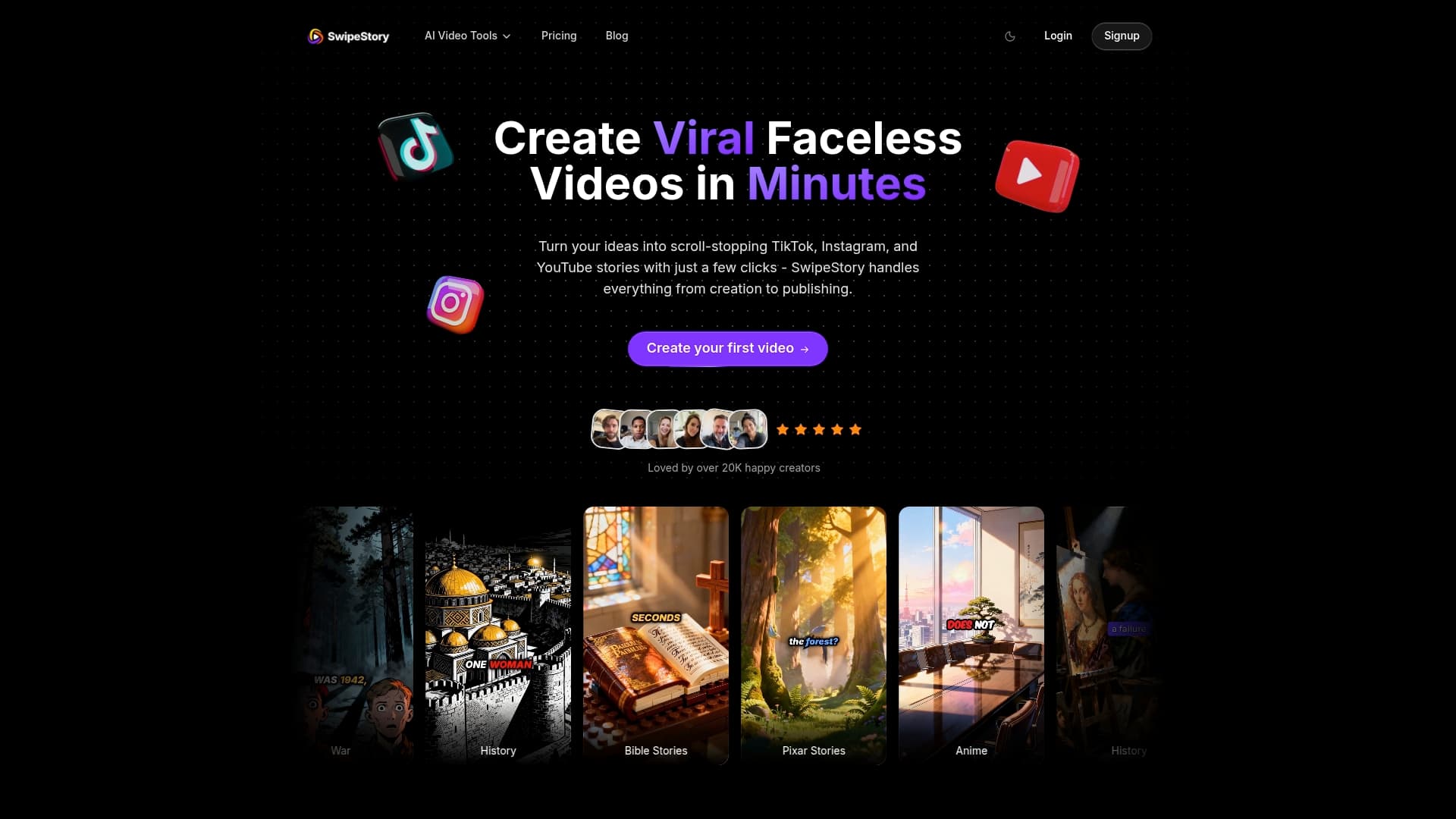
Over 60,000 short videos have already been generated on Swipestory by creators with no prior editing experience. The platform covers social media video creation, educational explainers, faceless videos, and motivational Shorts, all from the same interface. No camera, no timeline, no technical skills required. Swipestory's free AI video tools let you create and export your first video at no cost.
FAQ
What are simple video tools for non-creators?
Simple video tools for non-creators are platforms designed to make video production accessible without editing experience. They typically feature AI assistance, prompt-based creation, and automatic export, so no technical knowledge is required.
Do I need a camera to make videos with these tools?
No. Faceless AI video generators like Swipestory produce complete videos from a script or prompt, with no camera, microphone, or on-screen presence needed.
What is the easiest type of video tool for a complete beginner?
AI prompt-to-video generators are the easiest entry point. You type a description, and the platform builds the full video automatically, including visuals, voiceover, and captions.
Are simple video apps free to use?
Most platforms offer a free tier that covers basic video creation and export. Paid plans typically unlock longer videos, higher quality exports, and additional AI generation credits.
How do I choose between an AI generator and a simple clip editor?
Use an AI generator when you want to create a complete video from scratch with no footage. Use a simple clip editor when you already have footage and need to trim, caption, or adjust it quickly.
