AI Voiceover Video Maker Guide

Stella writes SwipeStory guides about AI faceless video creation, short-form video strategy, creator tools, and automated publishing workflows.
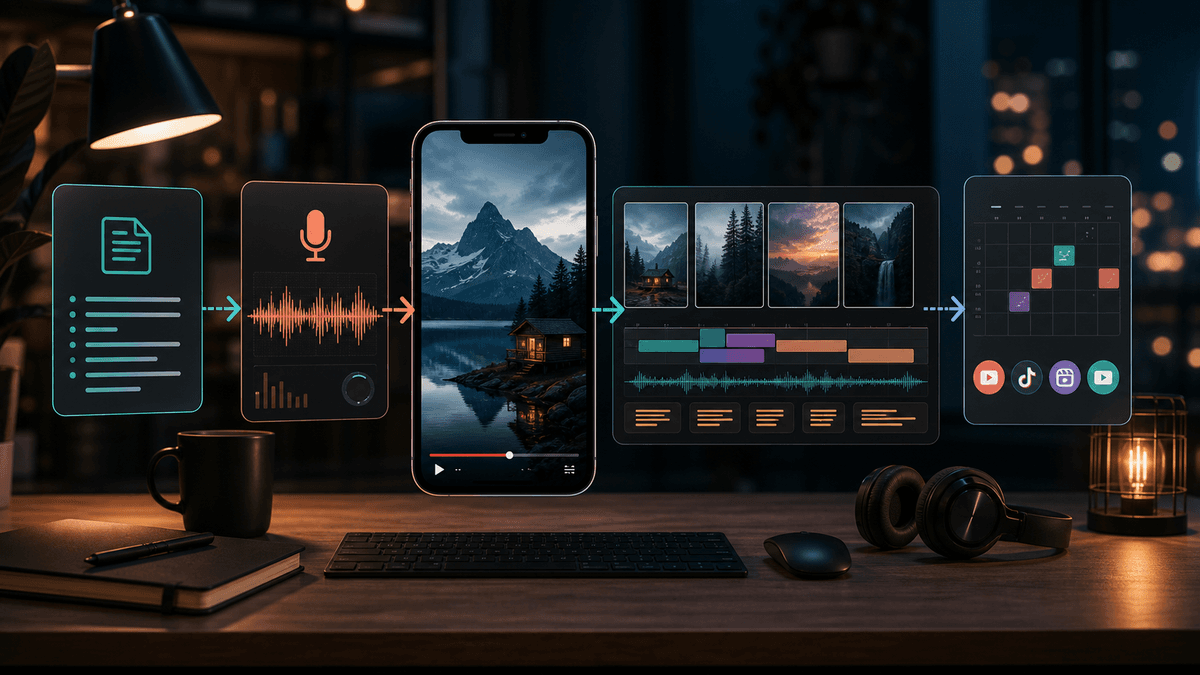
An AI voiceover video maker is useful when it turns a script into natural narration and keeps that audio aligned with visuals, captions, music, and the final vertical edit. If you want faceless voiceover videos for TikTok, YouTube Shorts, and Instagram Reels, use a workflow that handles the whole video instead of exporting a loose audio file. SwipeStory's Script to Video AI is the fastest path when your narration is ready; Prompt to Video is better when you only have the idea.
Updated May 22, 2026. We checked current YouTube Help, TikTok Help, ElevenLabs, OpenAI, VEED, Descript, CapCut, and SwipeStory pages before writing this guide.
Short Answer: What Should an AI Voiceover Video Maker Do?
A good AI voiceover video maker should do five jobs:
| Job | What it should do | Weak version to avoid |
|---|---|---|
| Script | Turn an idea into spoken beats | One long paragraph with no pacing |
| Voice | Generate clear narration in the right style | Random voice that does not fit the niche |
| Timeline | Match narration to scenes and captions | Audio pasted over unrelated visuals |
| Review | Let you fix pronunciation, timing, and claims | One-click export with no edit pass |
| Publish | Output a vertical video for the platform | Separate files that need another editor |
That is why faceless creators should treat voiceover as part of the edit. The voice controls where the viewer feels the hook, proof, turn, and CTA. If the voice is too slow, the whole video feels slow. If it mispronounces the niche term, the video feels automated even when the visuals look polished.
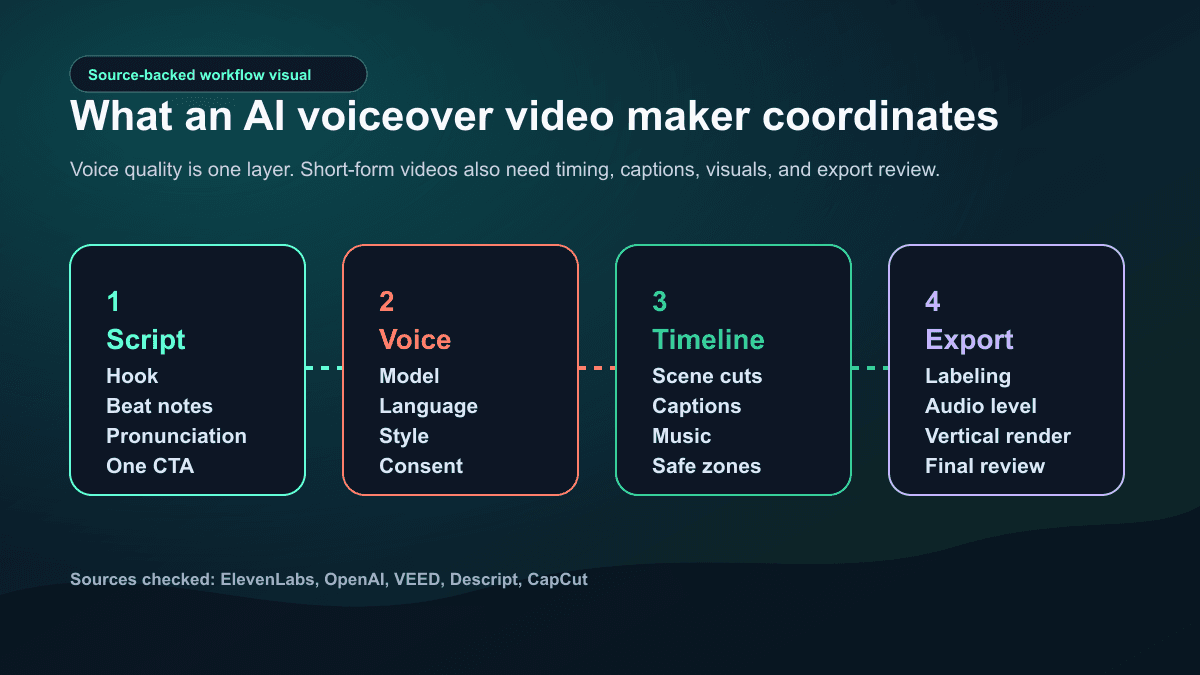
For most short-form creators, the best starting workflow is:
- Write the script as voiceover beats, not paragraphs.
- Pick a voice that matches the audience and topic.
- Generate the video so narration, visuals, captions, and music are planned together.
- Review pronunciation and pacing before editing caption style.
- Export or schedule the finished video for TikTok, Shorts, and Reels.
What Current AI Voiceover Tools Can Do
AI voiceover tools have improved quickly, but they are not all the same category.
ElevenLabs' text-to-speech documentation says its TTS API turns text into spoken audio with nuanced intonation, pacing, and emotional awareness. The same page lists model options across languages, voice library access, professional and instant voice cloning, voice design, output formats, ownership notes, and commercial-use limits by plan. That makes it a strong audio engine, but it is still one part of a video workflow.
OpenAI's text-to-speech guide currently lists 13 built-in voices for its TTS endpoint, says the default output format is MP3, and also supports formats such as Opus, AAC, FLAC, WAV, and PCM. Its custom-voice section also emphasizes consent and sample quality, including separate consent and sample recordings for eligible customers.
CapCut's AI voice reader page focuses on script-to-narration inside an editor: paste the script, choose language and voice style, preview, then sync generated voiceover with captions and the timeline. VEED's help center describes a similar text-to-speech workflow inside its editor, including text entry, language selection, voice choice, generation, timeline review, and export. Descript's help center describes writing a script, assigning speakers, and generating text-to-speech audio, with tone tags available for some model settings.
The pattern is clear: standalone AI voiceover tools are good at speech. Video editors are good when you already have footage. End-to-end AI video tools are better when the starting point is an idea, script, or faceless channel format.
The Disclosure Step Creators Skip
AI voiceover for videos has a policy layer. This is especially important for realistic voices, cloned voices, public figures, news-like topics, health, finance, and anything that might make viewers think a synthetic voice is a real person speaking.
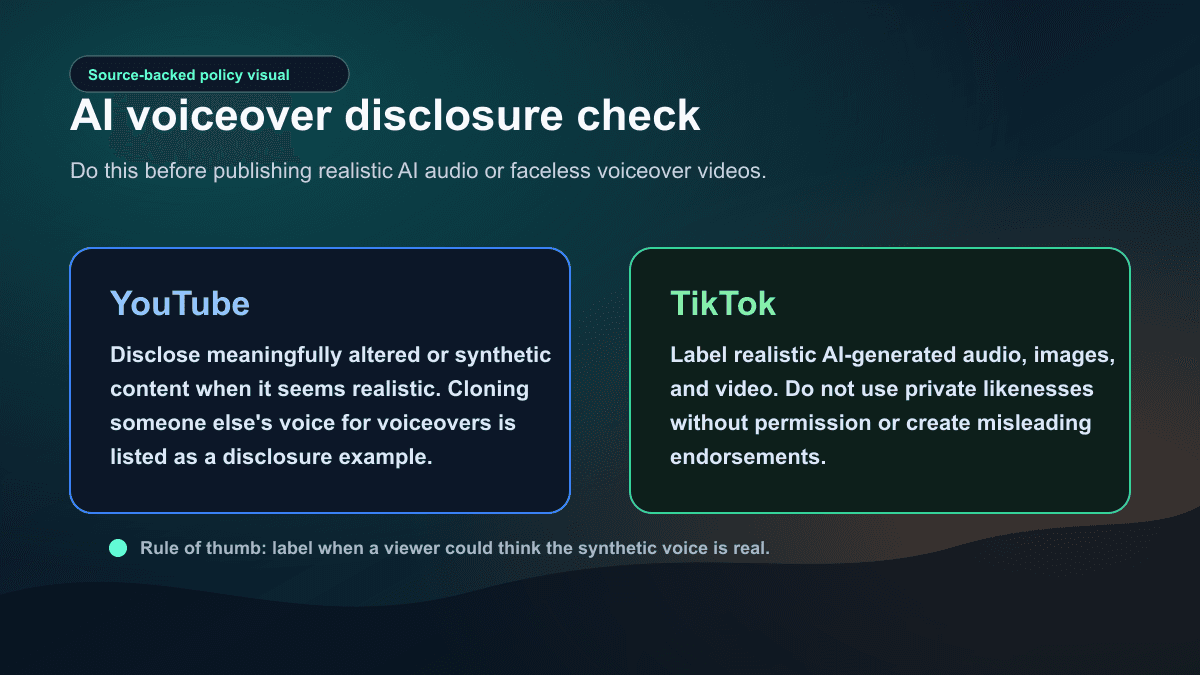
YouTube's altered or synthetic content help page says creators must disclose meaningfully altered or synthetically generated content when it seems realistic. It gives cloning someone else's voice to create voiceovers or dubs as an example of content that needs disclosure. The same page also says production assistance such as using AI for outlines, scripts, thumbnails, titles, infographics, captions, audio repair, or voice repair does not automatically need disclosure by itself.
TikTok's AI-generated content help page says creators should label realistic AI-generated content that includes images, audio, or video. It also describes creator labels, auto labels, and prohibited uses such as misleading public-figure endorsements, fake authoritative sources, crisis events, or private likenesses used without permission.
The practical rule is simple: if a reasonable viewer could think the voice is a real person's actual speech, slow down and label it. If you are using a generic synthetic narrator for a clearly faceless educational video, still review the platform rules before publishing.
Where SwipeStory Fits
SwipeStory is strongest when the job is not just "make an audio file." It turns prompts or scripts into vertical videos with AI-generated visuals, voiceovers, captions, background music, editing, rendering, and scheduled publishing for TikTok, YouTube Shorts, and Instagram Reels.
That matters for faceless voiceover videos because the voiceover and the visuals need to be written together. A line like "three reasons this habit works" needs three visual beats. A suspense story needs pauses before the turn. A product explainer needs captions that reinforce the spoken terms without covering the subject. If those parts are created in separate tools, the edit can feel stitched together.
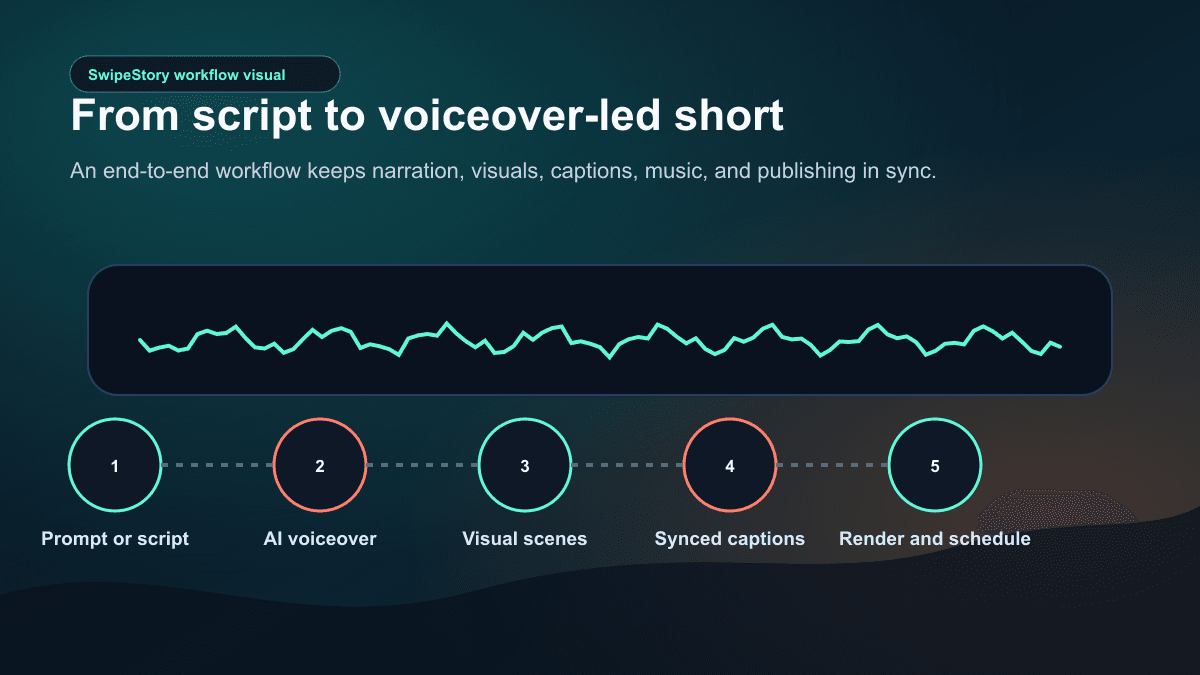
Use Script to Video AI when you already know the narration. Use Prompt to Video when you want the system to expand the idea into a script first. Use the faceless AI video generator when the repeatable format is a no-camera channel with narration, generated visuals, captions, and publishing support.
SwipeStory's current pricing configuration includes custom AI voiceovers, background music, auto-captions, all art styles, no watermark, and automated posting on the paid plans. As of this repo check on May 22, 2026, the public pricing constants list Hobby at $16/month billed annually with 120 credits, Creator at $31/month billed annually with 300 credits, Influencer at $55/month billed annually with 600 credits, and Studio at $174/month billed annually with 2,000 credits. Check pricing before planning a high-volume series because credit use depends on the videos you generate.
Write Scripts for Spoken Beats
The biggest voiceover mistake is writing like a blog post. AI text-to-speech can read a paragraph, but a short video needs beats. Each beat should tell the editor what to show, what to caption, and when the viewer should feel a change.
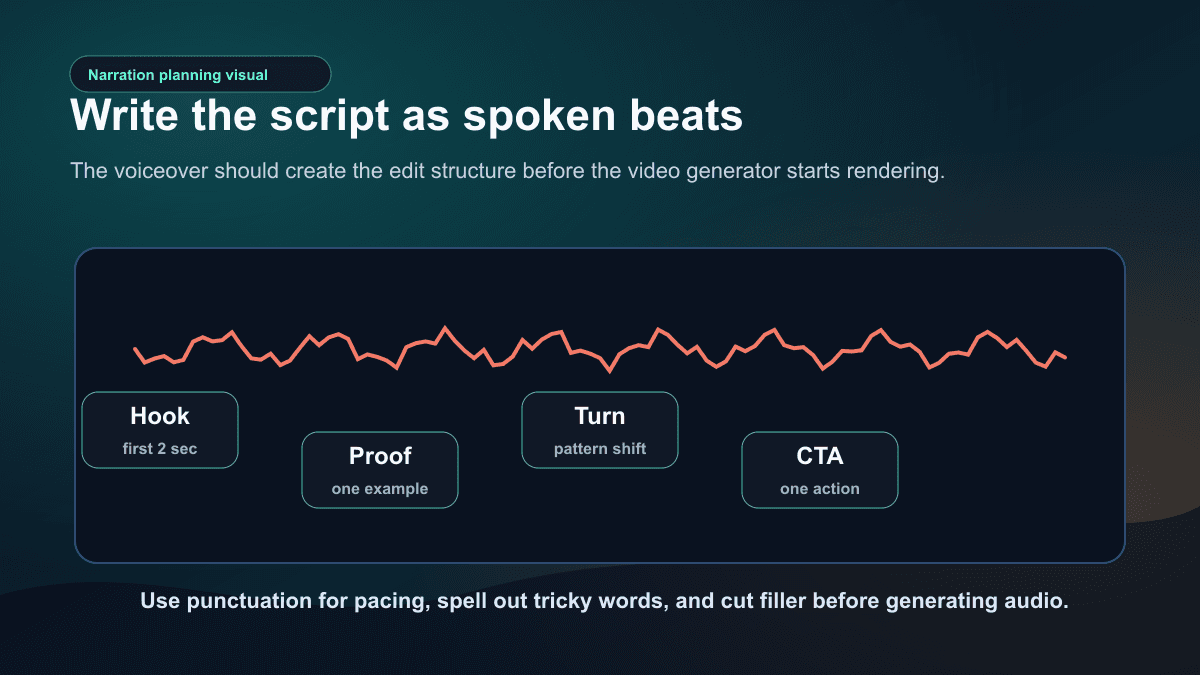
Use this prompt when you want an AI voiceover script that is easier to turn into video:
Act as a short-form video voiceover writer.

Platform: [TikTok / YouTube Shorts / Instagram Reels / cross-platform]
Audience: [specific viewer]
Topic: [specific topic]
Goal: [educate, persuade, entertain, explain, sell, retain]
Length: [20-60 seconds]
Voice style: [calm, energetic, investigative, warm, urgent, cinematic]
Visual style: [faceless education, story, product demo, anime, cinematic, UGC-style]

Return:
1. Three hook options under 12 words each.
2. One final voiceover script in short spoken beats.
3. A pronunciation list for names, acronyms, numbers, and unusual words.
4. A visual note for each beat.
5. Caption notes with short mobile-readable lines.
6. One CTA that fits the viewer's intent.
Then run the script through a quick edit pass:
| Check | Pass condition |
|---|---|
| Hook | The first line creates a reason to keep watching |
| Specificity | The script names the viewer, mistake, result, or story tension |
| Breath | Lines are short enough to sound natural when spoken |
| Visual nouns | Each beat gives the video something concrete to show |
| Pronunciation | Names, tools, places, and numbers are written clearly |
| Captions | Each line can become one or two caption beats |
| CTA | The ending asks for one clear action |
If the script fails this check, fix the script before testing another voice. Most weak AI voiceover videos sound robotic because the writing gives the voice model no rhythm.
Choose the Right Voiceover Workflow
There are three common workflows. Pick based on your starting material.
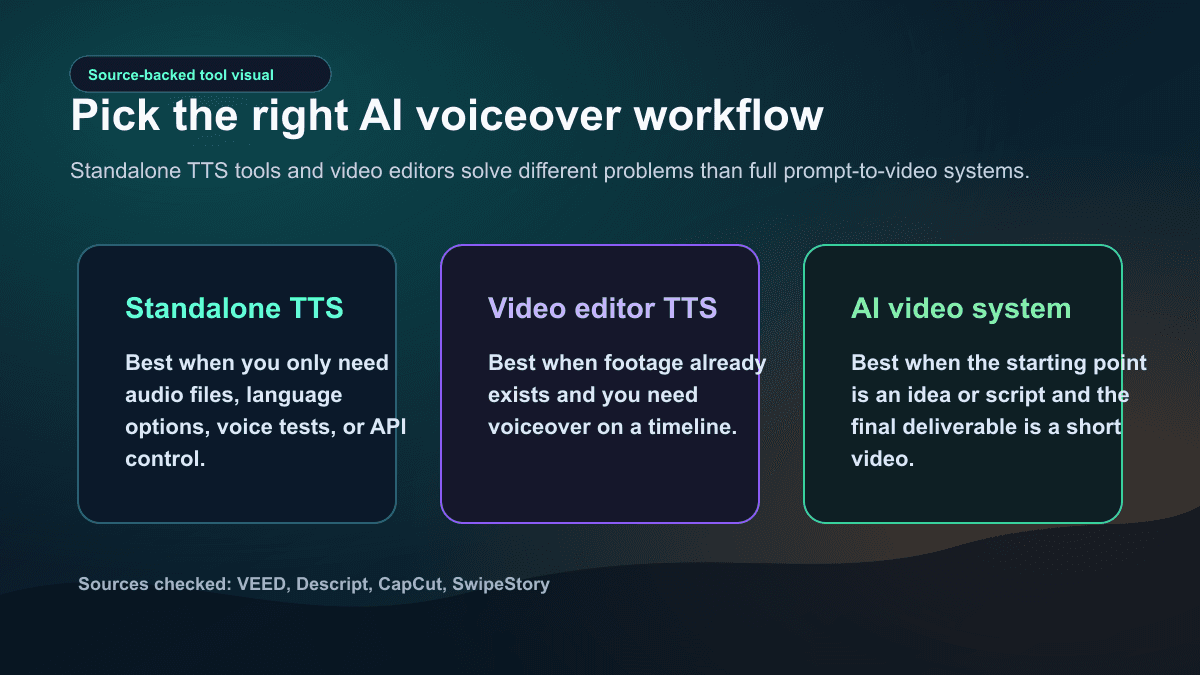
Use standalone TTS when audio is the deliverable
Use a standalone TTS workflow when you need an audio file, API control, fast voice testing, multilingual narration, or a custom production pipeline. This fits apps, voice agents, podcast snippets, audiobooks, e-learning modules, and products that already have a video layer.
The tradeoff is assembly. You still need to bring the audio into an editor, match visuals, style captions, balance music, and export the video.
Use video editor TTS when footage already exists
Use editor-based TTS when you have footage, screen recordings, product demos, or a partially edited project. VEED, Descript, and CapCut all position voice generation around the editor timeline in different ways. That is useful when the main job is adding narration to existing media.
The tradeoff is ideation. These tools can help with voiceover, but they do not necessarily solve the full faceless channel workflow: repeatable prompts, scene generation, voiceover, captions, rendering, and scheduled publishing.
Use an AI video system when the starting point is the idea
Use an AI video system when the input is a topic, script, template, or series concept. That is the lane for SwipeStory. The value is not only that it generates a voiceover. It keeps the voiceover connected to the scenes, captions, style, music, and publishing workflow.
If you are building platform-specific output, pair this workflow with AI YouTube Shorts generator, AI TikTok video generator, or AI Reel generator.
Voiceover QA Before Publishing
Do not export the first generated voiceover without listening like an editor. AI speech can be clear and still be wrong for the video.
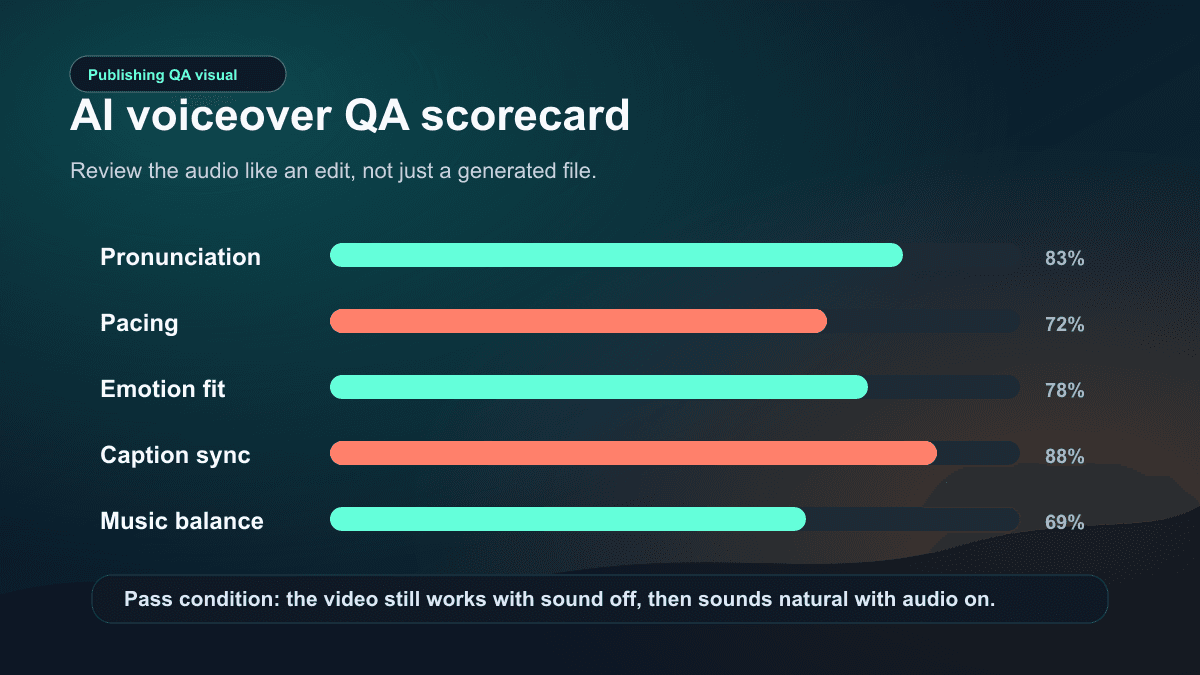
Use this checklist:
| QA check | What to listen for |
|---|---|
| Pronunciation | Brand names, creator names, places, acronyms, and numbers |
| Pacing | Pauses before reveals, no rushed CTA, no dragging intro |
| Emotion | Voice style matches the niche and platform |
| Continuity | No sudden accent, volume, or tone changes between paragraphs |
| Caption sync | Captions appear with the spoken phrase and do not spoil the next beat |
| Music balance | Music supports the voice instead of fighting it |
| Disclosure | Platform labels are applied when realistic synthetic content needs them |
Listen once without watching the screen. If the audio alone feels confusing, the script needs work. Then watch the video without sound. If the story still makes sense through visuals and captions, the edit is strong. Finally watch with sound on and check whether captions, visuals, and music support the spoken beat instead of competing with it.
Common Mistakes With AI Voiceover for Videos
The first mistake is choosing the most dramatic voice for every video. A cinematic voice can make educational content feel heavy. A high-energy voice can make a serious story feel untrustworthy. Start with audience fit, not novelty.
The second mistake is generating long paragraphs. Even a good model can sound flat if the script has no rhythm. Break the script into short spoken lines and use punctuation intentionally.
The third mistake is forgetting pronunciation. Spell out acronyms, write phonetic notes for hard names, and simplify numbers when possible. "One point five million" may sound better than "1.5M" depending on the tool.
The fourth mistake is editing captions after voiceover without checking timing. Captions should reinforce speech, not become a second script that distracts from the audio.
The fifth mistake is using cloned or realistic voices without consent, disclosure, or context. ElevenLabs' professional voice cloning docs say cloned voices should use clean single-speaker samples and currently only allow cloning your own voice with verification. OpenAI's custom voice docs also describe consent recordings. Treat consent as part of production, not paperwork after the fact.
Recommended SwipeStory Workflow
If you are starting from a script:
- Paste the final narration into Script to Video AI.
- Choose voice, style, language, duration, captions, and music direction.
- Generate the first draft.
- Review the first 10 seconds for hook, voice fit, and caption timing.
- Fix pronunciation, scene pacing, or caption rhythm before export.
- Download or schedule the finished video.
If you are starting from an idea:
- Use Prompt to Video to turn the idea into a structured draft.
- Review the generated script before judging the visuals.
- Tighten the hook and spoken beats.
- Generate or regenerate scenes around the stronger narration.
- Use one voice and caption style across the series.
For more input material, use AI video script generator guide, AI caption generator for short videos, and Text to Short Video Guide. A voiceover workflow works best when the script, captions, and visuals are built together.
Frequently Asked Questions
What is an AI voiceover video maker?
An AI voiceover video maker turns written text or a script into narrated video. The best workflows also sync the voiceover with visuals, captions, music, editing controls, rendering, and platform-ready export.
Can I make faceless voiceover videos with AI?
Yes. Faceless voiceover videos are one of the strongest use cases for AI video tools because the creator does not need to film themselves. Start with a clear script, generate narration, match scenes to each beat, add captions, then review platform disclosure rules before publishing.
Should I use a standalone AI voiceover generator or SwipeStory?
Use a standalone generator when you only need an audio file. Use SwipeStory when you want the voiceover to become a complete TikTok, YouTube Short, or Instagram Reel with visuals, captions, editing, rendering, and publishing support.
Do I need to label AI voiceover videos?
Sometimes. YouTube and TikTok both have disclosure rules for realistic synthetic media. If a cloned, realistic, or altered voice could make viewers think a real person said something they did not say, review and apply the platform label.
How do I make AI voiceover sound less robotic?
Improve the script first. Use short spoken beats, add natural punctuation, remove filler, choose a voice that fits the niche, spell out tricky words, and listen for pacing before changing visual style.
Sources
- YouTube Help: Disclosing use of altered or synthetic content
- TikTok Help: AI-generated content
- ElevenLabs Docs: Text to Speech
- ElevenLabs Docs: Professional Voice Cloning
- OpenAI API Docs: Text to speech
- VEED Help: How to use Text to Speech
- VEED: Voice Over Generator
- Descript Help: Generate text-to-speech audio
- CapCut: AI Voice Reader
