How Often to Post YouTube Shorts

Stella writes SwipeStory guides about AI faceless video creation, short-form video strategy, creator tools, and automated publishing workflows.
Most creators should post three to five YouTube Shorts per week until they can prove a format works. Post once per day only if you can keep the hook, script, captions, visuals, and review process strong. The best YouTube Shorts posting schedule is the one you can repeat for eight to twelve weeks while learning from retention, views, comments, and topic fit.
Updated May 29, 2026. We checked current YouTube Help and YouTube Blog sources before writing this guide, including Shorts length guidance, scheduling docs, audience analytics, monetization originality rules, and official creator advice about sustainable consistency.
Short Answer: How Often Should You Post YouTube Shorts?
Use this as your starting point:
| Creator stage | Recommended cadence | Why it works |
|---|---|---|
| New channel or new format | 3 Shorts per week | Enough reps to learn without rushing weak videos |
| Validated niche with simple production | 5 Shorts per week | Strong consistency while leaving room for review |
| Batchable faceless series | 1 Short per day | Works when scripts, visuals, captions, and sources are repeatable |
| Team or studio workflow | 7-14 Shorts per week | Only after quality control and scheduling are stable |
There is no public YouTube rule that says every channel must post daily. YouTube's creator guidance consistently points toward regularity, experimentation, audience understanding, and sustainable production rather than a universal quota. In practice, the right cadence is not "as many as possible." It is the highest number of Shorts you can publish without weakening the first two seconds, recycling other people's clips, skipping fact checks, or burning out.
If your bottleneck is production, start with SwipeStory's AI YouTube Shorts generator. It turns prompts or scripts into vertical videos with AI visuals, voiceovers, captions, background music, editing, rendering, and scheduled publishing. If your channel is intentionally no-camera, pair that workflow with the faceless AI video generator.
Why Daily Posting Is Not Always the Best YouTube Shorts Schedule
Daily posting sounds simple because Shorts are short. The hard part is not file length. The hard part is making every Short clear enough for a fast feed.
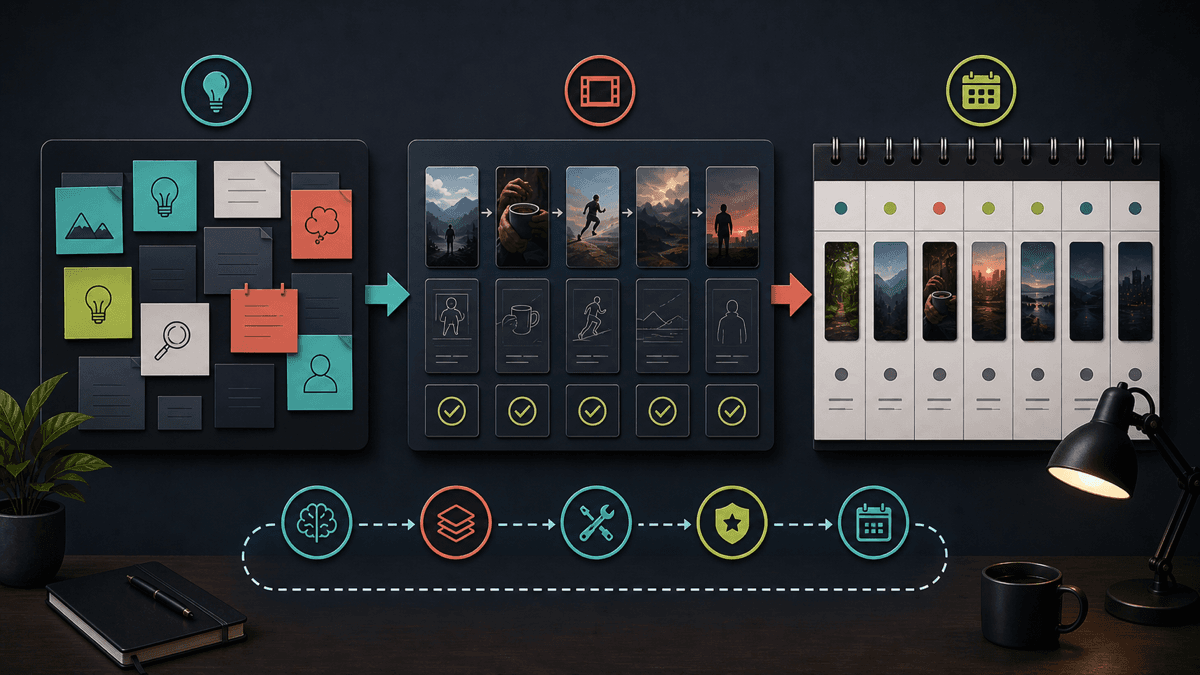
When a creator says "I will post one Short per day," they are really committing to:
- A topic pipeline.
- A script or hook system.
- Visual direction for every video.
- Captions that are readable on mobile.
- A voiceover or audio plan.
- A title and description.
- A review pass for claims, rights, and AI disclosure.
- A time to publish or schedule.
- A performance review loop.
That is a lot of decisions for one person. A weak daily schedule can train you to ship unfinished ideas. A strong three-per-week schedule can help you build a repeatable format, learn what viewers actually respond to, and keep enough time for improvement.
YouTube's own growth advice makes this point indirectly. In a YouTube Blog post about growing a channel, the team challenges creators to ask whether they can sustain a schedule such as three videos every week in the long term, then points creators toward formats and tools that improve consistency. Source: YouTube Blog: 6 ways to grow your YouTube channel.
YouTube's Shorts starter guide also frames regular posting as part of learning the format, not as permission to skip quality control. Source: YouTube Blog: Your guide to getting started with YouTube Shorts.
The practical takeaway: choose the schedule you can repeat, not the schedule that looks most aggressive in a spreadsheet.
Start With a Two-Week Baseline Test
Before you scale, run a two-week baseline test.
| Day | Action | Output |
|---|---|---|
| Monday | Pick one series format | Three tightly related ideas |
| Tuesday | Write hooks and scripts | Three 20-45 second drafts |
| Wednesday | Generate or edit the videos | One to three finished drafts |
| Thursday | Review captions, claims, visuals, title, and disclosure | Approved Shorts |
| Friday-Sunday | Publish or schedule | Three live Shorts across the week |
After two weeks, review the results. Do not judge the entire channel from one viral spike or one weak upload. Look for patterns:
- Which opening line held attention best?
- Which topic earned the clearest comments?
- Which Short felt easiest to produce again?
- Did the best video depend on luck, or can you repeat the structure?
- Did publishing frequency reduce script quality?
If the answers are clear, move from three Shorts per week to five. If the answers are messy, keep the cadence smaller and improve the format first.
This is where YouTube Shorts script templates and AI video prompts for Shorts help. Templates make consistency easier because you are not inventing the structure from scratch every time.
Know the Current Shorts Format Before You Batch
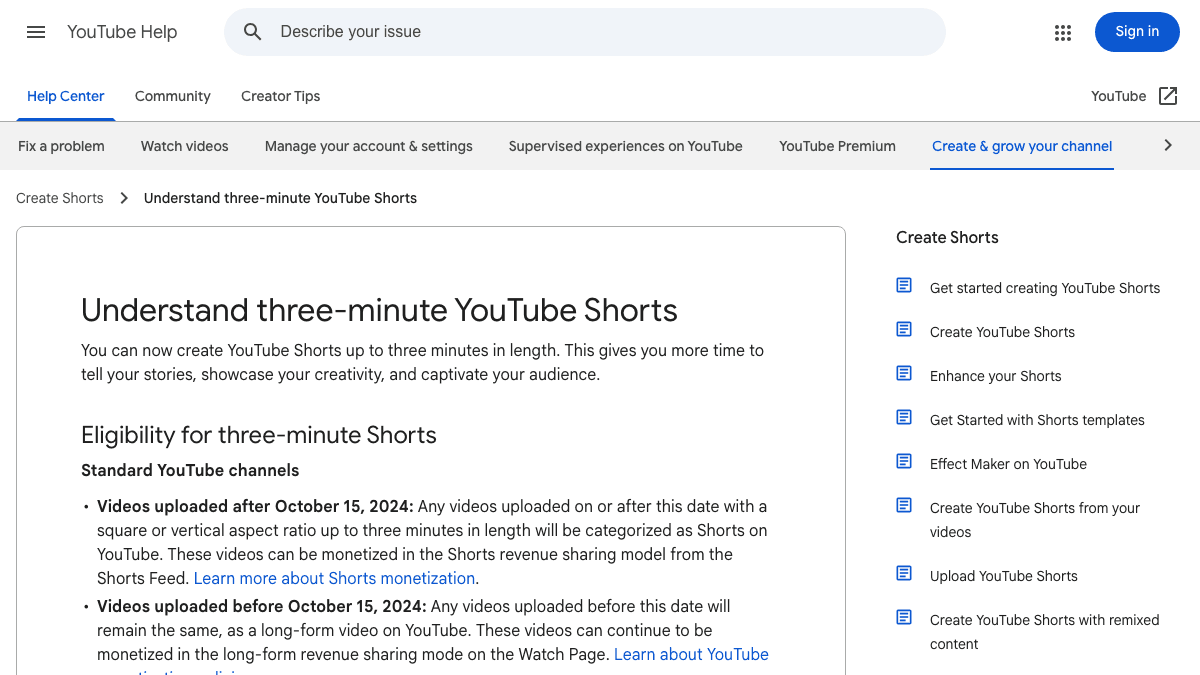
YouTube's current Shorts guidance says videos uploaded on or after October 15, 2024 can be categorized as Shorts if they are square or vertical and up to three minutes long. Source: YouTube Help: Understand three-minute YouTube Shorts.
That longer limit does not mean every Short should be three minutes. For most faceless creators, the best first schedule uses shorter, easier-to-review videos:
| Format | Best cadence | Notes |
|---|---|---|
| 15-30 second tip | 5 per week | Good for hooks, myths, quick lessons, and tests |
| 30-60 second explainer | 3-5 per week | Better for education, AI tutorials, and scripts with examples |
| 60-180 second story | 2-3 per week | Needs stronger pacing, fact checks, and visual variety |
Shorter videos are not automatically better. They are just easier to keep consistent while you are still finding the format. If your niche is stories, history, commentary, or deep tutorials, longer Shorts can work. But your production calendar should make room for better structure, not just longer narration.
Use Analytics to Pick Times, Not Superstition
The best time to post YouTube Shorts is not universal. Start with a reasonable schedule, then use YouTube Analytics to adjust.
YouTube Help says the Audience tab can show when your viewers are on YouTube, and YouTube's broader creator documentation lists analytics signals such as watch time, subscribers, views, top videos, audience retention, demographics, and traffic sources. Sources: Understand your YouTube audience and Learn more about how YouTube works for you.
Use those reports this way:
| Signal | What to look for | Schedule decision |
|---|---|---|
| Audience activity | Days and times your viewers are active | Move scheduled uploads near those windows |
| Top Shorts | Formats that repeat across winners | Make more in the same structure |
| Retention | Drop-offs in the first few seconds | Rewrite hooks before increasing cadence |
| Comments | Questions viewers ask repeatedly | Turn replies into the next Shorts |
| Traffic sources | Search, Shorts feed, channel, or external | Decide whether to optimize titles or feed hooks |
If you do not have enough data yet, pick a consistent publishing window for two to four weeks. For example, publish Monday, Wednesday, and Friday in the same afternoon or evening block. Once the audience report becomes useful, adjust.
Schedule Finished Shorts, Not Half-Reviewed Shorts
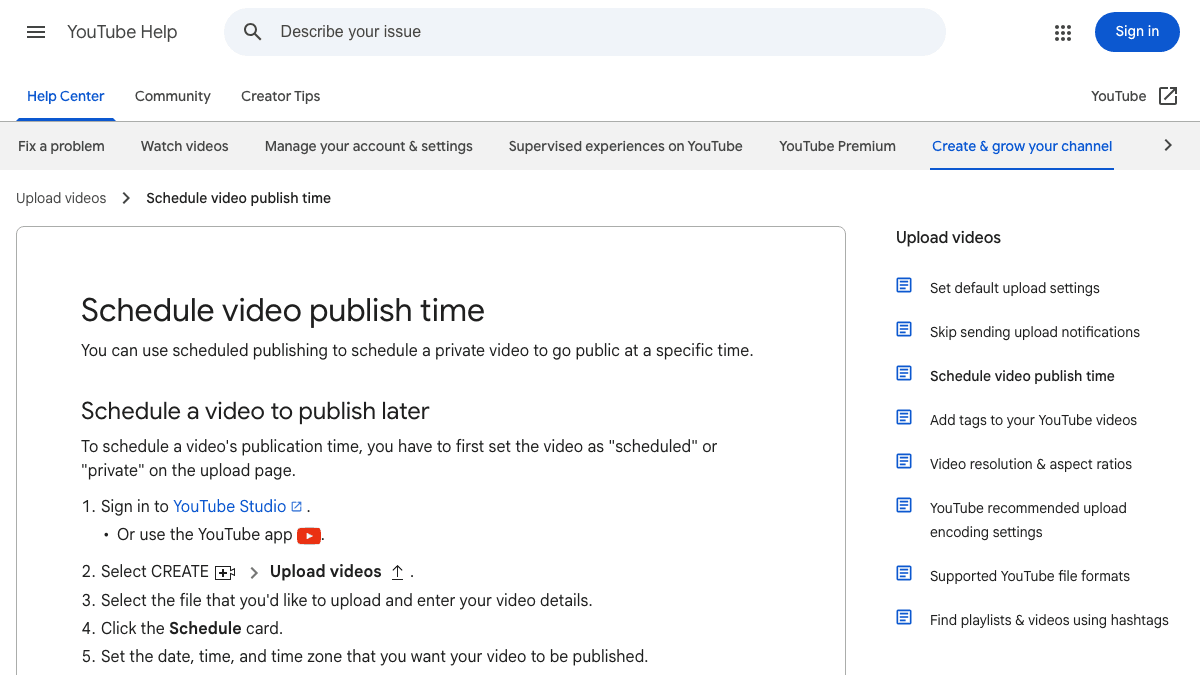
YouTube Help says scheduled publishing lets creators schedule a private video to go public at a specific time. Source: YouTube Help: Schedule video publish time.
That matters because scheduling should be the final step, not a substitute for review. Before a Short goes into the queue, check:
- The first frame makes sense without context.
- The first spoken line or caption gives a clear reason to keep watching.
- Captions are readable on mobile.
- The title matches the video and does not overpromise.
- Any factual claim has a source.
- Music, clips, images, and generated visuals are rights-safe.
- AI or synthetic content is disclosed when required.
- The video fits the series you are trying to build.
If you cannot do that review on a daily schedule, reduce frequency. A smaller reviewed queue is better than a larger queue that creates avoidable mistakes.
Where AI Helps With Shorts Consistency
AI helps most when it turns a repeatable process into a faster draft. It should not remove editorial judgment.
For a faceless Shorts channel, the repeatable SwipeStory loop looks like this:
- Choose one series format.
- Write a hook or use a prompt to generate three options.
- Turn the chosen script into a draft in SwipeStory.
- Review the voiceover, visuals, captions, title, and sources.
- Schedule the strongest version.
- Turn viewer comments into the next batch.
That workflow is especially useful when the channel is education, AI tools, history, productivity, language learning, niche news, or story-led content. If you are still choosing a niche, read faceless YouTube channel ideas before you commit to a posting schedule.
The goal is not to create infinite Shorts. The goal is to reduce the friction between a good idea and a finished vertical video, then publish consistently enough to learn.
Be Careful With Custom Upload Automation
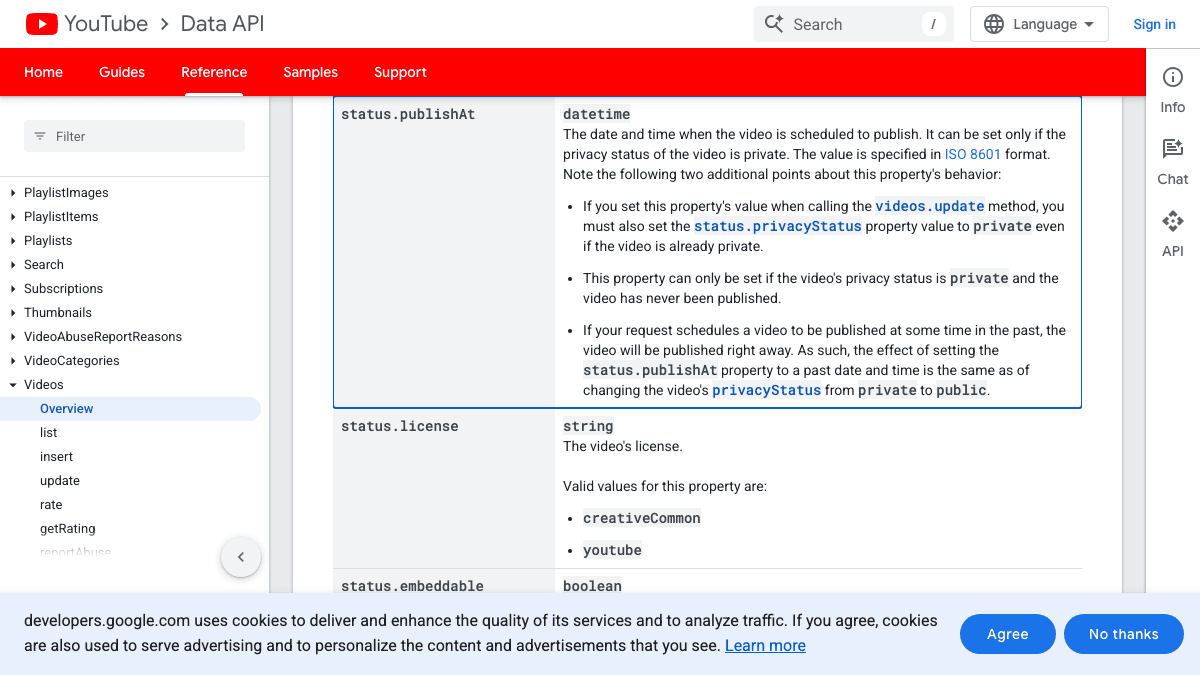
If you build or use a custom publishing workflow, keep the review gate visible. The YouTube Data API video resource includes fields such as scheduled publish time and privacy status, but API-based scheduling still depends on the video, metadata, account authorization, and policy-compliant use. Source: YouTube Data API videos resource.
For creators, the simpler rule is this:
| Workflow | Good use | Risk |
|---|---|---|
| YouTube Studio scheduling | Finished videos for one channel | Does not help create the video |
| SwipeStory series workflow | Ideas or scripts into repeatable Shorts | Still needs human review |
| Social scheduler | Multi-platform calendars | May not solve production bottlenecks |
| Custom API workflow | Internal tools for teams | Requires policy, OAuth, and metadata discipline |
Most creators do not need a custom API workflow at the beginning. They need better scripts, a reliable generation process, and a realistic weekly cadence.
Do Not Scale Non-Original Shorts
Posting more Shorts will not help if the format depends on reuploading or lightly editing other people's work.
YouTube's Shorts monetization policy says non-original Shorts such as unedited clips from others' movies or TV shows, reuploads from YouTube or other platforms, or compilations without original content added can be ineligible for Shorts ad revenue sharing. Source: YouTube Shorts monetization policies.
This should shape your schedule. If a daily cadence pushes you toward recycled clips, slow down. Build formats where the script, structure, research, explanation, or storytelling is original. A faceless channel can still have a clear point of view.
Good repeatable formats:
- "One mistake, one fix."
- "Three signs this tool is worth testing."
- "The strange reason this happened."
- "A beginner's guide in 45 seconds."
- "I tested this prompt so you do not have to."
- "One viewer question, one practical answer."
Weak repeatable formats:
- Unedited clips from other creators.
- Compilation videos with no original commentary.
- AI voiceover on top of copyrighted footage.
- Repeated posts with only the title changed.
- Daily uploads that are too generic to recognize.
Consistency is not only frequency. It is a recognizable promise.
A Practical Weekly Posting Schedule
Start here if you are a solo creator:
| Week | Posting cadence | Production focus |
|---|---|---|
| 1 | 3 Shorts | Test three hooks in one niche |
| 2 | 3 Shorts | Repeat the strongest structure |
| 3 | 4 Shorts | Add one viewer-comment video |
| 4 | 5 Shorts | Batch scripts and schedule in advance |
| 5-8 | 3-5 Shorts | Keep winners, retire weak formats |
Use one scorecard after each week:
| Question | Keep going if... |
|---|---|
| Can I write next week's ideas in under 30 minutes? | The niche has repeatability |
| Did one format clearly outperform the others? | The schedule has direction |
| Did viewers ask follow-up questions? | The series can deepen |
| Did quality drop as volume increased? | Cadence should stay lower |
| Did the workflow feel sustainable? | You can increase carefully |
If you reach five Shorts per week without quality dropping, try daily posting for two weeks. If performance or quality slips, return to five. The test is not a moral judgment. It is an operations check.
SwipeStory Posting Workflow for Faceless Shorts
For a faceless channel, the safest high-consistency workflow is batch creation plus scheduled review:
- Pick one channel promise, such as AI tutorials, history explainers, or beginner creator tips.
- Build ten ideas using a repeatable prompt.
- Choose three to five ideas for the week.
- Generate drafts with SwipeStory's AI YouTube Shorts generator.
- Review captions, visual match, claims, voiceover, and disclosure.
- Schedule only the approved videos.
- Use comments and retention to decide next week's scripts.
If you also publish on TikTok or Instagram, adapt the same idea through the AI TikTok video generator and AI Reel generator. Keep the core message, but adjust the hook, title, caption, and CTA for each platform.
Check SwipeStory pricing before planning a high-volume series, because generation volume depends on credits, length, and workflow choices.
Frequently Asked Questions
Is posting YouTube Shorts every day too much?
Daily posting is not too much if the videos are original, reviewed, and useful. It is too much if daily volume makes you publish weak hooks, recycled clips, inaccurate claims, or rushed captions. Start with three to five per week, then test daily only after the format is stable.
Can I post multiple YouTube Shorts per day?
You can, but most solo creators should not start there. Multiple daily Shorts require a strong idea backlog, fast production, review discipline, and a clear reason for each upload. For most channels, one strong Short is better than three generic ones.
What is the best time to post YouTube Shorts?
Use your YouTube Analytics audience data when you have enough viewers. Until then, pick a consistent window and test it for a few weeks. The time matters less than the hook, topic, format, and consistency of the series.
How long should a YouTube Short be?
YouTube supports square or vertical Shorts up to three minutes for eligible uploads, but many creator workflows should begin with 20-60 second videos. Longer Shorts work best when the topic needs story, explanation, or examples.
Should I delete Shorts that perform badly?
Usually, no. A weak Short can still teach you about hooks, topics, and pacing. Delete only if there is a factual, rights, privacy, brand, or policy issue. Otherwise, use the result to improve the next batch.
Sources
- YouTube Help: Understand three-minute YouTube Shorts
- YouTube Help: Schedule video publish time
- YouTube Help: Understand your YouTube audience
- YouTube Help: Learn more about how YouTube works for you
- YouTube Help: YouTube Shorts monetization policies
- YouTube Blog: 6 ways to grow your YouTube channel
- YouTube Blog: Your guide to getting started with YouTube Shorts
- YouTube Data API: videos resource
