
Why Simple Video Tools Save Money for Creators

Stella writes SwipeStory guides about AI faceless video creation, short-form video strategy, creator tools, and automated publishing workflows.
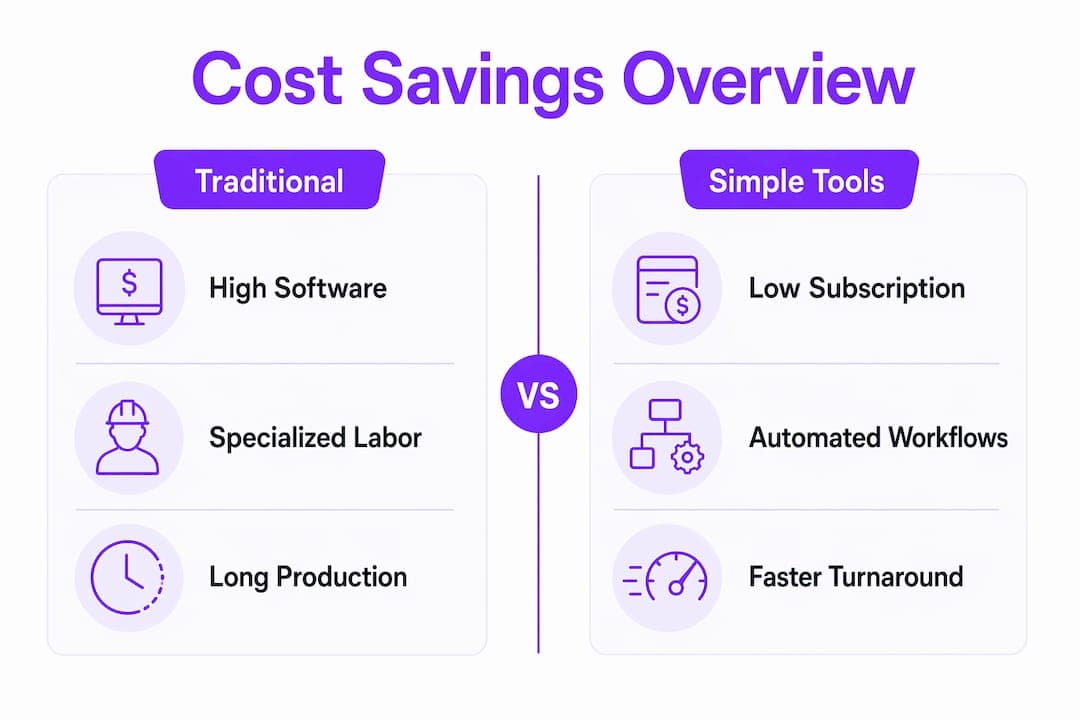
Simple video tools are software applications that let creators and marketers produce quality videos quickly and affordably by removing technical complexity from the production process. The cost savings are real and measurable. AI-augmented video workflows reduce production time by 60–80%, cutting an 8-hour task down to 2–3 hours. That time reduction translates directly into lower labor costs, fewer freelance invoices, and more content published per dollar spent. Platforms like Swipestory automate scripting, voiceovers, and rendering so creators at any skill level can publish without a production team behind them.
Why simple video tools save money on production time and labor
The biggest cost in video production is not software. It is time. A single polished video using a traditional workflow, including scripting, filming, editing, color correction, and captioning, can consume a full workday or more. Simple tools cut that to 2–3 hours by automating the steps that eat the most time.
Here is how the time savings break down in practice:
- Scripting automation removes the blank-page problem. AI generates a working draft in seconds, which a creator refines rather than writes from scratch.
- Auto-captioning eliminates manual transcription. What used to take 30–45 minutes per video happens in under a minute.
- Template-based editing replaces timeline assembly. Creators swap in footage and text without learning a complex interface.
- Cloud rendering removes the export wait. Videos process on remote servers, freeing the creator's machine for other work.
- One-click resizing adapts a single video to TikTok, Instagram Reels, and YouTube Shorts without re-editing.
Each of these steps, when done manually, requires either significant personal time or a paid specialist. Freelance video editors typically charge by the hour, and those rates add up fast across a consistent publishing schedule.
Pro Tip: Track your editing hours for two weeks before switching tools. That number becomes your baseline for calculating exactly how much time, and money, a simpler workflow saves you.

Faster iteration also reduces the cost of mistakes. With traditional production, a script change means a reshoot. With simple tools, rapid editing updates take roughly 30 minutes versus the half-day a conventional re-cut requires. Creators who publish frequently benefit most from this, because the savings compound with every video.
What are the financial advantages of affordable video editing software?
The monthly cost of a well-chosen simple video tool stack sits between $50 and $120. Compare that to the cost of a freelance editor, and the gap is striking. The same research shows that small teams save between $2,281 and $4,681 per month by replacing freelance editing with AI-powered tools. That is not a rounding error. It is a budget line that funds other growth activities.
The savings extend beyond labor:
- Hardware costs drop to zero. Browser-based editors run on standard laptops without requiring expensive GPUs or dedicated workstations. A creator with a mid-range laptop has everything they need.
- Licensing fees disappear. Traditional post-production software carries annual licensing costs that simple, subscription-based tools do not.
- Overhead shrinks. Businesses eliminate thousands in annual overhead by cutting dedicated editing teams, expensive software suites, and the opportunity costs tied to slow production cycles.
- Free tiers reduce risk. Many tools offer free access to core features, letting creators test a workflow before committing to a paid plan.
| Cost Category | Traditional Production | Simple Tool Workflow |
|---|---|---|
| Monthly software | $200–$600+ | $50–$120 |
| Freelance editing | $2,000–$5,000/month | $0 |
| Hardware | $2,000–$5,000 workstation | Standard laptop |
| Licensing fees | High (annual contracts) | Included or minimal |
| Rendering time | Hours on local machine | Minutes via cloud |
The table above shows why cost-effective video software is not just a budget compromise. It is a structural advantage. Creators who adopt these tools early free up capital that competitors are still spending on production overhead.
Why do simple video tools improve consistency and engagement?
Consistency is the primary driver of growth on social platforms. Posting three times a week outperforms posting one polished video per month, and simple tools remove the barriers that prevent frequent posting. When production takes 2–3 hours instead of a full day, a creator can realistically maintain a publishing schedule without burning out.
Creator fatigue is a real and underreported cost. When every video requires navigating a complex timeline editor, color grading panels, and manual caption sync, the mental load accumulates. Simple tools lower that load by reducing technical decisions to a minimum. The creator focuses on the idea, not the interface.
"Repeatable processes and rapid iteration give marketers better cost control and creative agility than chasing cinematic polish. The creator who publishes 12 videos a month with a simple workflow will outperform the one who publishes 2 with a complex one."
Automation features like auto-captioning, smart resizing, and AI voiceovers also encourage experimentation. When a new format costs 30 minutes to test instead of 4 hours, creators try more ideas. More experiments mean more data on what actually drives engagement. That feedback loop is worth more than any single high-production video.
Pro Tip: Batch your video creation. Use a simple tool to produce 4–5 videos in one session, then schedule them across the week. You get consistency without daily production pressure.
AI tools remove technical barriers that previously required camera equipment, lighting setups, and outside help. Creators who once avoided video because of those barriers now publish regularly. That access is itself a financial benefit, because it replaces outsourced production with in-house output.
How to select the right simple video tools for cost-effective production
Choosing the right tools starts with identifying your biggest bottleneck. Most creators waste time in one of three places: writing scripts, editing footage, or formatting for multiple platforms. The right tool solves the specific problem that slows you down most.
- Audit your current workflow. Time each step of your last three videos. The step that takes longest is where a tool will deliver the most value.
- Start with free tiers. Test a tool's core features before paying. Most simple video platforms offer free access that covers basic scripting, editing, and export.
- Calculate cost per video. Subscription price alone does not reflect true value. A $30 tool that saves 60 minutes of editing per video delivers better ROI than a free tool that saves nothing. Divide your monthly subscription by the number of videos you publish to get a real cost-per-video figure.
- Check platform compatibility. A social media video maker that exports directly to TikTok, Instagram, and YouTube formats saves an extra formatting step every single time.
- Scale based on volume. If you publish fewer than 4 videos per month, a free or entry-level plan covers your needs. If you publish daily, invest in a plan that includes cloud rendering and batch processing.
| Evaluation Criterion | Entry-Level Tool | Full-Featured Platform |
|---|---|---|
| Scripting support | Manual or basic prompts | AI-generated scripts |
| Caption automation | Manual upload | Auto-generated, editable |
| Export formats | Limited | Multi-platform, one click |
| Rendering speed | Local machine | Cloud-based |
| Monthly cost | Free to $20 | $50–$120 |
The goal is not to find the cheapest tool. The goal is to find the tool that produces the lowest cost per video when you factor in your time. A video production guide for 2026 can help you map that calculation to your specific publishing volume.
Key Takeaways
Simple video tools save money by replacing expensive labor, hardware, and software with affordable, automated workflows that any creator can use consistently.
| Point | Details |
|---|---|
| Time savings are the core financial benefit | AI workflows cut production from 8+ hours to 2–3 hours, directly reducing labor costs. |
| Tool stacks cost far less than freelancers | Monthly tool costs of $50–$120 replace freelance editing bills of $2,000–$5,000. |
| Browser-based tools eliminate hardware costs | Standard laptops run modern video editors without expensive GPUs or workstations. |
| Consistency drives platform growth | Simple tools make frequent posting realistic, which outperforms infrequent polished content. |
| Measure cost per video, not subscription price | A tool that saves editing time delivers better ROI than a cheaper tool that saves none. |
The workflow shift that actually matters
I have watched creators spend months searching for the perfect tool when the real problem was their workflow. They wanted cinematic quality on a solo creator budget, and that tension was costing them both money and momentum. The shift that actually changed their results was not finding a better tool. It was accepting that a repeatable, fast process beats an occasional masterpiece every time.
The creators I have seen grow fastest on TikTok and Instagram are not the ones with the best cameras. They are the ones who publish without friction. When production feels easy, you do it more often. When you do it more often, you learn faster. That learning loop is where the real return on investment lives, not in the resolution of your footage.
I have also seen the trap of over-investing in tools early. A creator who buys a full enterprise video suite before they have a consistent publishing habit wastes money on features they do not use. Start with the simplest tool that removes your biggest bottleneck. Add complexity only when your volume demands it.
The other mistake I see constantly is treating video quality as a proxy for value. Audiences on short-form platforms respond to clarity, pacing, and relevance. A well-scripted 60-second video made with a simple tool outperforms a beautifully shot video with a weak hook. Invest in the idea first, then the production.
— Jesse
Swipestory makes affordable video production practical
Swipestory is built for creators and marketers who need to publish consistently without a production team or a large budget. The platform handles scripting, voiceovers, captions, and rendering in one place, so you spend time on ideas rather than software.

Over 60,000 short videos have already been created on Swipestory by creators who needed a faster, cheaper path to consistent content. The AI video generator takes a topic and produces a publish-ready video in minutes, including captions and voiceover. For creators building a library of content across TikTok, Instagram, and YouTube, the free AI video tools suite covers the full production workflow at a fraction of traditional costs. Affordable plans are available for every publishing volume.
FAQ
Why do simple video tools cost less than traditional production?
Simple video tools replace multiple paid specialists, including editors, caption writers, and voiceover artists, with automated features. Monthly tool costs typically run $50–$120 versus thousands for freelance production.
How much time can AI video tools actually save?
AI-augmented workflows reduce production time by 60–80%, cutting an 8-hour production day to 2–3 hours. That time saving compounds across every video you publish.
Do I need expensive hardware to use simple video editing tools?
No. Browser-based editors run on standard laptops without requiring high-end GPUs or dedicated workstations, eliminating hardware as a cost barrier.
Is free video software good enough for professional content?
Free tiers work well for testing workflows and low-volume publishing. Paid plans, typically $50–$120 per month, add cloud rendering, batch processing, and multi-platform export that professional publishing schedules require.
What is the best way to measure ROI on a video tool?
Calculate cost per video by dividing your monthly subscription by the number of videos you publish, then add the dollar value of editing time saved. Cost per video including labor is a more accurate measure than subscription price alone.
