AI TikTok Video Generator Guide

Stella writes SwipeStory guides about AI faceless video creation, short-form video strategy, creator tools, and automated publishing workflows.
An AI TikTok video generator should turn a script or prompt into a vertical video with a sharp hook, natural voiceover, relevant visuals, readable captions, and an export that survives TikTok's mobile layout. The best workflow is not "generate anything and post it." It is: research the angle, write one clear promise, generate a draft, review captions and claims, then publish variations with platform-safe framing.
Updated May 15, 2026. We checked current TikTok Business, TikTok Help Center, Creative Center, and SwipeStory product pages before writing this guide. TikTok rules and product pricing can change, so use the linked sources as your final reference before uploading or buying a plan.
Quick Answer: What Is an AI TikTok Video Generator?
An AI TikTok video generator is software that helps create TikTok-ready videos from a script, idea, prompt, image, or existing asset. A strong generator does more than make visuals. It helps with the production pieces that usually slow creators down:
| Production step | What the generator should help with |
|---|---|
| Hook | Turn the first line into tension, curiosity, or a clear benefit. |
| Script | Break one idea into a short sequence instead of a long monologue. |
| Visuals | Match each spoken beat with a useful scene or style. |
| Voiceover | Generate clear narration that fits the content format. |
| Captions | Keep lines readable on a vertical mobile screen. |
| Export | Produce a 9:16 video with safe framing and synced audio. |
| Publishing | Help you create repeatable tests, not only one finished file. |
If you already have a script and want the fastest path to a TikTok-ready draft, start with SwipeStory's AI TikTok video generator. It lets you paste a script, pick a voice, choose a visual style, generate a draft, and polish the result before publishing. If your content also needs YouTube Shorts or Reels versions, keep the core idea but adapt the hook, captions, and CTA for each platform.
What TikTok-Ready Actually Means
TikTok-ready content is not only a vertical file. It is a video built for fast first-frame evaluation. The viewer should understand the promise quickly, the captions should not fight the interface, and the body should prove the hook before attention leaks away.
TikTok's own Creative Codes PDF is a useful baseline. It emphasizes vertical 9:16 production, high-resolution footage, safe space around TikTok UI, and a structure that moves through hook, body, and close. That is advertising guidance, but it is still practical for organic AI videos because the mobile viewing environment is the same.
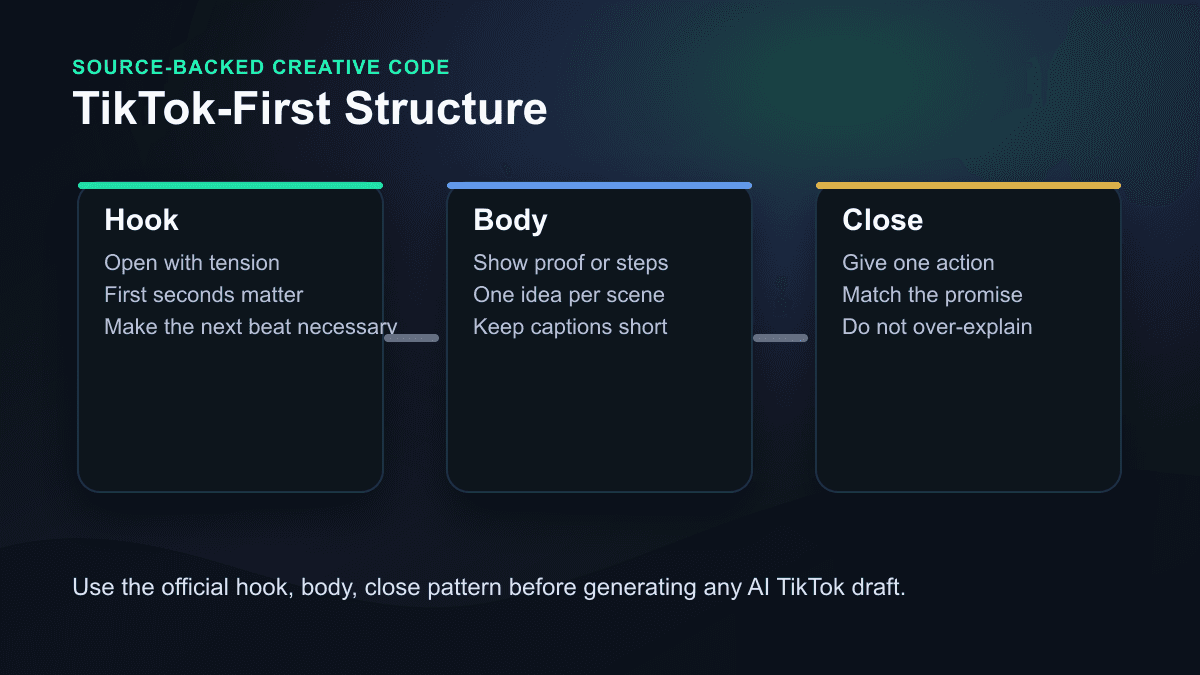
Use that structure as a review checklist:
- The hook creates a reason to watch the next few seconds.
- The body gives proof, a story turn, or a useful step.
- The close gives one action instead of several competing CTAs.
Most weak AI TikToks fail before the tool has a chance to help. The prompt is too broad, the first line takes too long to reach the payoff, or the visual brief asks for a vibe instead of a scene plan. Fix those inputs before judging the generator.
Export Defaults for AI TikTok Videos
For a cross-platform creator, the safest default is still 9:16 vertical. TikTok's current auction in-feed ad specification page, last updated in March 2026, lists vertical 9:16 as the recommended orientation for non-Spark in-feed ads, with resolution greater than or equal to 540x960. It also lists supported video formats such as MP4 and MOV, a 500 MB maximum file size, and notes that ad captions display in a fixed white font.
Those are paid-ad specs, not a complete rulebook for organic posts. Still, they are useful export guardrails for AI-generated content because they force the video into a format TikTok can display cleanly.
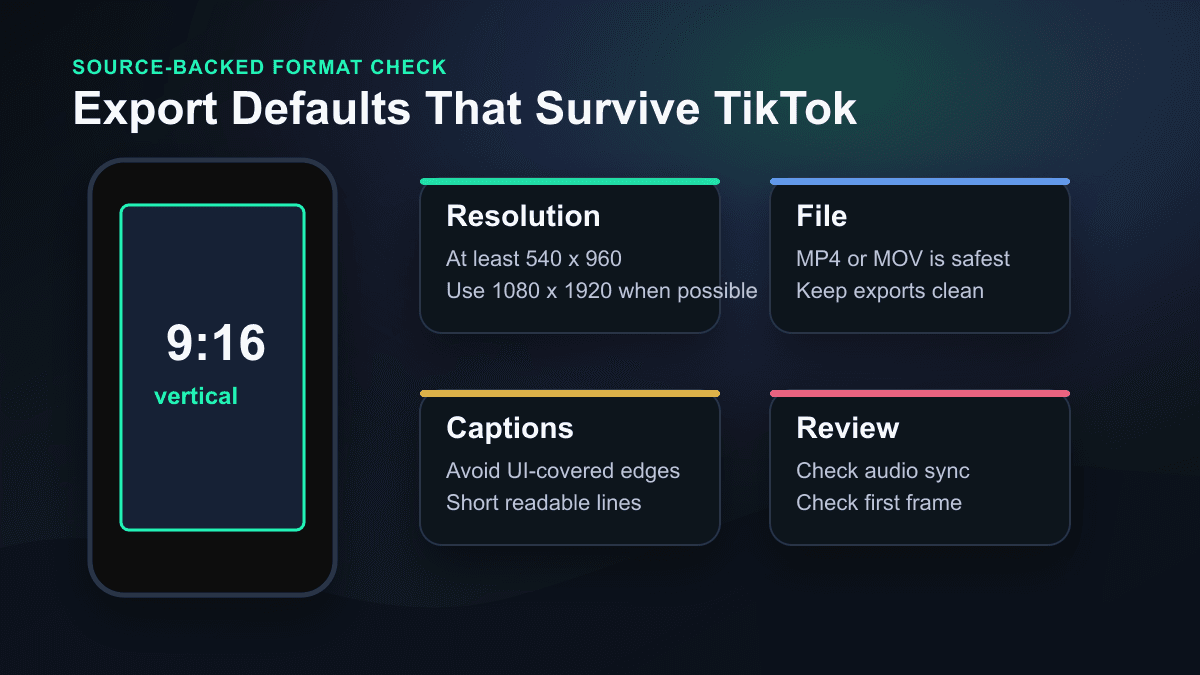
Use this practical default brief:
| Setting | Practical default |
|---|---|
| Canvas | 9:16 vertical |
| Resolution | 1080x1920 when possible; do not go below TikTok's stated 540x960 vertical ad minimum |
| Length | 20 to 45 seconds for most first tests |
| First line | Spoken or captioned inside the first one to two seconds |
| Captions | Short lines, high contrast, away from UI-heavy edges |
| Audio | Clear voiceover first, background music second |
| Review | Check claims, AI labels, caption timing, and first frame before posting |
If you plan to cross-post, build one strong TikTok master and then adapt it through the AI YouTube Shorts generator and AI Reel generator. Do not assume the same caption, cover frame, or CTA is ideal everywhere.
Research the Angle Before You Generate
An AI TikTok video generator works better when it receives a researched angle, not a generic topic. "Make a TikTok about productivity" is weak. "Show one reason productivity videos fail in the first three seconds, then demonstrate a better hook" is much easier to turn into a useful draft.
TikTok's Top Ads documentation says the Top Ads Dashboard can be filtered by region, industry, campaign objective, and more, and that individual ads include second-by-second, frame-by-frame graphs to find successful engagement moments. TikTok's Keyword Insights documentation says the tool highlights top keywords and phrases from TikTok ads, filterable by region and industry. It also notes that the data is collected from ads and does not include organic-only posts.
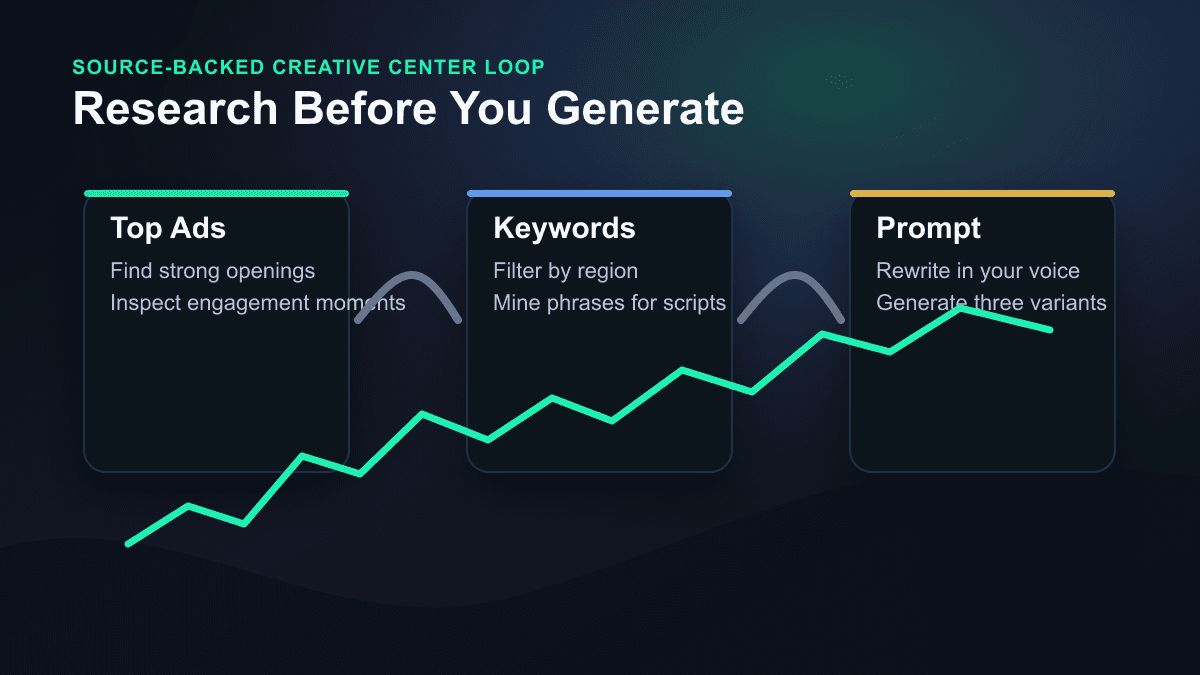
Use Creative Center as an input source, not a copying machine:
- Pick a region and industry close to your niche.
- Look for repeatable openings, not exact lines to copy.
- Pull words and phrases from Keyword Insights when they match your audience.
- Rewrite the angle in your own examples and voice.
- Generate three drafts with different hooks around the same body.
This keeps the generator focused. It also protects you from creating thin AI videos that repeat the same generic advice every other account is already posting.
The SwipeStory Workflow for AI TikTok Videos
SwipeStory's AI TikTok video generator is strongest when you already know the script or angle and need the production system around it. The public tool page currently shows a script field, visual style selection, AI voice choices, and a four-step workflow: write your script, pick a voice, choose an aesthetic, then generate and polish.
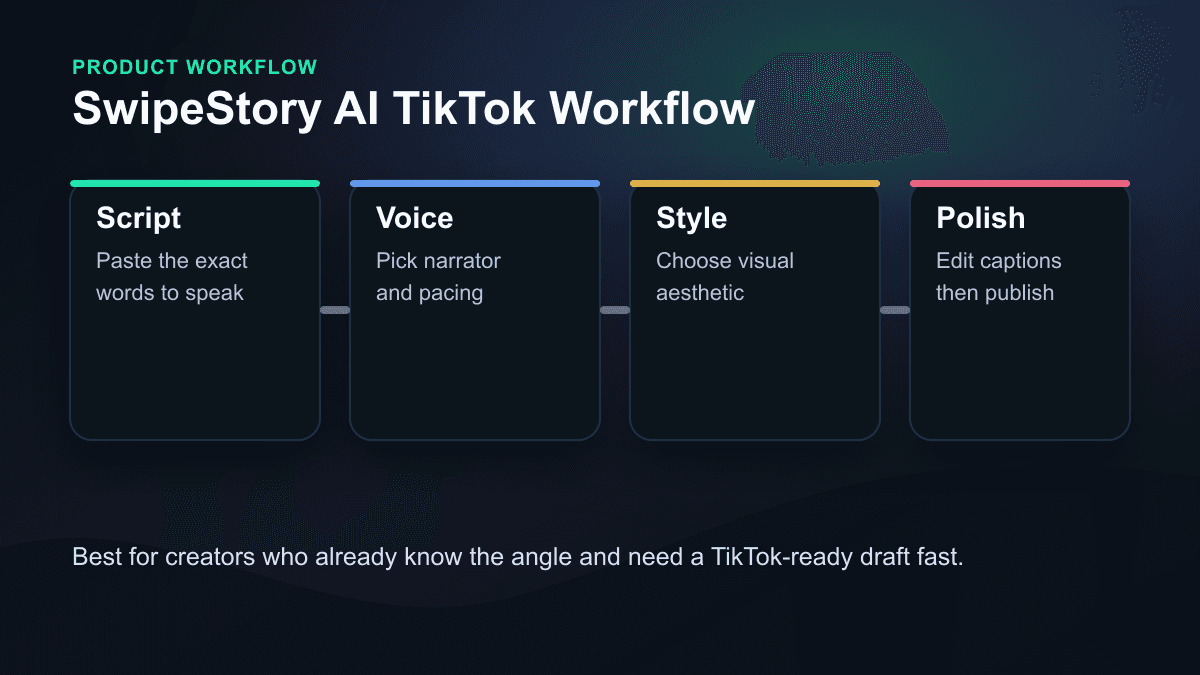
That makes the workflow practical for:
- Faceless educational channels that need repeatable topic formats.
- Story, history, horror, true crime, or list channels built around narration.
- Product explainers where the script is ready but editing is the bottleneck.
- Creators who want TikTok, Shorts, and Reels versions from one idea.
It is less ideal if your best content already exists as long-form footage. In that case, a clipping tool may be the better first step. If you are starting from a script, prompt, or faceless channel concept, a script-to-video workflow is cleaner because the generator can plan the scenes, voiceover, captions, and style together.
For a broader creation system, pair this guide with the AI Shorts generator guide, TikTok hook examples, and AI video prompts for Shorts. If your channel is intentionally faceless, the faceless AI video generator is the better category page to bookmark.
A Prompt Template That Works Better
The prompt should read like a production brief. Name the audience, the promise, the format, the beat order, the visual style, the voice, and the caption rules.
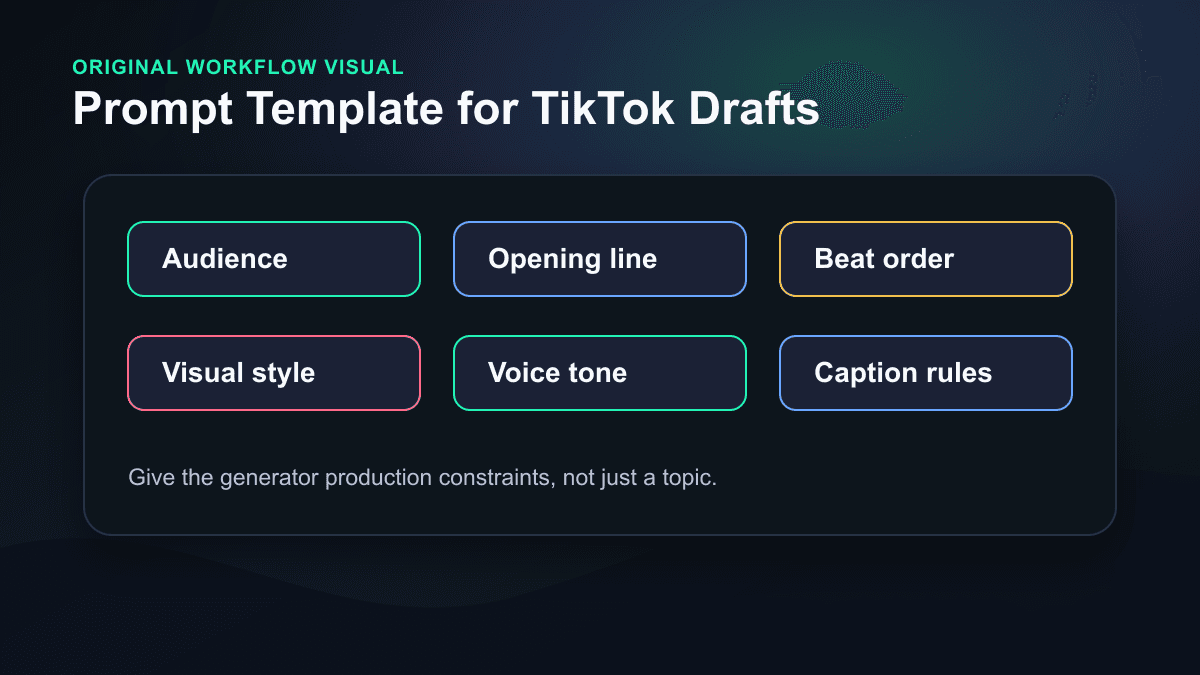
Use this template:
Create a 30-40 second TikTok video.
Audience: [specific viewer].
Topic: [one focused idea].
Opening line: [hook that creates tension or a clear payoff].
Beat structure:
1. Hook in the first 1-2 seconds.
2. Show the problem or setup.
3. Give the practical fix, reveal, or example.
4. End with one action.
Visual style: [clean educational, cinematic faceless, product demo, story-led].
Voiceover tone: [direct, curious, calm, energetic].
Caption style: short lines, high contrast, no paragraphs.
Keep the export optimized for 9:16 mobile viewing.
Here are three examples you can adapt.
Faceless Creator Education
Create a 35-second TikTok for beginner faceless creators.
Opening line: "Your AI videos are not too slow. Your first sentence is."
Beat 1: Show a vague prompt and a generic result.
Beat 2: Explain the missing inputs: audience, hook, visual beat, CTA.
Beat 3: Show a stronger prompt structure.
Beat 4: End with "test two hooks before changing the style."
Visual style: clean creator desk, vertical storyboard cards, captions.
Voiceover tone: direct and useful.
Product Demo TikTok
Create a 30-second TikTok for creators who already have a script.
Opening line: "This is what one TikTok script becomes inside an AI video generator."
Beat 1: Show the script.
Beat 2: Show voice and style choices.
Beat 3: Show scenes and captions being generated.
Beat 4: Show the polished vertical draft.
CTA: "Try this with your next short video idea."
Visual style: polished SaaS workflow, no fake logos, no fake analytics.
Voiceover tone: concise and practical.
Story-Led Faceless TikTok
Create a 40-second faceless story video.
Opening line: "The smallest decision in this story changed everything."
Beat 1: Set the tension in one sentence.
Beat 2: Show the bad assumption.
Beat 3: Reveal the turning point.
Beat 4: End with a question that invites part two.
Visual style: cinematic, moody, high-contrast scenes.
Voiceover tone: curious and grounded.
After the first draft, edit the script before editing colors. Most visual problems are actually clarity problems: the scene has nothing specific to show because the script did not give it a concrete beat.
Review for Recommendation Signals, Not Just Style
TikTok's recommendation documentation says For You recommendations use factors such as user interactions, content information, and user information. It also says user interactions can include whether people like, share, comment on, watch in full, or skip a video, and that time spent watching can be weighted more heavily for most users.
That does not mean you can reverse-engineer the algorithm. It means your review checklist should focus on viewer behavior:
- Does the first frame make the video understandable without sound?
- Does the first line create a reason to keep watching?
- Does each scene advance the same promise?
- Are captions readable without pausing?
- Does the close ask for one simple action?
If the answer is no, regenerate the script or scene plan. Do not keep polishing a weak premise.
Do the AI Labeling Check Before Posting
AI-generated TikToks need an extra review step. TikTok's AI-generated content help page says creators are required to label AI-generated content that contains realistic images, audio, and video. It also explains creator labels, auto labels, Content Credentials, and categories of AI-generated content that are prohibited even when labeled, including fake endorsements or impersonation-related scenarios.
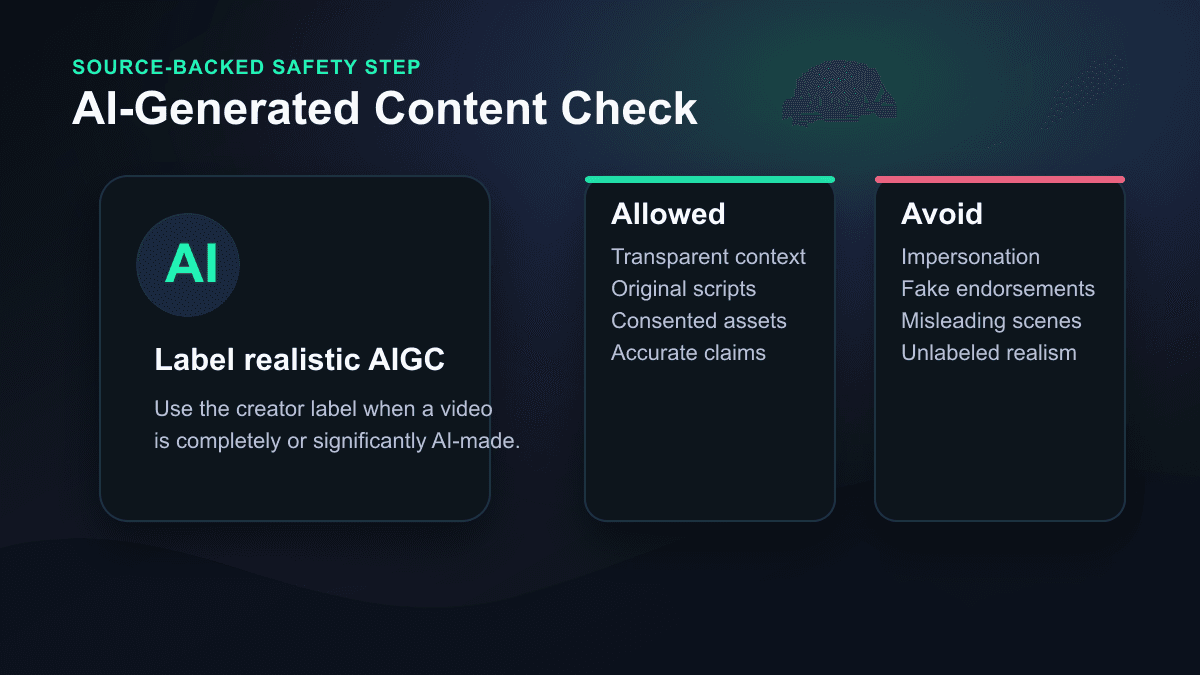
The practical rule is simple: if the video uses realistic AI-generated people, voices, events, or scenes, check whether the AI-generated content label is needed before publishing. Also avoid:
- Making a real person appear to say something they did not say.
- Presenting fake endorsements or authority figures.
- Using a private person's likeness without permission.
- Turning uncertain claims into confident narration.
Faceless content does not remove responsibility. It lowers the need for on-camera production, but the script still needs to be accurate and transparent.
Common Mistakes With AI TikTok Video Generators
1. Asking for a topic instead of a video
"Make a TikTok about AI tools" is a topic. "Show why vague prompts create generic AI videos and demonstrate a better prompt in 35 seconds" is a video.
2. Starting with the product instead of the viewer
If the opening line is only about your tool, service, or channel, viewers have no reason to care. Start with the viewer's pain, curiosity, or desired result.
3. Treating TikTok, Shorts, and Reels as identical
The same core script can travel, but the packaging should change. TikTok often benefits from a conversational, pattern-breaking first line. YouTube Shorts often benefits from a searchable title and clear topical promise. Reels often benefits from a clean cover frame and polished visual rhythm.
4. Letting captions become paragraphs
Captions are pacing. If the viewer has to read a wall of text, the video feels slower than the voiceover. Keep lines short and verify timing after generation.
5. Publishing without source checks
AI tools can make weak claims sound finished. If the video teaches, reviews, compares, or advises, verify facts before posting. This matters even more for finance, health, legal, business, and current-event content.
When SwipeStory Is the Right Fit
Use SwipeStory when you want a focused script-to-video workflow for TikTok-style vertical videos. It is a good fit when your bottleneck is moving from idea to production: script, voiceover, visuals, captions, music, editing, rendering, and scheduled publishing.
Use a different workflow when your bottleneck is finding clips inside existing long-form footage, doing manual brand-heavy editing, or producing videos where every shot must be captured from real-world product use.
Before scaling volume, check SwipeStory pricing and credit limits. The public pricing page was checked while writing this article, but plan details and promotional pricing can change.
Final Take
The best AI TikTok video generator workflow starts before generation. Research the angle, write one strong hook, give the tool a production brief, then review the draft for captions, claims, pacing, export safety, and AI labeling.
If you want the practical next step, write three hooks for the same idea and turn each one into a draft with SwipeStory. Keep the body mostly the same. You will learn more from testing three clear openings than from generating ten unrelated videos.
Frequently Asked Questions
What is the best AI TikTok video generator?
The best option depends on your starting point. If you start from a script, prompt, or faceless idea, SwipeStory is a strong fit because it handles voiceover, visuals, captions, editing, rendering, and publishing support. If you already have long-form footage, a clipping tool may be better.
Can AI-generated videos be posted on TikTok?
Yes, but creators need to follow TikTok's content rules and labeling guidance. TikTok says realistic AI-generated images, audio, and video should be labeled, and certain misleading or impersonation-related AI content is prohibited even if labeled.
How long should an AI-generated TikTok be?
For first tests, 20 to 45 seconds is a practical range because it forces one clear promise and a tight review cycle. Longer videos can work when the story or tutorial needs more room, but they require stronger pacing.
Should I make one video for TikTok, Shorts, and Reels?
Start from one core idea, then adapt the packaging. Change the hook, title, caption style, cover frame, or CTA when the platform context calls for it.
