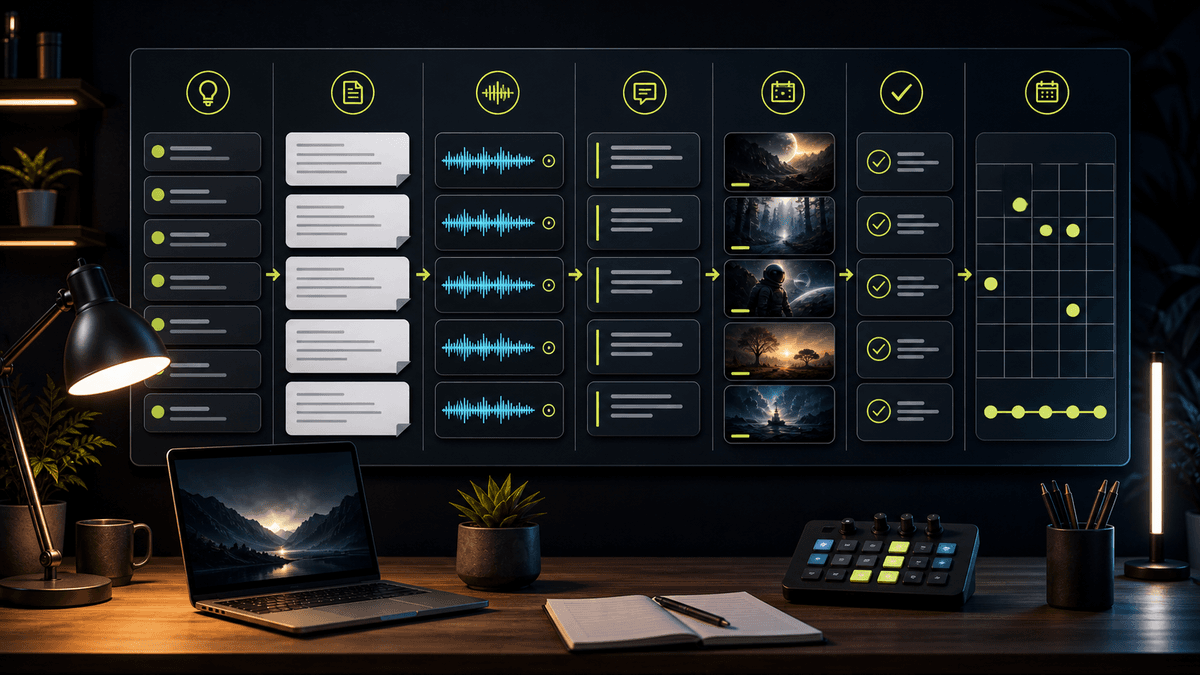
Faceless Video Series Automation Guide

Stella writes SwipeStory guides about AI faceless video creation, short-form video strategy, creator tools, and automated publishing workflows.
Faceless video series automation works best when it automates a repeatable format, not random daily content. Start with one series promise, generate reviewed episodes from prompts or scripts, keep platform scheduling rules visible, and only increase cadence after the format is clear. If you need the idea-to-video path, use SwipeStory's faceless AI video generator to create vertical videos with AI visuals, voiceover, captions, music, rendering, and scheduled publishing.
Updated June 2, 2026. We checked current TikTok Business, TikTok Developer, TikTok Help, YouTube Help, YouTube Data API, AutoShorts, StoryShort, Shortts.ai, and SwipeStory pages before writing this guide. Platform publishing, synthetic media, and product automation claims can change, so use the linked sources as the final reference before building a high-volume workflow.
This guide is for creators who want automated faceless videos as a series: recurring TikToks, YouTube Shorts, or Instagram Reels that follow the same structure every week. It is not a recommendation to publish unreviewed AI batches. The durable workflow is prompt to draft, draft to review, review to scheduled episode, and episode data back into the next brief.
Quick Answer: What Should Faceless Video Series Automation Do?
An AI video series generator should help you repeat the parts of production that are already predictable:
| Series job | What automation can handle | What still needs review |
|---|---|---|
| Format | Turn a niche and viewer promise into recurring episode briefs | Whether the format is original and useful |
| Script | Draft hooks, scene beats, voiceover, and CTAs | Facts, claims, tone, and pacing |
| Media | Generate or select visuals that support each beat | Accuracy, style drift, and sensitive imagery |
| Captions | Create readable short-form captions | Names, numbers, line breaks, and safe zones |
| Publishing | Queue TikTok, Shorts, and Reels versions | Platform settings, AI labels, title, cover, and timing |
| Learning | Compare which formats earn watch time or saves | Whether to keep, revise, or stop the series |
The point is not to remove judgment. The point is to remove repetitive assembly so you can spend more time on format quality. For most faceless channels, that means automating scripts, visuals, voiceovers, captions, rendering, and scheduling while keeping a human review gate before publishing.
If your first platform is TikTok, pair this guide with the TikTok automation tool guide. If you are starting on Shorts, use the YouTube Shorts automation tool guide. If you want one master workflow across platforms, the AI shorts generator guide is the broader hub.
Start With Platform Guardrails
Series automation breaks when the generator ignores the platform. A faceless video can be well made and still fail the workflow if the scheduling window, AI disclosure field, privacy setting, or caption placement is wrong.
TikTok's native Video Scheduler page says scheduled videos can be planned from 15 minutes to 10 days ahead, and it notes that the web scheduler is available for Business Accounts. The same page says scheduled posts cannot be edited after scheduling, so changes require deleting and uploading again. Source: TikTok Business: Video Scheduler.
YouTube's scheduling help says scheduled publishing works by uploading a private video and choosing the date and time it should become public. The YouTube Data API video resource also exposes fields such as status.publishAt, status.privacyStatus, and status.containsSyntheticMedia, which matters when a tool supports upload or scheduling workflows. Sources: YouTube Help: schedule video publish time and YouTube Data API videos resource.
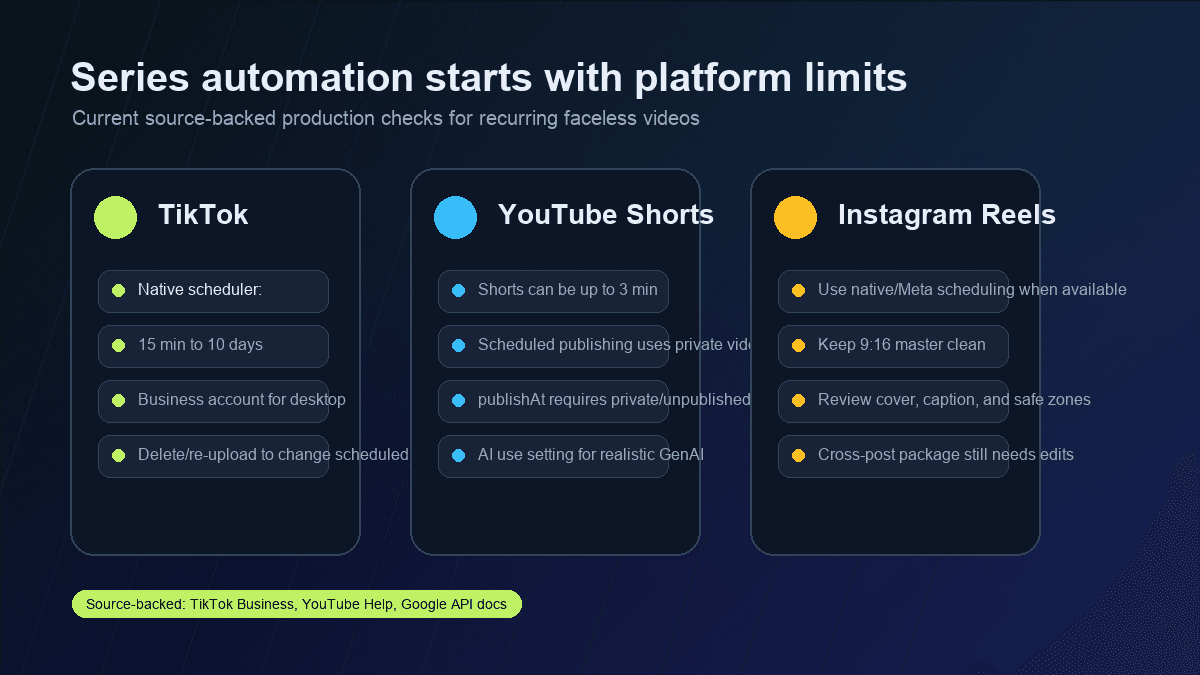
Use these defaults before you schedule a series:
| Setting | Practical default |
|---|---|
| Canvas | 9:16 vertical master |
| First frame | Clear topic, object, or visual tension without sound |
| Hook | One sentence that can be understood in the first two seconds |
| Captions | Short lines, high contrast, away from platform UI |
| AI disclosure | Review when the video uses realistic synthetic people, voices, places, or events |
| Scheduling | Keep each platform's native limits and account permissions visible |
| Versioning | Adapt title, caption, cover, and CTA per platform |
Do not automate around the maximum possible cadence first. Automate around the smallest cadence you can review reliably. A weekly series with strong hooks and clean review beats a daily feed of generic generated clips.
Build a Series Format Before You Generate Episodes
The most important input is not the prompt. It is the format. A faceless series needs a recurring viewer promise that can survive many episodes without repeating itself.
Use this series brief:
Series name: [working title]
Viewer: [specific audience]
Promise: [what every episode helps them understand, avoid, or do]
Episode length: [20-45 seconds for first tests]
Structure:
1. Hook
2. Context or problem
3. Three quick beats
4. Payoff or takeaway
5. CTA
Visual style: [faceless workflow, story scenes, product visuals, anime, documentary, etc.]
Voice: [calm narrator, urgent creator, friendly explainer, etc.]
Caption rules: short lines, high contrast, no paragraphs.
Review rules: check facts, AI label, captions, and platform package before scheduling.
Here is a stronger example for a faceless creator education series:
Series name: Short-Form Fixes
Viewer: creators who post Shorts but lose viewers early
Promise: each episode fixes one problem in a short video format
Episode length: 35 seconds
Structure:
1. Name the mistake in one sentence.
2. Show the weak version.
3. Show the stronger version.
4. Give one reusable script line.
5. End with "save this before your next upload."
Visual style: clean faceless creator workflow with screen-free abstract examples.
Review rules: no unsupported platform claims; check captions and title before scheduling.
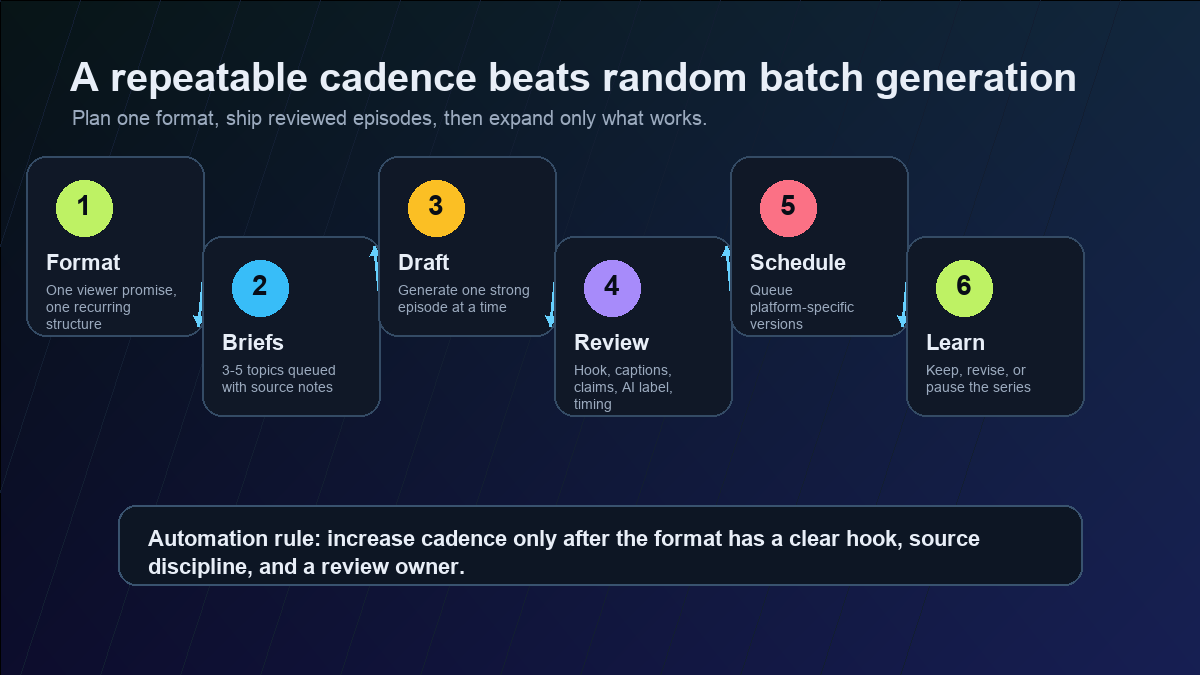
The brief should be specific enough that five different episodes still feel related. If every episode needs a new structure, you are not automating a series yet. You are just generating one-off videos faster.
Choose the AI Video Series Generator by Bottleneck
Product pages in this category often use similar words: autopilot, automated shorts, faceless channels, series, and auto-posting. Those labels are useful only after you know the bottleneck.
AutoShorts positions itself around creating faceless video series and auto-posting to channels. StoryShort markets AI-generated story videos for platforms such as TikTok, Shorts, and Reels. Shortts.ai describes AI-generated faceless videos and series-style workflows. Those are relevant product categories, but they do not all solve the same problem for the same creator.
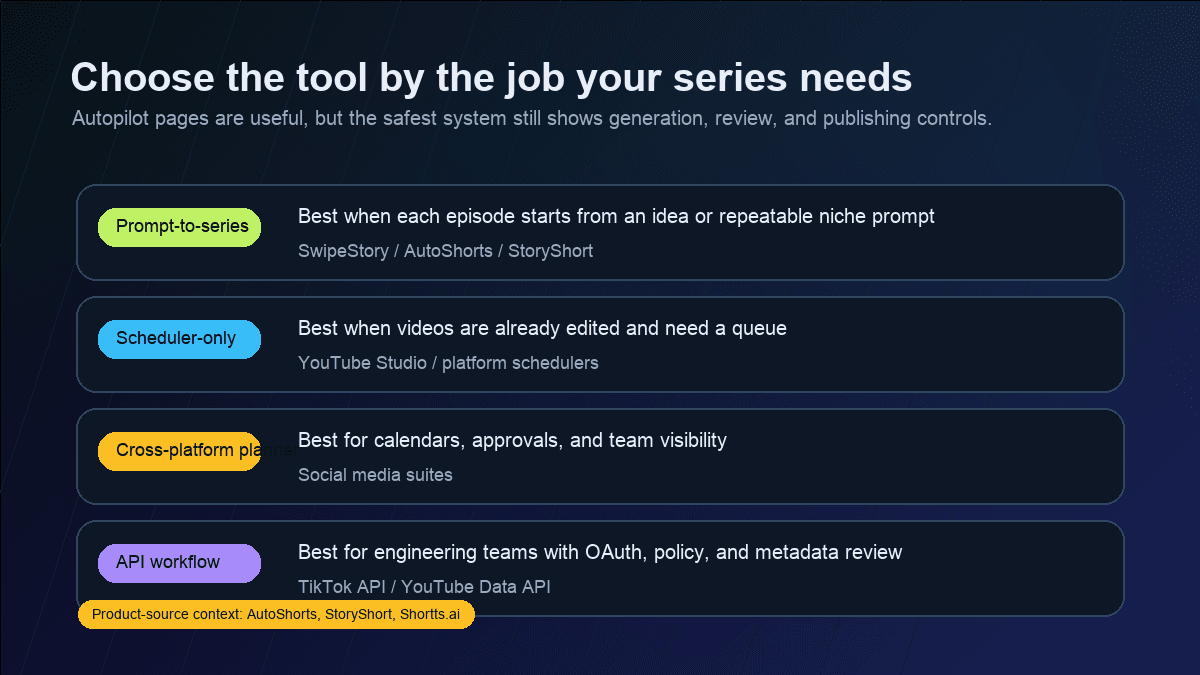
Use this decision rule:
| Bottleneck | Best fit |
|---|---|
| You need complete faceless videos from prompts or scripts | AI video generator with voiceover, captions, rendering, and scheduling |
| You already have edited videos | Native scheduler or social media scheduler |
| You manage a team calendar | Social suite with approvals and analytics |
| You need custom upload logic | Official API workflow with OAuth, metadata review, and policy controls |
SwipeStory fits the first path. It turns prompts or scripts into vertical videos with AI-generated visuals, voiceovers, captions, background music, editing, rendering, and scheduled publishing for TikTok, YouTube Shorts, and Instagram Reels. Use SwipeStory's AI TikTok video generator, AI YouTube Shorts generator, or AI Reel generator when the series needs to start from an idea rather than an already edited video file.
Use a scheduler-only workflow when production is already solved. Use a custom API workflow when you have engineering resources and a reason to own the upload layer. Most small teams should not start there.
Add Review Gates Before the Queue
Faceless video automation is safer than fake-person content in one sense: you do not need to pretend an avatar is a real creator. But it still needs disclosure and claim review when the content includes realistic AI-generated or meaningfully altered media.
TikTok's AI-generated content help page says creators are required to label AI-generated content that contains realistic images, audio, or video. It also describes creator labels, automatic labels, and Content Credentials. Source: TikTok Help: AI-generated content.
YouTube's synthetic content guidance explains that creators should disclose realistic altered or synthetic content, including content that makes a real person appear to say or do something they did not, changes footage of real events or places, or creates realistic scenes that did not occur. Source: YouTube Help: disclosing GenAI content.
TikTok's Direct Post API documentation is also a reminder that publishing automation needs visible settings. The direct post flow includes creator information, post initialization, and fields for privacy and interaction settings. Source: TikTok Developers: Direct Post reference.
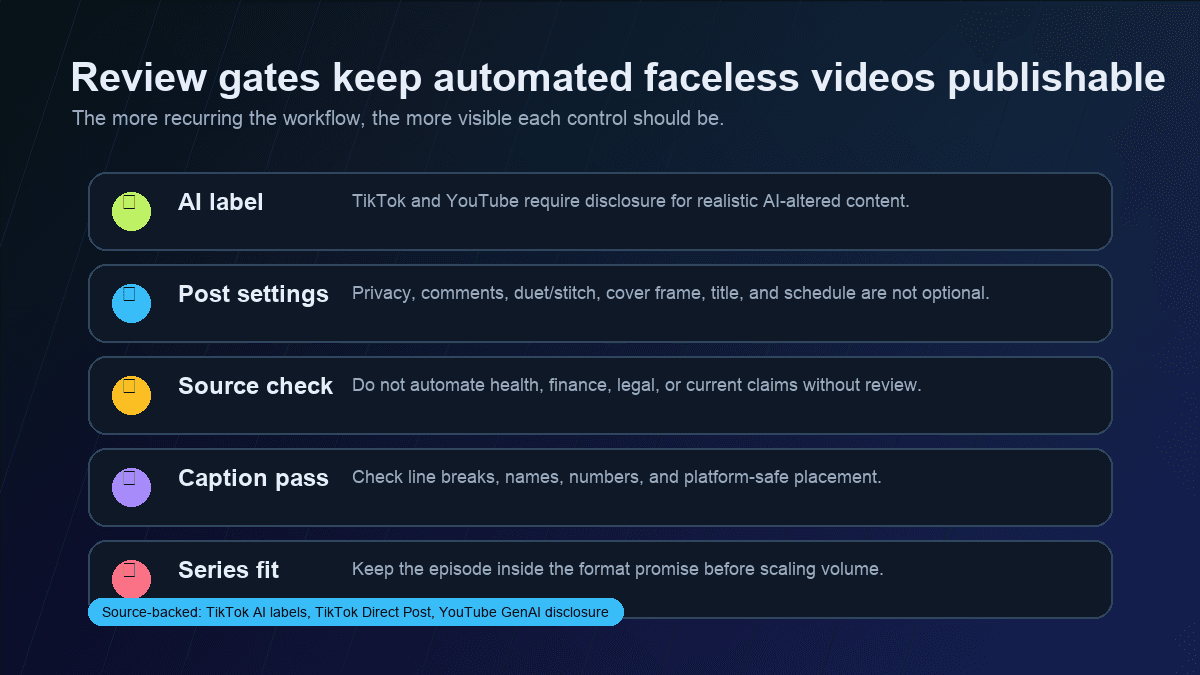
Before any episode is scheduled, check:
- Does the video include realistic synthetic people, voices, places, events, or altered real footage?
- Does the title or caption imply a real endorsement, test, event, or result that did not happen?
- Are health, finance, legal, political, or current-event claims sourced and current?
- Are captions readable on mobile and free from wrong names, numbers, or terms?
- Are platform-specific settings visible before publishing?
- Does the episode still match the series promise?
Automation should make those checks easier to repeat. If a tool hides the review fields or turns scheduling into a black box, it is not a good fit for a serious recurring series.
The SwipeStory Workflow for Automated Faceless Videos
SwipeStory is most useful when you want one production system for the complete recurring video, not just a posting queue.
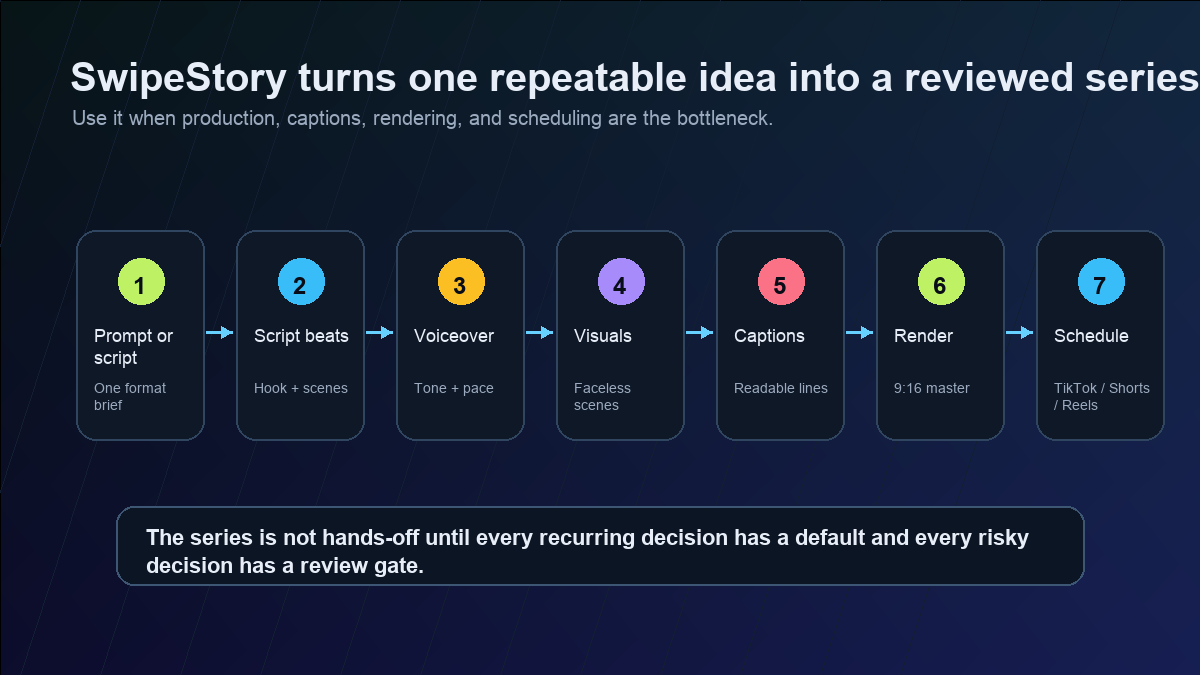
A practical workflow looks like this:
- Choose one series format and one platform as the first test.
- Write three episode briefs with the same structure.
- Generate one episode draft with visuals, voiceover, captions, and music.
- Review the first two seconds, spoken hook, captions, visual accuracy, and CTA.
- Adapt the title, caption, and cover frame for the platform.
- Schedule the strongest version.
- Use comments, retention signals, saves, or profile clicks to decide whether to continue the format.
That is the difference between automated faceless videos and blind batch output. A batch asks, "How many videos can we generate?" A series asks, "Which recurring promise is worth repeating?"
For stronger inputs, use AI video prompts for Shorts, TikTok hook examples, and YouTube Shorts script templates. Before scaling credits or scheduling volume, check SwipeStory pricing and decide how many reviewed episodes you can support each week.
A Simple Weekly Series Automation Plan
Start with one week, not one quarter. The goal is to prove a format before you automate a backlog.
| Day | Action | Output |
|---|---|---|
| Monday | Pick one series format and three episode topics | Three briefs with hooks and source notes |
| Tuesday | Generate one or two drafts | First faceless video drafts |
| Wednesday | Review captions, claims, visuals, AI label, and CTA | One publishable episode |
| Thursday | Schedule the episode and adapt cross-platform versions | TikTok, Shorts, or Reels queue |
| Friday | Review comments and early performance signals | Keep, revise, or pause the format |
If the format works, add more episodes with the same structure. If it does not, fix the promise, hook, or niche before increasing output. More automation rarely fixes a weak format.
Mistakes to Avoid
Automating the calendar before the format works
A publishing calendar is not a strategy. The strategy is the viewer promise, repeatable structure, and review loop. Build that first.
Generating too many unrelated episodes
Random volume makes it harder to learn. Generate a small batch inside one format, then compare variants cleanly.
Treating one master as perfect for every platform
TikTok, YouTube Shorts, and Reels can share a 9:16 master, but titles, captions, cover frames, CTAs, and scheduling windows often need platform-specific edits.
Skipping AI disclosure because the channel is faceless
Faceless does not automatically mean disclosure-free. Review current platform guidance when the content includes realistic AI-generated people, voices, places, or events.
Letting the tool invent evidence
Do not ask an AI video series generator to create customer results, trend claims, or facts without sources. If the content needs proof, put the proof in the brief.
Final Recommendation
Use faceless video series automation when you already have, or can define, a repeatable format. Use SwipeStory when the bottleneck is turning prompts or scripts into finished vertical videos with visuals, voiceover, captions, music, rendering, and scheduled publishing. Use a scheduler when the video is already done. Use a custom API workflow only when you need engineering-level control and can handle policy requirements.
The best starting point is one reviewed weekly series. Pick the format, generate one strong episode, schedule it deliberately, and use the result to improve the next brief. When that loop works, automation becomes a production advantage instead of a content-quality risk.
Frequently Asked Questions
What is faceless video series automation?
Faceless video series automation is a repeatable workflow for creating no-camera short-form videos from prompts, scripts, or episode briefs, then reviewing and scheduling those videos as a recurring series.
What is the best AI video series generator?
The best AI video series generator depends on your bottleneck. Use SwipeStory when you need prompt-to-video creation with voiceover, captions, visuals, rendering, and scheduling. Use a scheduler when videos are already edited.
Can automated faceless videos be posted without review?
They can be queued only after review. Check captions, claims, AI disclosure, platform settings, title, cover frame, and series fit before publishing.
How many faceless videos should I automate per week?
Start with one to three reviewed episodes per week. Increase only after the format has a clear hook, reliable production defaults, and enough audience feedback to justify more volume.
