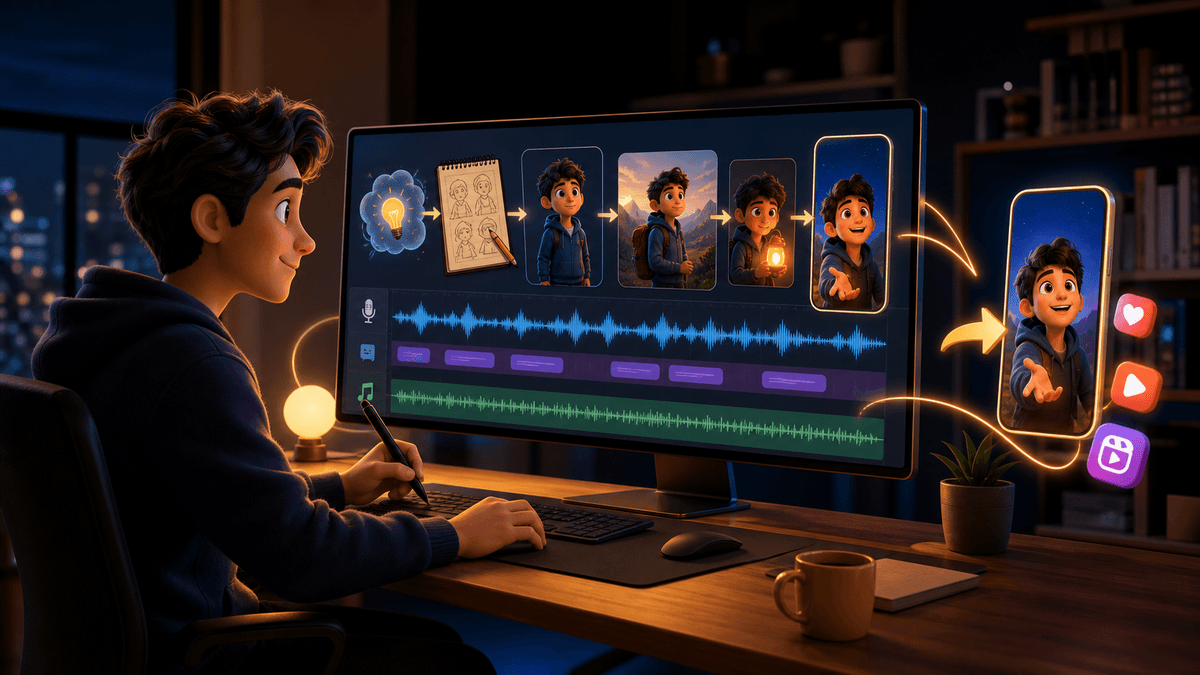
Pixar Style Video Generator Guide

Stella writes SwipeStory guides about AI faceless video creation, short-form video strategy, creator tools, and automated publishing workflows.
The best Pixar style video generator workflow is not to copy Pixar characters, scenes, or studio marks. It is to create original warm 3D animated Shorts with a clear style brief, a tight script, vertical framing, voiceover, captions, music, review, and scheduled publishing. If you want the complete short-form workflow instead of a loose animation clip, start with SwipeStory's AI Pixar video generator.
Updated May 27, 2026. We checked current SwipeStory product pages, Runway Gen-4 help pages, Adobe Firefly Image to Video pages, Google Veo information, YouTube Shorts format guidance, YouTube synthetic-content disclosure guidance, TikTok AI-generated content guidance, and Meta AI-info labeling updates before writing this guide.
Quick Verdict: How to Use a Pixar Style Video Generator
Use a Pixar style video generator when your goal is a polished animated Short, TikTok, or Reel with an original character and a repeatable series format. Use a standalone video model when you only need source clips.
| Need | Best workflow |
|---|---|
| A finished animated Short from a script | Use SwipeStory's AI Pixar video generator so the script, visual style, voiceover, captions, music, edit, render, and publishing plan stay connected |
| A short animated source clip | Use a video model such as Runway, Adobe Firefly, Google Veo, or another image-to-video system, then edit the output into a short-form post |
| A faceless animated channel | Build recurring original characters, narrator voices, caption style, and scheduled episodes |
| A commercial or brand video | Use original assets, platform-safe claims, licensed music, and a disclosure review before publishing |
The key distinction is the deliverable. A model can make a beautiful animated scene. A creator still needs a hook, narration, caption-safe framing, audio, export checks, and a posting rhythm. That is where SwipeStory fits: it turns prompts or scripts into vertical videos with AI-generated visuals, voiceovers, captions, background music, editing, rendering, and scheduled publishing for TikTok, YouTube Shorts, and Instagram Reels.
For adjacent workflows, pair this post with the image to video AI workflow, AI video prompts for Shorts, and AI anime video generator.
What "Pixar Style" Should Mean in Practice
"Pixar style" is a search term people use for warm, expressive, family-friendly 3D animation. In production, treat it as shorthand for a broad animated look: rounded character design, clear facial expression, soft cinematic lighting, colorful environments, and emotional story beats.
Do not treat it as permission to copy a studio's characters, films, logos, scenes, or exact proprietary style. A safer creative brief sounds like this:
Create an original warm 3D animated short-form scene with expressive character design, soft cinematic lighting, playful color, and a clear emotional story beat. Do not reference any named movie, franchise, studio logo, or copyrighted character.
That wording gives the AI system a useful visual direction without anchoring the video to someone else's intellectual property. It also makes the output easier to turn into a repeatable channel because the character, world, and format belong to you.
Build a Style Brief Before You Generate
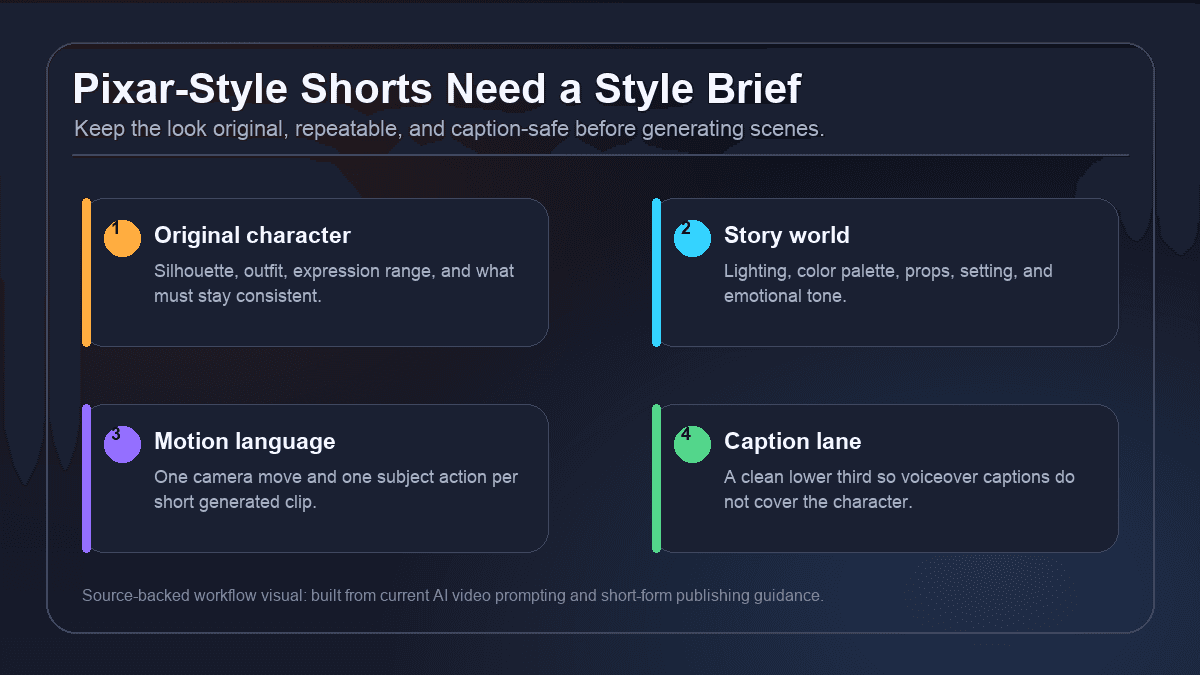
The fastest way to get inconsistent animated Shorts is to prompt every scene from scratch. The character changes, the face drifts, the outfit mutates, the background loses continuity, and the final edit feels like a collection of test clips.
Before opening any AI Pixar video generator, write a short style brief:
| Brief layer | What to define |
|---|---|
| Original character | Age range, silhouette, outfit, hair, color palette, expression range, and details that must not change |
| Story world | Location, lighting, props, time of day, emotional tone, and visual contrast |
| Animation language | Warm 3D animation, clay-like stylization, toy-scale scenes, cinematic fantasy, educational mascot, or another original look |
| Camera motion | Push-in, orbit, pan, tilt, locked camera, handheld drift, or one reveal |
| Caption lane | Where captions can sit without covering the character's face, action, or key prop |
A useful brief can be five bullets:
Recurring character: original young inventor with round glasses, blue jacket, expressive eyes, and a small tool satchel.
World: cozy rooftop workshop with warm lamps, blue evening sky, and handmade mechanical props.
Visual style: original warm 3D animated look with soft lighting, rounded forms, and no named studio references.
Motion language: slow push-ins, small hand movement, blinking lights, and one emotional expression change per scene.
Caption lane: keep the lower third dark and uncluttered.
This brief protects continuity. It also helps you build a series because each new episode starts from a known world instead of a blank prompt.
Choose the Right AI Pixar Video Generator Layer
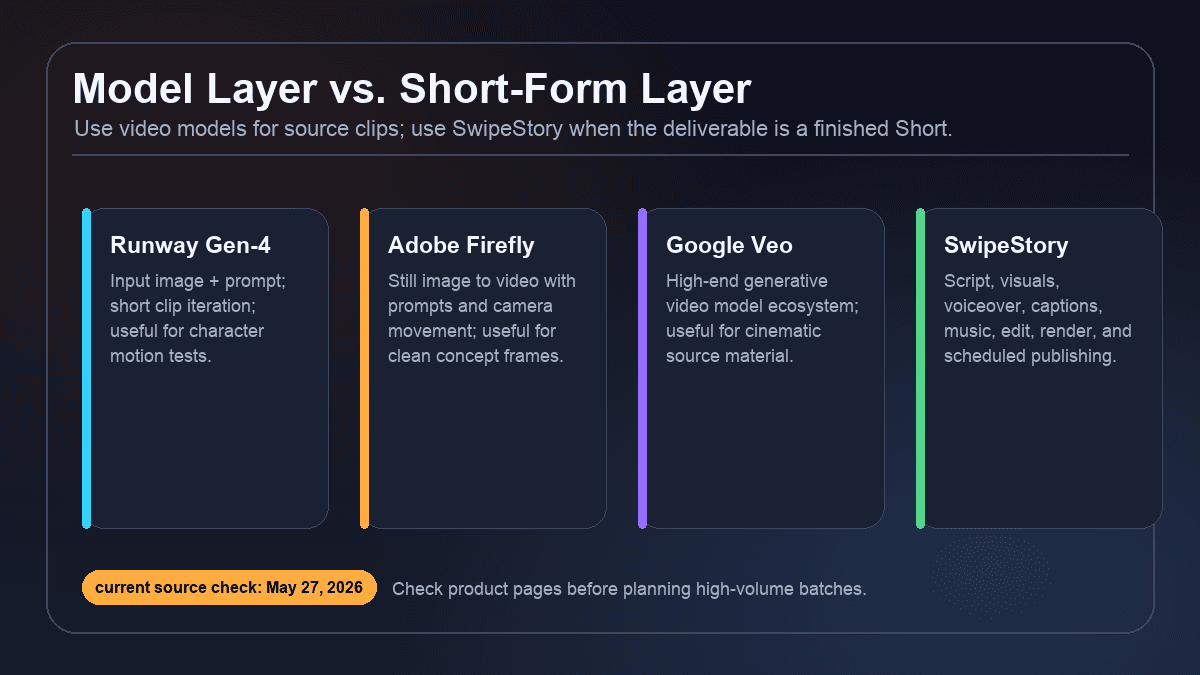
Current AI video products are not interchangeable. Some are best at generating source clips. Others are better at producing the finished short-form asset.
Runway's Gen-4 video help pages describe a workflow built around an input image plus a text prompt, which is useful when you want to animate a specific character frame or test a short motion idea.
Adobe Firefly Image to Video emphasizes still-image-to-motion creation with prompts and camera movement, which is useful when you already have a clean concept image, product render, or character sheet.
Google DeepMind's Veo page positions Veo as a high-end generative video model family. It can be relevant when the model layer is the main creative constraint and you plan to bring the resulting clip into a separate editor.
SwipeStory is different because it is designed for the finished post. The point is not just "generate a clip." The point is to move from prompt or script to short-form video with AI-generated visuals, voiceover, captions, background music, editing, rendering, and scheduled publishing.
Use this decision rule:
| Starting point | Better path |
|---|---|
| "I have a character image and need motion" | Image-to-video model first |
| "I have a story idea and need a complete Short" | SwipeStory first |
| "I already wrote the narration" | Script to Video AI first |
| "I want a batch of no-camera episodes" | Faceless AI video generator plus a style brief |
| "I want to test several visual styles" | Try one short prompt in each style before building a weekly schedule |
The more complete the deliverable, the more valuable the workflow layer becomes.
Use a Prompt Blueprint, Not a Vibe Paragraph
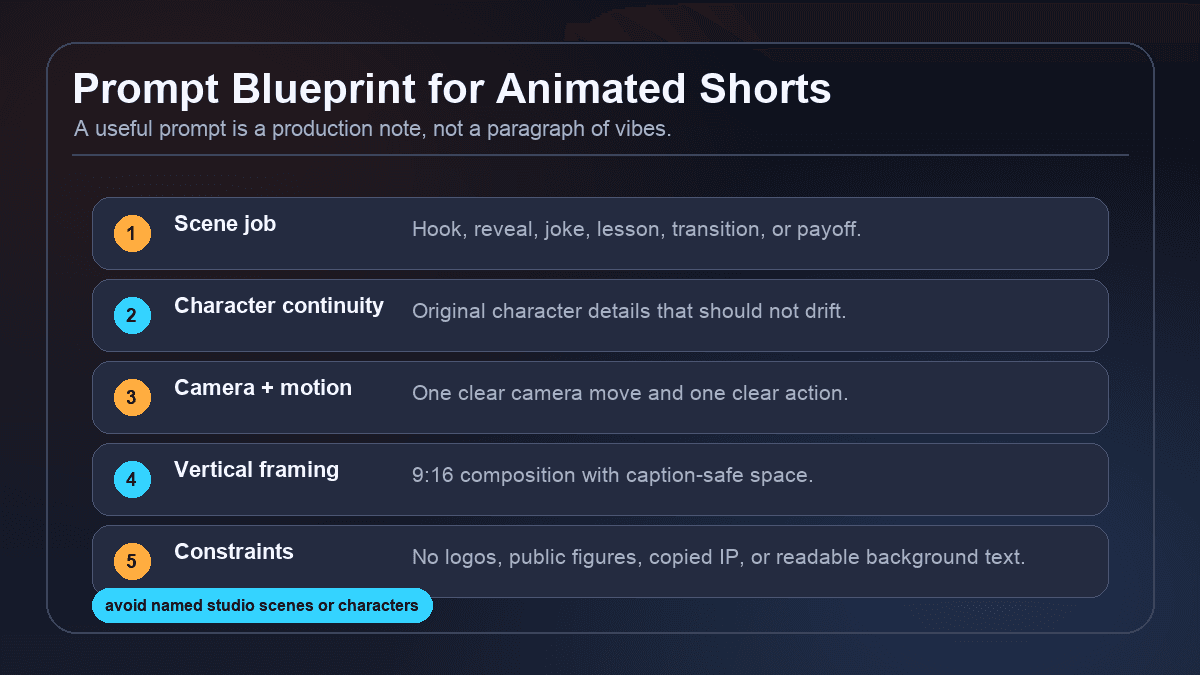
A strong Pixar style AI video prompt should read like a production note. It tells the model what the scene does, what must stay consistent, how the camera moves, how the character changes, and what to avoid.
Use this structure:
Create a [duration] vertical 9:16 original warm 3D animated scene.

Scene job: [hook, reveal, lesson, joke, transition, or payoff].
Character continuity: [original character details that must stay consistent].
Setting: [where the scene happens, lighting, color palette, props, mood].
Camera motion: [one clear camera move].
Character motion: [one clear action or expression change].
Caption-safe framing: keep the lower third clean and avoid important action near platform UI areas.
Style: expressive original 3D animated storytelling, not a named movie, studio, franchise, or living artist imitation.
Constraints: no logos, no readable background text, no public figures, no copyrighted characters, no extra limbs, no extra characters.
Example:
Create a 35-second vertical 9:16 original warm 3D animated Short.

Scene job: an inventor character explains why most creators quit too early.
Character continuity: original young inventor with round glasses, blue jacket, messy brown hair, and a small tool satchel.
Setting: cozy rooftop workshop at blue hour, warm lamps, handmade mechanical props, soft shadows.
Camera motion: slow push-in from the workbench to the character's face.
Character motion: the character circles one note, looks up, and smiles as the idea clicks.
Caption-safe framing: keep the lower third dark and uncluttered.
Style: expressive original 3D animated storytelling with rounded forms and cinematic warmth.
Constraints: no logos, no readable text, no named studio references, no public figures, no copyrighted characters.
If you are using SwipeStory, pair the visual prompt with a short script. The prompt controls the scene. The script controls retention.
Format for Shorts Before You Animate
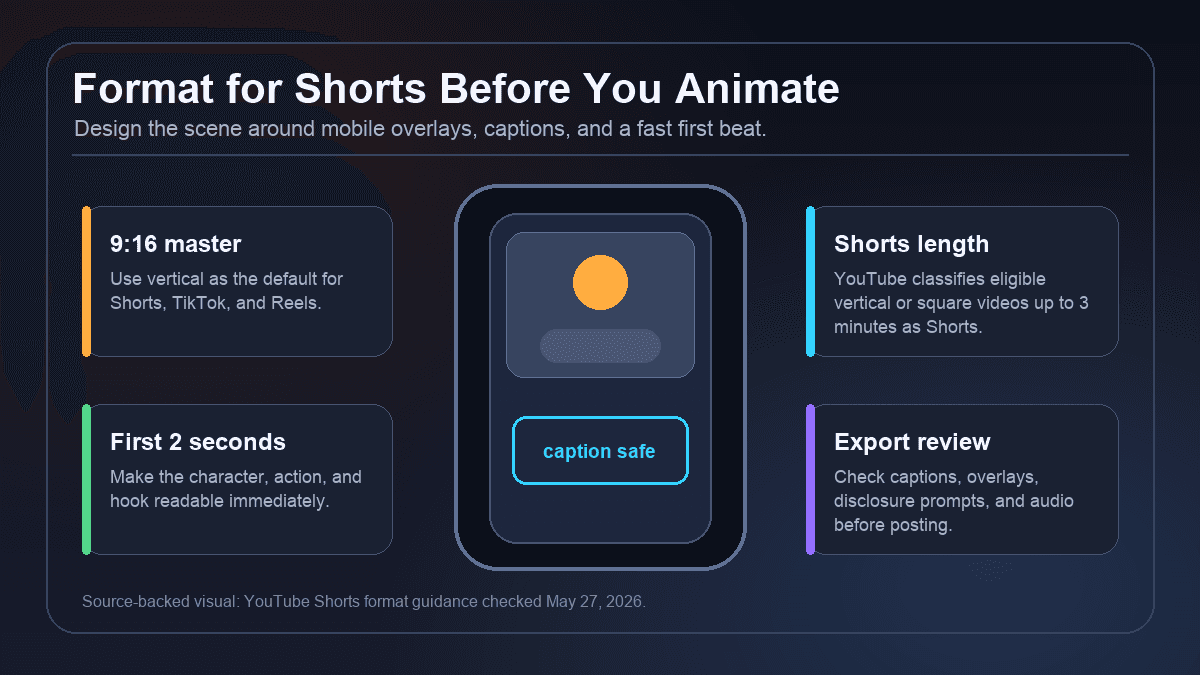
Animated scenes are often composed like film shots. Shorts are consumed inside mobile apps with captions, buttons, comments, profile controls, and autoplay behavior. Design for that environment before generating footage.
Use a 9:16 master by default. Keep the face and main action near the center third. Leave a calm lower third for captions. Do not place tiny story details at the far edges. Make the first two seconds visually understandable without context.
Current platform guidance changes, so check the upload rules before publishing. YouTube's Shorts help page currently classifies eligible square or vertical videos up to three minutes as Shorts. That does not mean every animated Short should run three minutes. Most original animated Shorts work best when one idea is delivered in 20 to 60 seconds, with longer episodes reserved for stories that have enough turns to justify the time.
For platform-specific workflows, use AI YouTube Shorts Generator, AI TikTok Video Generator, and AI Reel Generator.
Add Script, Voiceover, Captions, and Music
A generated animated scene is not a complete social video. The finished post needs structure.
Use a four-beat script:
| Beat | Example line |
|---|---|
| Hook | "Most creators quit before the algorithm has enough signal." |
| Setup | "They test one idea, get no traction, then switch niches." |
| Turn | "The creators who survive build repeatable formats, not random posts." |
| Payoff | "Pick one character, one visual world, and make the next ten episodes easier." |
Then turn the narration into short caption beats:
Most creators quit too early
One video is not a test
Repeatable formats win
Make the next 10 easier
This is where SwipeStory helps. You can move from story idea to script, animated visual direction, AI voiceover, captions, background music, editing, rendering, and scheduled publishing without exporting between five separate tools. If you already have a character frame, use AI Image to Video for the visual layer and finish the Short with narration and captions inside your production workflow.
Mid-post recommendation: if you want to build a weekly animated channel, create three episode templates before you scale. One template can be educational, one can be story-driven, and one can be a list or myth-busting format. Then use the same original character and caption style across all three.
Review AI Disclosure, Rights, and Platform Fit
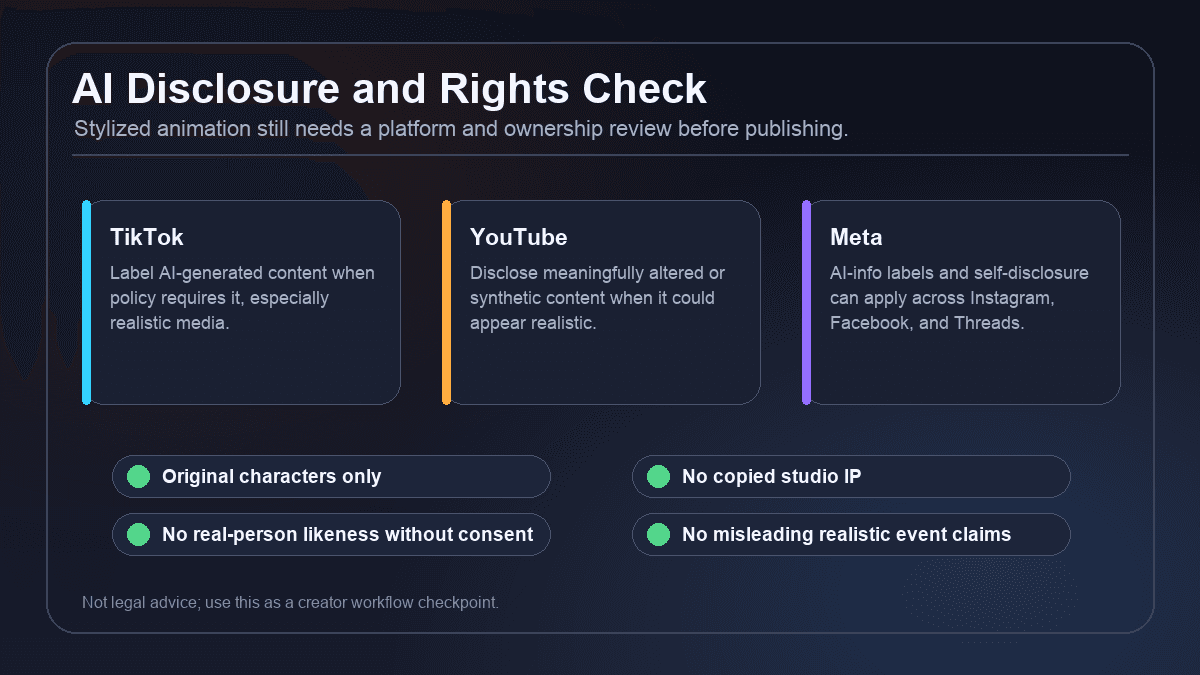
Stylized 3D animation usually creates fewer realism problems than photorealistic AI video, but it still needs review.
TikTok's AI-generated content guidance says creators are required to label AI-generated content when it contains realistic images, audio, or video. YouTube's altered or synthetic content guidance says creators must disclose meaningfully altered or synthetically generated content when it seems realistic. Meta's public updates say Facebook, Instagram, and Threads use AI-info labels from signals and self-disclosure for AI-generated or edited content.
Use this checklist before publishing:
- Is every character original, or do you have permission to use it?
- Does the prompt copy a specific film, franchise, studio mark, celebrity, or public figure?
- Could viewers reasonably think the video shows a real event, real person, or real quote?
- Did you use someone else's voice, photo, likeness, private material, or music?
- Are factual claims in the narration sourced and safe for the niche?
- Does the platform upload flow ask for AI or altered-content disclosure?
This is not legal advice. It is a practical creator rule: build around original characters and original stories, not recognizable IP or misleading realistic claims.
Turn One Animated Short Into a Series
The best animated Shorts channels are not random one-offs. They have a repeatable promise. A viewer can recognize the character, understand the world, and anticipate the next episode.
Good series formats include:
| Series format | Example |
|---|---|
| One-minute lessons | An original animated mentor explains one creator, business, or productivity idea |
| Cozy myths | A narrator character explains one myth, folklore idea, or mystery per episode |
| Founder stories | A recurring character dramatizes one startup mistake or marketing lesson |
| Science in scenes | A lab character uses visual metaphors to explain one concept |
| Product explainers | A mascot character turns customer questions into simple animated answers |
| Serial cliffhangers | A recurring cast advances one story beat per Short |
For each format, define:
- One recurring original character or narrator.
- One visual world.
- One video length range.
- One hook pattern.
- One caption style.
- One posting cadence.
Then batch the work. Write five hooks, produce five scripts, generate or animate five scenes, review the best drafts, and schedule the strongest posts. Check SwipeStory pricing before choosing a high-volume weekly cadence.
Common Mistakes With AI Pixar Video Generators
Copying recognizable IP
Do not build a channel around characters, scenes, titles, music, or logos you do not own. "Pixar style video generator" may be the search query, but your production prompt should say original warm 3D animated storytelling.
Asking for too much motion
Most weak AI animation prompts try to move the camera, character, background, props, weather, and lighting at the same time. For a short generated scene, one camera move and one subject action is usually enough.
Forgetting captions
If the scene is busy in the lower third, captions either cover the character or become unreadable. Leave space for captions at the prompting stage.
Treating the generated clip as the final video
The clip is the visual layer. The Short still needs a hook, voiceover, captions, pacing, music, export checks, and platform review.
Scaling before the format is repeatable
Do not generate 30 episodes before testing the character, premise, caption style, and first five hooks. A repeatable format matters more than a large backlog of inconsistent clips.
Final Recommendation
Use a Pixar style video generator when you want original, expressive 3D animated Shorts, not when you want to imitate a specific studio property. The practical workflow is:
- Write a style brief for an original character and story world.
- Create a short retention-first script.
- Generate or animate source scenes with simple motion prompts.
- Add voiceover, captions, music, and export checks.
- Review disclosure, rights, and platform fit.
- Turn the best format into a repeatable series.
If the deliverable is a complete TikTok, YouTube Short, or Reel, start with SwipeStory's AI Pixar video generator. If you only need a raw animated source clip, use a model layer first and bring the result into a full short-form workflow afterward.
Frequently Asked Questions
What is a Pixar style video generator?
A Pixar style video generator is an AI video workflow people use to create warm, expressive 3D animated scenes or Shorts. For safer production, write prompts for original 3D animated storytelling instead of copying a specific studio, film, character, or scene.
Can I use AI Pixar-style videos commercially?
It depends on the assets, licenses, prompts, voice, music, claims, platform rules, and rights involved. Use original characters, licensed media, and platform-safe claims. If the video is for a brand or client, review it before publishing.
Is SwipeStory an animated Shorts maker or just a clip generator?
SwipeStory is built for the full short-form workflow. It can help turn prompts or scripts into vertical videos with visuals, voiceover, captions, music, editing, rendering, and scheduled publishing for TikTok, YouTube Shorts, and Instagram Reels.
Should I use a video model or SwipeStory first?
Use a video model first when you only need raw animated source clips. Use SwipeStory first when you need the finished Short: script, visuals, voiceover, captions, music, editing, rendering, and a publishing workflow.
