Why Non-Designers Can Create Great Videos Today

Stella writes SwipeStory guides about AI faceless video creation, short-form video strategy, creator tools, and automated publishing workflows.
You don't need a film degree, a design background, or expensive software to make videos people actually watch. The reason why non-designers can create great videos comes down to one shift: modern tools now handle the technical work, so you can focus entirely on what you want to say.
Here's what makes it possible right now:
- AI automates the hard parts. Clip selection, pacing, transitions, and voice enhancement happen automatically, so you never have to learn a timeline editor from scratch.
- Pre-designed templates provide a professional starting point. You customize; the design is already done.
- Structured workflows replace guesswork. Step-by-step processes keep you moving forward instead of staring at a blank screen.
- Beginner-friendly software removes barriers. Drag-and-drop editors mean you spend time on your message, not on menus.
- Your communication skills are your real advantage. Non-designers are often better at explaining ideas clearly, and that clarity is what audiences actually respond to.
Video content accounts for over 82% of all consumer internet traffic, and the creators winning on that terrain are not the ones with the best cameras. They're the ones who publish consistently and understand their audience.
How pre-designed templates give you a head start
Templates are the single fastest way to close the gap between "I have no design skills" and "this looks professional." Using pre-designed templates boosts confidence and cuts decision fatigue by giving you a polished structure you simply fill in.
- Templates cover every platform and format: TikTok vertical clips, YouTube intros, Instagram Reels, and more.
- They embed motion paths, font pairings, and color schemes that would take a designer hours to build.
- Drag-and-drop customization means swapping your text, logo, or footage takes minutes.
- Limiting your choices to what fits the template actually speeds up production and reduces errors.
- Starting from a template builds a repeatable habit, making subsequent videos faster to create.
Pro Tip: Search templates by mood or platform rather than by topic. "Bold and energetic" will surface better options for a product launch than "product video" will.
How to size your videos for every platform
Uploading a landscape video to Instagram Stories is the fastest way to get black bars and a disengaged audience. Each platform has its own preferred aspect ratio, and getting it right matters more than most beginners realize.
- TikTok, Instagram Reels, and YouTube Shorts all favor 9:16 vertical video.
- YouTube standard videos perform best at 16:9 landscape.
- Instagram feed posts work well at 1:1 square or 4:5 portrait.
- AI-powered tools automate resizing and cropping so one video can be reformatted for multiple platforms in seconds.
- Repurposing content across channels becomes practical when resizing takes one click instead of a manual re-edit.
Getting the dimensions right also prevents awkward cropping that cuts off faces or text. It's a small detail that signals professionalism to viewers who might not even consciously notice it.
Making videos that work on mute
About 40% of viewers watch video with the sound off, including non-native speakers and people in public spaces. A video that relies entirely on audio to communicate its message loses those viewers immediately.
- Add captions or subtitles to every video. Large, bold text with high contrast reads clearly on any screen size.
- Use on-screen text to reinforce your key points visually, not just as a transcript.
- Let animations and motion graphics carry the narrative when dialogue isn't available.
- Pace your visuals so the story makes sense even without hearing a word.
- Animated explainer-style videos are naturally mute-friendly because they communicate through movement and icons rather than relying on voice.
Think of captions as a second script. They're not an accessibility add-on; they're a core part of how your video communicates.
Where to find great stock footage without filming anything
You don't have to shoot a single frame to make a compelling video. Stock footage fills visual gaps, adds production value, and lets you tell stories that would be impossible to film yourself.
- Free platforms like Pexels and Pixabay offer thousands of clips across every category.
- Paid libraries such as Storyblocks and Shutterstock provide higher-volume access with consistent licensing.
- Choose footage that matches your video's color palette and energy, not just its topic.
- Integrate clips at scene transitions or to illustrate abstract points your on-screen text is making.
- Many AI video tools include built-in stock libraries, so you never have to leave the editor to find what you need.
The mistake most beginners make is grabbing the first clip that's vaguely related. Spend an extra two minutes finding footage that feels like it belongs in the same world as your other visuals.
How to find ideas when you feel stuck
Creative blocks hit everyone, and they hit non-designers especially hard because the blank screen feels like proof that you don't belong there. It isn't. Experts consistently point to preproduction planning as more critical to video success than any software choice.
- Watch three to five popular videos in your niche and note what structure they follow: hook, problem, solution, call to action.
- Break a complex idea into a simple visual metaphor. "Our software is like a GPS for your finances" is easier to animate than a feature list.
- Write a rough script or outline before you open any editing tool. Words on a page are easier to rearrange than clips on a timeline.
- Browse template libraries for formats you haven't tried. A "listicle" template might unlock an angle you hadn't considered.
- Post a rough draft and ask your audience what they want next. Real feedback beats guessing every time.
For a broader look at what's working across AI-assisted creation right now, this comparison of AI tools for solopreneurs covers how independent creators are building repeatable video workflows without a team.
Why stickers and GIFs make viewers stay longer
Stickers and GIFs aren't decoration. They direct attention, add personality, and break up visual monotony in a way that static text simply can't.
- A well-placed sticker draws the eye to a key stat or call to action.
- Looping GIFs create movement in sections where your main footage is static.
- Humor-driven stickers make a brand feel approachable without requiring a script rewrite.
- Use them sparingly. Two or three per video is usually enough; more than that competes with your actual message.
- Most modern editors include built-in sticker and GIF libraries, so adding them takes seconds.
The rule is simple: if a sticker makes you smile when you preview the video, it'll probably do the same for your viewer.
Using repetition to build rhythm and reinforce your message
Repetition in video isn't laziness. It's a technique. Repeating a visual element, a phrase, or an animation pattern trains the viewer's brain to recognize your style and retain your message.
- Repeat your brand colors, fonts, or logo placement across every scene to build visual consistency.
- Use the same transition style throughout a video to create a sense of rhythm.
- Restate your core message at the beginning, middle, and end. Audiences remember what they hear three times.
- Avoid repeating the exact same clip or animation back to back. Variation within repetition keeps it from feeling lazy.
- AI tools and templates often suggest consistent motion patterns automatically, so repetition becomes a built-in feature rather than a conscious decision.
Think of it like a chorus in a song. The repetition is the point.
How AI and structured workflows remove the technical barrier
The key barrier to great video content is usually fear of technical complexity, not lack of creativity. AI-based structured workflows fix that by shifting your focus from "how do I do this?" to "what do I want to say?"
- AI tools automate clip selection, voice enhancement, and video styling, removing the need to learn manual editing techniques.
- Decoupling filming from post-production means you can shoot raw footage on your phone while a template or AI editor handles the visual polish.
- AI embeds professional design knowledge directly into templates: motion paths, entry effects, and pacing are already decided.
- Swipestory automates the entire process from script to voiceover to rendering, with over 60,000 short videos already generated by creators at every skill level.
- A six-step workflow (reference video, AI storyboard, image generation, motion, assembly, voiceover) can take a non-designer from blank page to finished video without any formal training.
Pro Tip: Find a video you admire and use it as your reference. Describe its pacing and color tone to an AI tool and ask it to generate a storyboard in that style. You don't need to know what a "crane shot" is. You just need to show the AI an example.
Basic principles of video composition and framing

Composition is the difference between a video that looks accidental and one that looks intentional. You don't need to study cinematography to get it right.
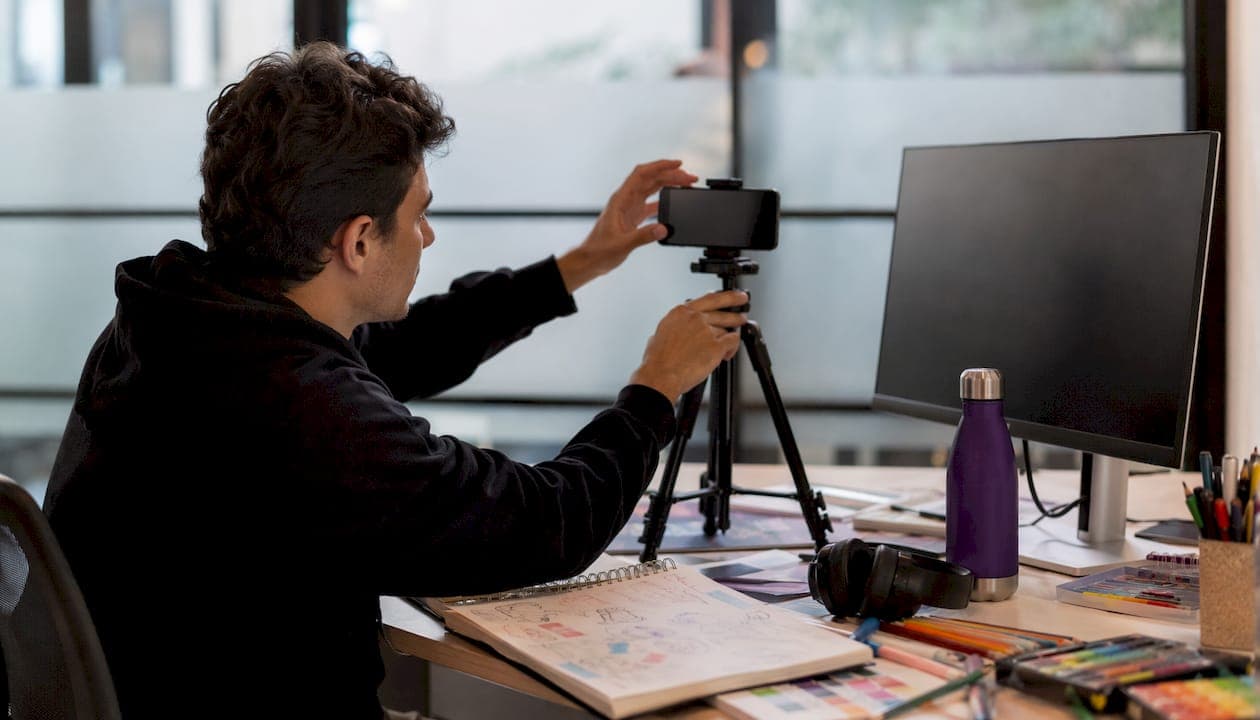
The rule of thirds is the most useful concept you'll learn. Divide your frame into a 3x3 grid and place your subject at one of the four intersection points rather than dead center. It draws the viewer's eye naturally and makes the background feel like part of the story rather than an afterthought.
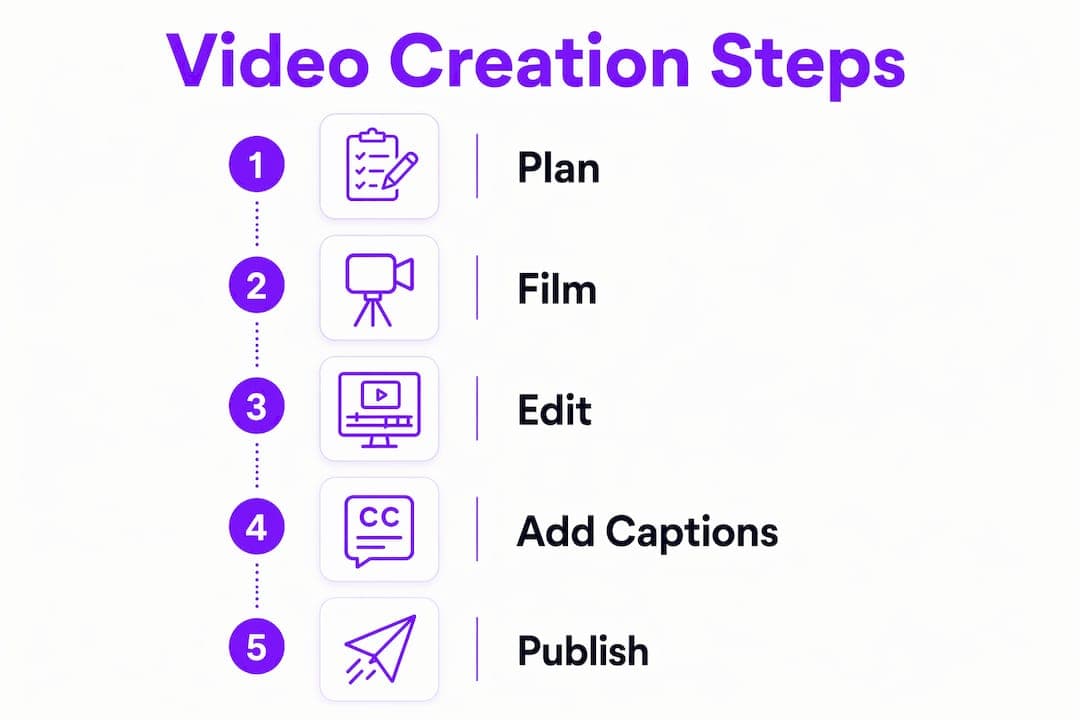
Keep your camera at eye level with your subject. Shooting from below makes subjects look imposing; shooting from above makes them look small. Eye level feels like a conversation. Also, leave some headroom above your subject and avoid cutting people off at the neck or chin. These are the framing mistakes that make otherwise good footage look amateur.
Understanding and using lighting effectively
Lighting is the fastest way to improve video quality without buying new equipment. Bad lighting makes even a great camera look cheap.
The three-point lighting setup is the standard for a reason: place your two brightest lights in front of your subject at 45-degree angles, then add a dimmer light behind to separate the subject from the background. Natural window light works as a free substitute for your key light. Just face the window, don't sit with it behind you.
Avoid overhead fluorescent lighting. It casts unflattering shadows under eyes and chins. Soft, diffused light from the side is almost always more flattering and more professional. If you're filming outdoors, shoot in the hour after sunrise or before sunset. The light is warm, directional, and forgiving.
Simple audio tips for clear, professional sound
Viewers will tolerate mediocre video quality far longer than they'll tolerate bad audio. Poor sound signals low effort, and most people click away within seconds.
Film in a small room with soft surfaces. Carpet, curtains, and upholstered furniture absorb echo. Hard floors and bare walls bounce sound around and create the hollow, reverb-heavy audio that screams "recorded in a bathroom." Turn off air conditioning and fans while you record; microphones pick up everything.
An external microphone makes a bigger difference than any camera upgrade. Even a basic lapel mic clipped to your shirt will outperform a built-in laptop or phone microphone. AI tools like Canva's Enhance Voice can remove background noise in post-production, but starting with clean audio means less work later.
Storyboarding and planning your video before you film
The biggest mistake new creators make is pressing record before they have a plan. Good story structure — a strong hook, a clear problem-solution arc, and a call to action — matters more to engagement than any technical detail.
A storyboard doesn't need to be a work of art. Rough boxes with stick figures and written descriptions of each scene are enough. The goal is to visualize the sequence before you commit to filming. Think of it like a comic strip: each panel is a shot, and the order tells the story.
Write your script as a guide, not a word-for-word teleprompter. Over-scripted videos feel stiff. Bullet points covering your key ideas give you enough structure to stay on track while still sounding natural. Plan your hook first. The first three seconds determine whether someone keeps watching.
Common beginner mistakes and how to avoid them
Most early video failures come from the same handful of errors, and all of them are fixable.
Skipping the plan. Filming without a script or storyboard leads to rambling videos that lose viewers fast. Write your hook and three main points before you open any camera app.
Ignoring audio. A video with great visuals and muddy sound will underperform a video with average visuals and clear audio every time. Prioritize your microphone over your camera.
Overloading with effects. New creators often add every transition, sticker, and filter available. Restraint reads as confidence. Pick two or three effects and use them consistently.
Publishing once and stopping. The creators who succeed are not the ones with the best equipment. They're the ones who publish consistently and adjust based on what their audience responds to. Your first ten videos will be rough. That's normal and expected.
Trying to reach everyone. A video made for a specific person performs better than one made for a vague general audience. Before you film, write down one sentence describing exactly who you're talking to and what problem you're solving for them.
Try Swipestory and make your first video today
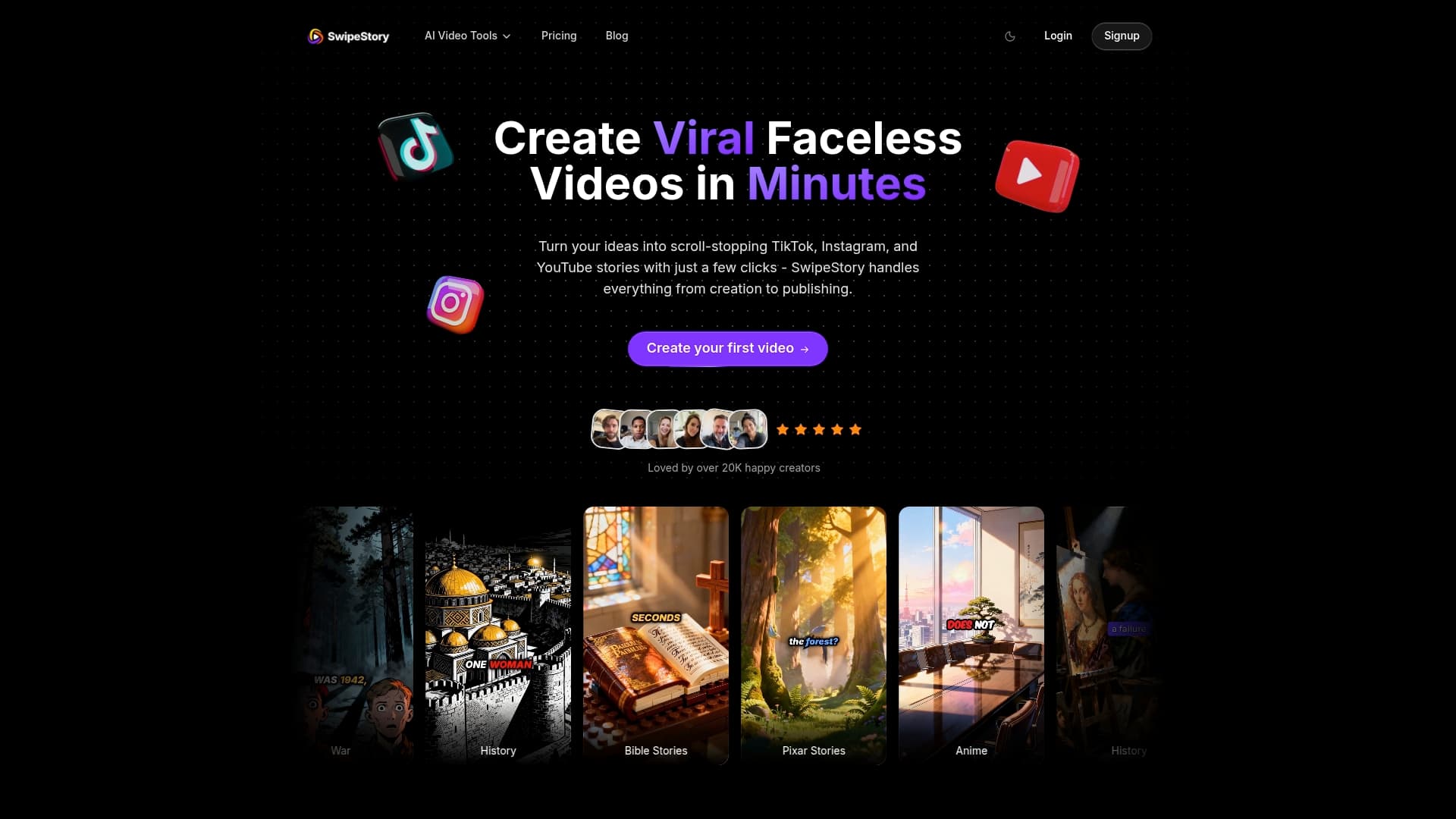
Swipestory was built for exactly this: creators who have something to say and want a tool that handles the technical side automatically. From script generation to voiceover to cloud rendering, the platform takes you from idea to finished video without requiring any design or editing background.
Thousands of creators have used Swipestory's AI-powered workflow to produce over 60,000 short videos. Whether you want to make TikToks, Instagram Reels, or YouTube Shorts, the tools are ready when you are.
Start with the AI video generator to turn your first idea into a finished video, or explore the short video maker built specifically for social platforms. No experience required.
Key Takeaways
Non-designers can create great videos because AI handles the technical complexity, leaving creators free to focus on clear storytelling and consistent publishing.
| Point | Details |
|---|---|
| Templates cut the learning curve | Pre-designed templates provide professional styling so you customize content, not design. |
| Size videos for each platform | Use 9:16 for TikTok and Reels, 16:9 for YouTube; AI tools resize automatically. |
| Plan before you film | A hook, three key points, and a rough storyboard produce better videos than any camera upgrade. |
| Audio quality beats video quality | External mics and quiet rooms matter more to viewer retention than camera resolution. |
| Consistency beats perfection | Creators who publish regularly and respond to feedback outperform those waiting for the perfect setup. |
