Pictory AI Alternative for Shorts

Stella writes SwipeStory guides about AI faceless video creation, short-form video strategy, creator tools, and automated publishing workflows.
The best Pictory AI alternative is SwipeStory when you want to create original faceless Shorts, TikToks, and Reels from a prompt or script, then repeat that workflow as a content series. Pictory is stronger when you need a broad business video platform for scripts, blog posts, long-form repurposing, slide decks, images, screen recordings, AI voices, avatars, stock media, and branded video assets.
Updated June 18, 2026. We checked Pictory's current homepage, script-to-video page, short video creator, YouTube Shorts generator, pricing page, SwipeStory product pages, YouTube Shorts documentation, and TikTok ad specifications before writing this comparison. Pricing, credits, export limits, and AI features change often, so verify the linked product pages before buying.
Quick Verdict
| Need | Better fit | Why |
|---|---|---|
| Turn scripts, blog posts, URLs, slide decks, or existing recordings into videos | Pictory | Pictory supports many input types and business video workflows |
| Create original faceless Shorts from prompts | SwipeStory | SwipeStory starts before footage exists and builds the short around hook, script, visuals, voice, captions, and publishing |
| Repurpose webinars, podcasts, Zoom calls, or long videos | Pictory | Pictory emphasizes highlight extraction and video repurposing |
| Build a repeatable no-camera short-form channel | SwipeStory | The workflow is focused on TikTok, YouTube Shorts, Instagram Reels, and repeatable series output |
| Need both broad video repurposing and net-new short-form generation | Use both deliberately | Use Pictory for repurposing assets and SwipeStory for original faceless episodes |
If your starting point is a completed article, slide deck, or long recording, Pictory deserves a serious test. If your starting point is a niche idea, hook, or narration script, start with SwipeStory's faceless AI video generator, Script to Video AI, or Prompt to Video.
What Pictory AI Does Well
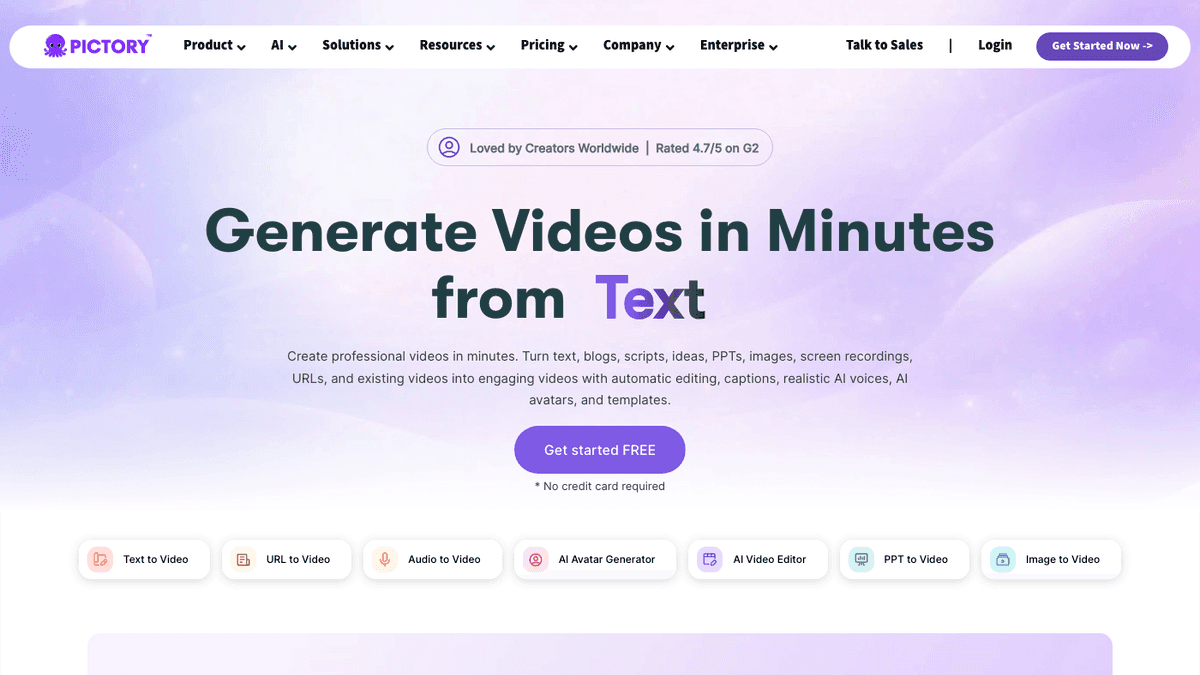
Pictory's homepage positions the product as an AI video generator that can turn text, blogs, scripts, ideas, PowerPoint files, images, screen recordings, URLs, and existing videos into finished videos. That matters because Pictory is not only a short-form generator. It is a broader video creation and repurposing suite.
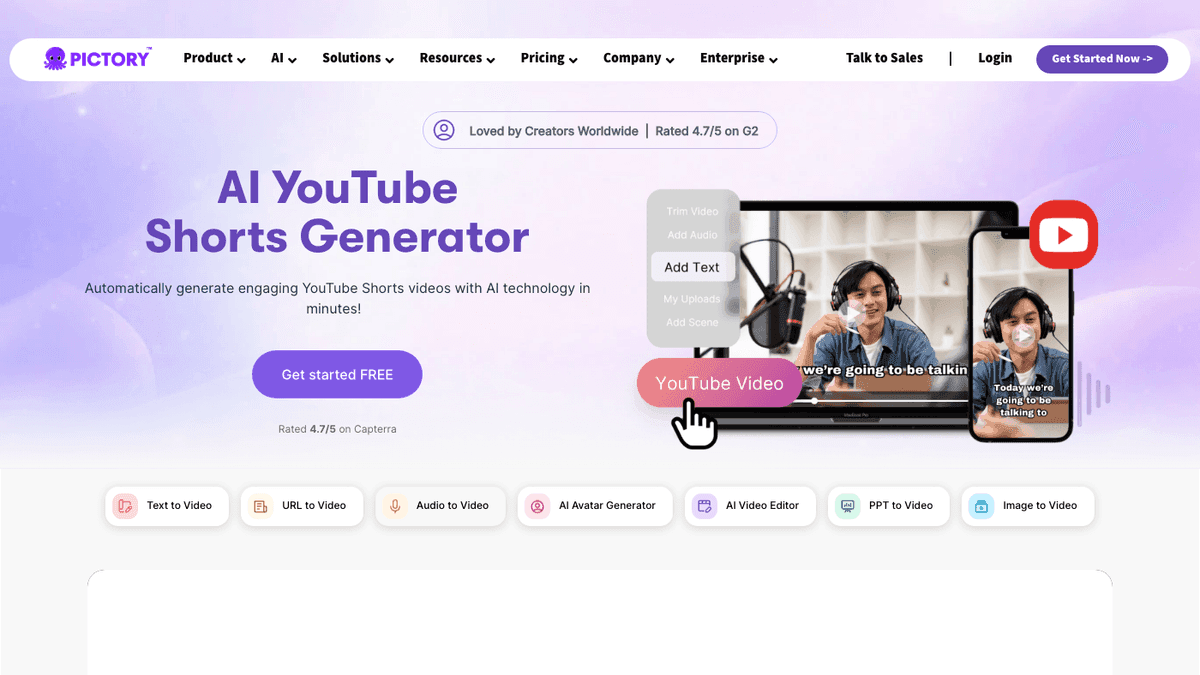
The Pictory YouTube Shorts generator makes that split visible. Pictory describes two common jobs: turning text into Shorts with AI voices, matched visuals, captions, and music, and turning long-form recordings such as webinars, podcasts, Zoom calls, or Teams meetings into short clips by extracting highlights. Its script-to-video page also promotes converting a prepared script into a video quickly, while the short video creator page focuses on ideas, scripts, and long-form content becoming short videos with hooks, captions, and platform formats.
That breadth is useful when your team has mixed inputs:
- Blog posts that should become summary videos.
- Webinars or podcasts that need highlight clips.
- Slide decks that need a narrated video version.
- Scripts that need stock media, captions, and voiceover.
- Brand kits and templates for recurring business content.
- Landscape, square, or vertical versions for different channels.
The tradeoff is focus. A broad video suite gives you more ways to start, but it can also add more decisions than a short-form creator needs. A faceless Shorts workflow usually needs fewer input types and more repeatability: title, hook, script, voice, scenes, captions, music, render, and schedule. That is where a focused script to video alternative can be easier to judge.
Pictory Pricing Signals Checked June 18, 2026
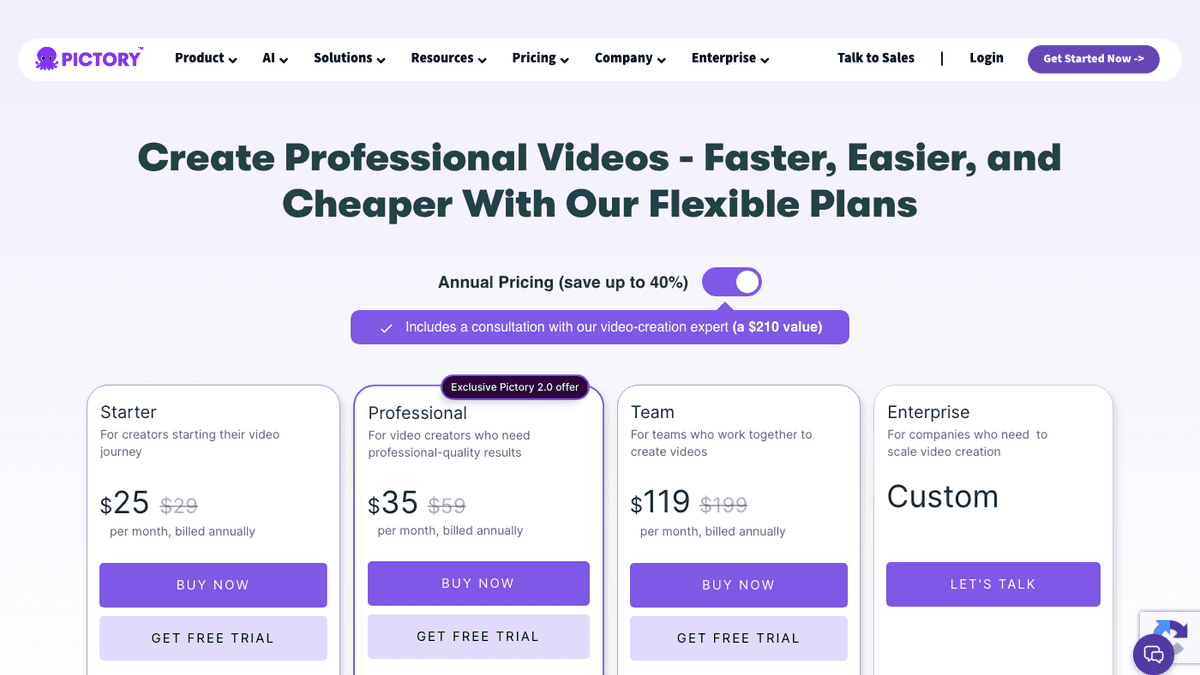
The live Pictory pricing page rendered a promotional annual pricing table during this check. The visible self-serve plans showed Starter at $25 per month, Professional at $35 per month, and Team at $119 per month, each with higher crossed-out monthly prices. Enterprise was listed as custom pricing. Because pricing pages often test discounts by region, billing interval, and campaign, treat those numbers as a snapshot, not a permanent guarantee.
The more useful buying signal is the limit structure. The rendered page showed Starter with 200 video minutes, 5 GB of storage, one brand kit, and monthly AI credits. Professional increased video minutes, storage, brand kits, voice minutes, and stock media access. Team added a shared workspace, higher minutes, more storage, more brand kits, and larger credit allowances.
That is a different buying model from a narrow faceless video maker. With Pictory, you should ask how much of the plan you spend on editing, repurposing, stock media, team collaboration, brand assets, and video minutes. With SwipeStory, compare the plan against finished short-form drafts, credits, rendering, social-ready output, and scheduled publishing. The headline price matters less than whether the workflow produces enough publishable videos every week.
Before choosing Pictory AI, SwipeStory, or another Pictory AI alternative, answer these questions:
- Are you making videos from existing assets, or creating net-new stories from prompts?
- How many short videos do you need per week?
- How many revisions, failed generations, and caption edits does each publishable video require?
- Do you need team workspaces and brand kits, or mostly creator speed?
- Is scheduling part of the workflow, or will you upload exports manually?
Check the current SwipeStory pricing page next to Pictory's live pricing before you commit. The right tool is the one whose limits match your real publishing cadence.
Pictory AI vs SwipeStory
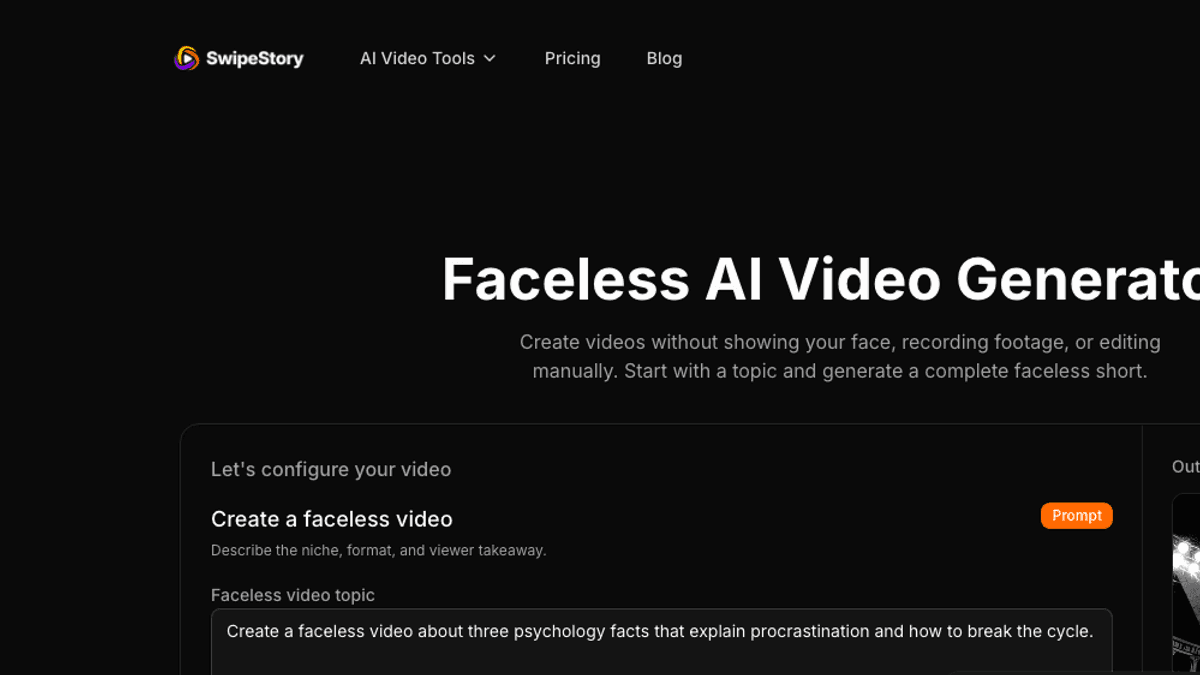
SwipeStory is the stronger Pictory AI alternative when the main job is original no-camera short-form production. It turns a topic, prompt, or script into a vertical video with AI-generated visuals, narration, captions, music, editing, rendering, and publishing workflows for TikTok, YouTube Shorts, and Instagram Reels.
Pictory is broader. SwipeStory is more focused.
| Question | Pictory | SwipeStory |
|---|---|---|
| What do you start with? | Script, article, URL, PPT, image, recording, long-form video, or prompt | Topic, prompt, approved script, niche idea, or faceless series concept |
| Core job | Create and repurpose business videos from many input types | Generate original faceless vertical videos for short-form platforms |
| Best user | Marketer, educator, business team, agency, or creator with existing assets | Creator building repeatable TikToks, Shorts, and Reels without filming |
| Repurposing | Strong fit for webinars, podcasts, screen recordings, and long videos | Better when you are generating new episodes rather than clipping old ones |
| Captions and voice | Built into a broad video editing and creation suite | Built into the generated short-form video workflow |
| Publishing fit | Verify export and publishing needs by plan | Designed around social-ready short-form creation and repeatable output |
This is why feature-count comparisons can mislead you. Pictory can be valuable for turning existing knowledge assets into video. SwipeStory is valuable when the video does not exist yet and the creator needs a complete short-form draft from the idea stage.
For example, a software company with blog posts, webinars, customer calls, slide decks, and help content may prefer Pictory because those assets already exist. A creator building a daily "psychology facts" or "weird history" faceless channel needs a different workflow. They need topic generation, hook writing, narration, visuals, captions, music, render output, and a repeatable schedule. That is where AI TikTok video generator, AI YouTube Shorts generator, and AI Reel generator workflows fit naturally.
The Script-to-Video Decision
Most Pictory AI alternative searches are really one of five decisions:
| Starting point | Better category |
|---|---|
| A finished blog post or URL | Article-to-video or business video suite |
| A webinar, podcast, or long YouTube video | AI clipping and repurposing tool |
| A finished narration script | Script-to-video short-form generator |
| A blank-page niche idea | Faceless AI video generator |
| A daily content calendar | Series-oriented short-form workflow |
If the source asset exists, Pictory can reduce editing time. You can feed the asset into a video workflow, select highlights or scenes, adjust branding, add captions, and export. That is useful for content marketing teams that already produce long-form material.
If the source asset does not exist, a repurposing workflow can become the wrong starting point. You still need the idea, hook, angle, script, scene pacing, visuals, voiceover, captions, music, and posting plan. A focused tool like SwipeStory starts further upstream and helps turn a raw prompt into the actual short.
Use this one-hour test before switching:
- Pick one niche and one platform, such as YouTube Shorts for business lessons.
- Write five hooks or titles.
- Generate five drafts in the tool you are testing.
- Watch each draft on a phone-sized frame.
- Count the manual fixes: script cleanup, visual mismatch, caption edits, voice changes, music edits, export settings, and scheduling steps.
- Choose the workflow that makes video six feel easier than video one.
That last point matters. A strong AI shorts creator should improve with repetition. If every video still feels like a one-off editing project, the workflow is not really solving short-form production.
When Pictory Is the Better Choice
Choose Pictory when your workflow is asset-led:
- You already have articles, scripts, presentations, webinars, podcasts, meetings, or long videos.
- You want one platform for several business video formats.
- You need templates, brand kits, team workspaces, stock media, avatars, or many source inputs.
- You create more than TikToks, Shorts, and Reels.
- You want a repurposing system for content your team already produces.
- You are comfortable reviewing outputs inside a broader video editing suite.
For example, an education business with weekly webinars may get a lot from Pictory. The raw material already exists, and the production task is to identify highlights, add captions, brand the clips, and export platform versions. A marketing team with blog posts and slide decks may make similar use of Pictory's article, script, and presentation workflows.
When SwipeStory Is the Better Choice
Choose SwipeStory when your workflow is generation-led:
- You do not want to film or appear on camera.
- You want to start from a topic, prompt, script, or content angle.
- You care about repeatable short-form output more than many input types.
- You publish across TikTok, YouTube Shorts, and Instagram Reels.
- You need AI visuals, voiceover, captions, music, editing, rendering, and scheduling in one flow.
- You want to build a format that can become a series.
For example, a creator planning 30 "one-minute startup lessons" does not need to upload webinars or PowerPoint decks. They need a consistent hook pattern, narration style, visual rhythm, caption treatment, and publishing schedule. In that case, SwipeStory's script-to-video workflow, Prompt to Video, and the AI Shorts generator guide are more relevant than a broad asset repurposing suite.
If you are comparing adjacent tools, read the InVideo AI alternative, VEED AI alternative, and CapCut AI alternative guides. Those products sit in nearby categories, but each has a different workflow center.
Platform Checks Still Matter
No Pictory AI alternative removes the final platform review. You still need to check length, aspect ratio, caption placement, safe zones, music rights, and whether the video works without extra context.
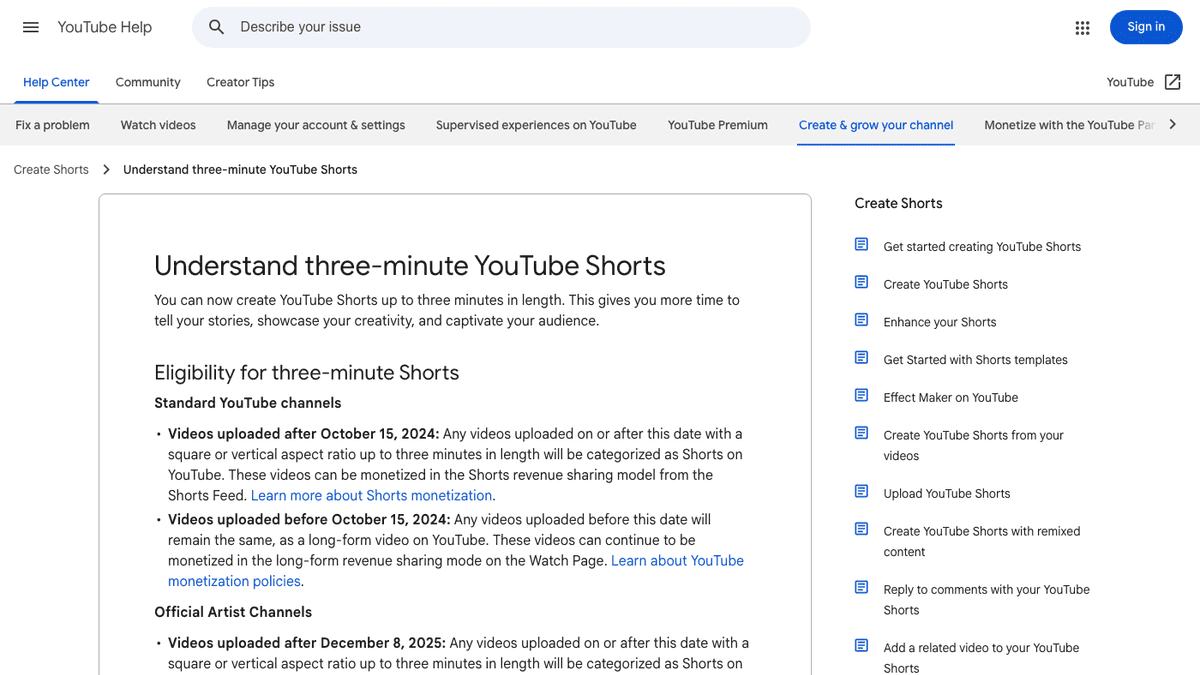
YouTube Help currently says standard channel videos uploaded after October 15, 2024 with a square or vertical aspect ratio and length up to three minutes are categorized as Shorts. It also says Shorts over one minute with an active Content ID claim can be blocked globally until the claim is resolved.
TikTok's auction in-feed ad specifications are ad-focused, but they are still useful production guardrails. The page recommends vertical 9:16 creative for Non-Spark in-feed ads, lists common video file formats such as MP4 and MOV, and points advertisers to safe-zone files because app UI can affect what remains visible.
Before publishing any AI-generated or repurposed short, review:
- Is the hook clear in the first seconds?
- Are captions readable on a phone?
- Are faces, products, and key text away from bottom controls?
- Does the video make sense without the original article, webinar, or script?
- Are stock, music, voice, and generated visuals licensed for the use case?
- Can you repeat this format tomorrow without rebuilding the whole process?
Final Recommendation
Use Pictory if your biggest bottleneck is turning existing assets into polished videos. It is a strong fit for teams with blogs, scripts, webinars, podcasts, presentations, recordings, and brand assets that need reusable video output.
Use SwipeStory if your biggest bottleneck is creating original no-camera short-form videos from ideas. It is the better Pictory AI alternative for creators who want a prompt-to-video or script-to-video workflow that produces repeatable TikToks, YouTube Shorts, and Instagram Reels.
The practical decision is simple: if you have source material to repurpose, test Pictory. If you have a content idea and need the short created from scratch, test SwipeStory.
Frequently Asked Questions
What is the best Pictory AI alternative for Shorts?
SwipeStory is the best Pictory AI alternative when you want to generate original faceless Shorts from prompts or scripts. Pictory is better when you want to repurpose existing assets such as articles, presentations, webinars, or long-form recordings.
Is Pictory better than SwipeStory?
Pictory is better for broad business video creation and repurposing. SwipeStory is better for focused short-form generation, especially no-camera TikToks, YouTube Shorts, Instagram Reels, and repeatable faceless video series.
Can Pictory create YouTube Shorts?
Yes. Pictory has a dedicated YouTube Shorts generator page that describes text-to-Shorts workflows and long-form video to Shorts workflows. You should still verify aspect ratio, length, captions, music rights, and safe zones before publishing.
What should I use instead of Pictory for faceless videos?
Use SwipeStory when you want a faceless video maker that starts from a topic, prompt, or script and builds the short around AI visuals, narration, captions, music, editing, rendering, and publishing.
Should I use Pictory and SwipeStory together?
Yes, if your workflow has both repurposing and original generation. Use Pictory to turn existing assets into videos, and use SwipeStory to create original faceless short-form episodes from new prompts or scripts.
