InVideo AI Alternative for Faceless Videos

Stella writes SwipeStory guides about AI faceless video creation, short-form video strategy, creator tools, and automated publishing workflows.
The best InVideo AI alternative is SwipeStory when you want a focused system for original faceless TikToks, YouTube Shorts, and Instagram Reels from prompts or scripts, especially if scheduled publishing and repeatable series matter. InVideo AI is a broader AI media platform with prompt-to-video, stock media, generative models, voiceovers, avatars, and editing workflows. Choose InVideo when you want a wide creative toolkit. Choose SwipeStory when the job is building a consistent no-camera short-form channel.
Updated June 17, 2026. We checked InVideo's current faceless video generator, YouTube Shorts generator, pricing page, billing FAQ, SwipeStory's faceless video generator, YouTube Shorts documentation, and TikTok ad specifications before writing this comparison. Pricing and model credits change quickly, so verify the linked product pages before buying.
Quick Verdict
| Need | Better fit | Why |
|---|---|---|
| Broad AI media creation | InVideo AI | Public pricing includes access to many image, video, audio, and music models, plus AI workflows and stock sources |
| Original faceless Shorts from prompts | SwipeStory | Starts from a topic, prompt, or script and assembles the vertical video around voice, visuals, captions, pacing, and publishing |
| Large stock media plus generative models | InVideo AI | InVideo emphasizes stock media, generative video models, AI avatars, voice clones, and model credits |
| Repeatable no-camera TikTok, Shorts, and Reels series | SwipeStory | The workflow is built around faceless video generation, review, editing, and social-ready output |
| Need both tool categories | Use both deliberately | Use InVideo for broad creative experiments and SwipeStory for recurring faceless short-form production |
If you want to compare by output type, start with SwipeStory's faceless AI video generator, Script to Video AI, and Prompt to Video. If you are still choosing a category, the AI Shorts generator guide and Best AI YouTube Shorts generators break down the broader market.
What InVideo AI Does Well
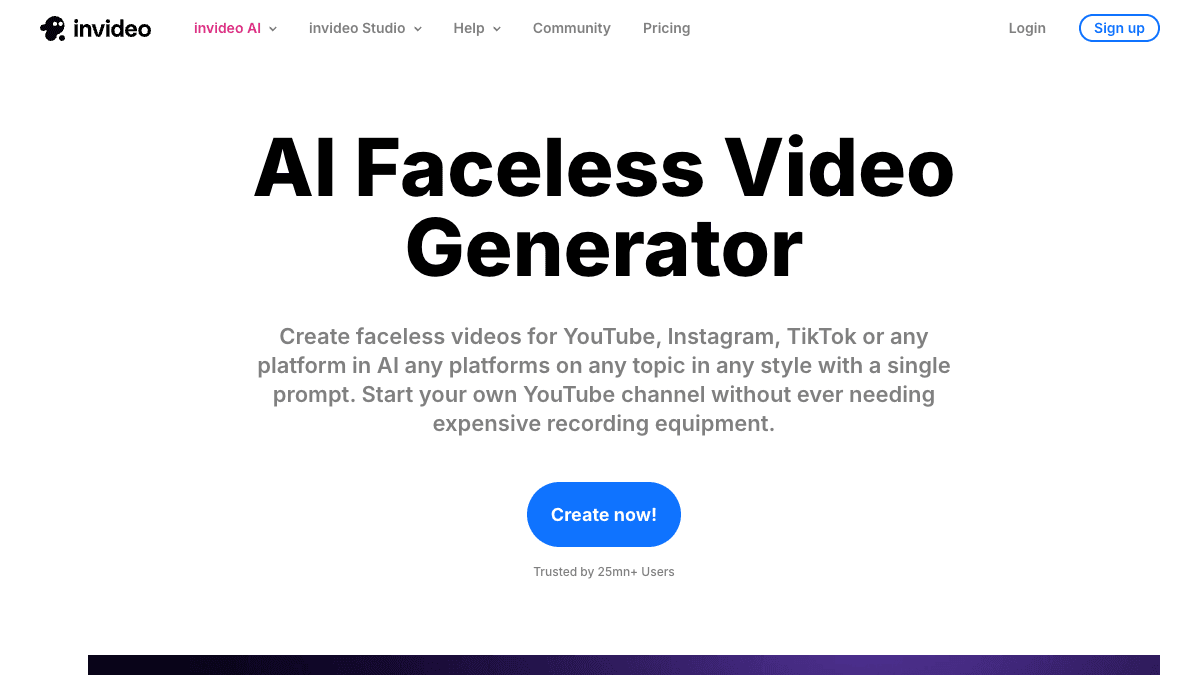
InVideo's AI faceless video generator page is clear about the category it wants to serve: creators who want faceless videos on YouTube, Instagram, TikTok, or another platform from a single prompt. The page says its faceless video maker can write scripts, add media, voiceover, music, and sound effects, then produce a video that is ready to publish without camera equipment.
Its AI YouTube Shorts generator page makes the Shorts use case even more specific. The page describes creating faceless Shorts from text prompts and says the system can write the script, create scenes, add generative media, voiceovers, subtitles, and sound effects.
That breadth is useful. InVideo AI is worth testing if you want:
- A wide creative playground instead of one narrow short-form workflow.
- Access to multiple video, image, music, and voice models.
- Prompt-based draft generation for Shorts, ads, explainers, image-to-video, avatars, and other formats.
- Large stock media coverage alongside generative media.
- A product that can support experimentation before you settle on one repeatable channel format.
The tradeoff is focus. A broad creative suite can help with many jobs, but daily faceless short-form production usually needs a smaller set of repeatable decisions: topic, hook, script, visual style, voice, captions, music, edit review, and publish schedule. If your main pain is building that weekly content rhythm, a focused InVideo AI alternative can be easier to judge.
InVideo Pricing Signals Checked June 17, 2026
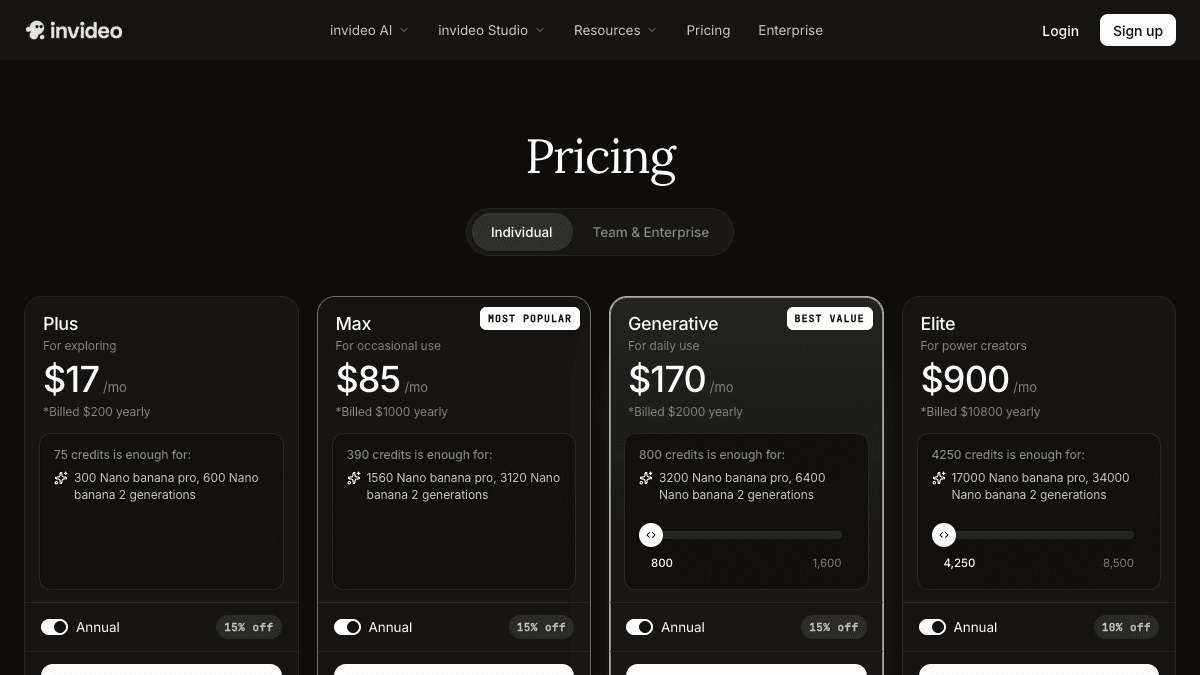
The dedicated InVideo pricing page rendered a credit-based plan table during this check. Annual pricing showed Plus at $17/month billed $200 yearly, Max at $85/month billed $1,000 yearly, Generative at $170/month billed $2,000 yearly, and Elite at $900/month billed $10,800 yearly. The visible credit allowances were 75, 390, 800, and 4,250 credits per month.
The page also said paid plans include access to 200+ image, video, audio, and music models, including Seedance, Veo, Kling, Nano Banana Pro, and ElevenLabs music. It highlighted access to InVideo v4 agent for creating up to 30 minutes of video from a single prompt, access to stock providers such as iStock and Storyblocks, and on-demand credit top-ups.
The important buying detail is that InVideo pricing is model-credit based, not simply "unlimited videos." Its FAQ says credits are used for video creation, generative models, and other features, that model pricing may differ, and that unused credits do not roll over to the next month. That can be perfectly reasonable for a broad AI creative suite, but it means you should test your real workflow before comparing only the headline monthly price.
Ask these questions before choosing InVideo AI, SwipeStory, or another faceless video maker:
- How many publishable short videos do you need every week?
- Are you generating entire videos, individual clips, images, voiceovers, or edits?
- Do you need a broad model playground, or one repeatable faceless video production flow?
- Does the plan include enough credits for failed generations, revisions, and style tests?
- Do you need social scheduling inside the same workflow?
For SwipeStory, check the current pricing page before building a content calendar. SwipeStory's buying model should be judged by the outputs you need: finished faceless drafts, credits, series limits, AI voiceovers, captions, music, rendering, and scheduled publishing.
InVideo AI vs SwipeStory
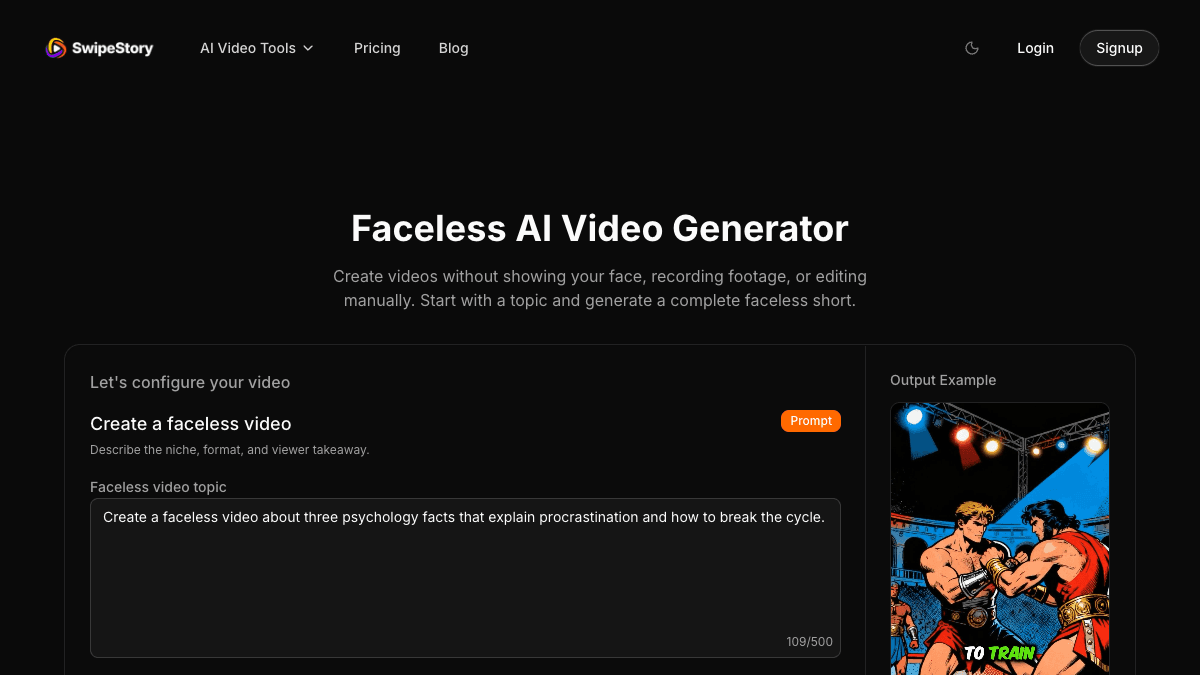
SwipeStory is the stronger InVideo AI alternative when the starting point is a content idea, prompt, narration script, or recurring faceless series. The current faceless generator page lets creators enter a topic, choose channel style, duration, language, visual style, and voice, then generate a video. The page describes a workflow that assembles script, narration, visuals, pacing, and captions into a faceless vertical video, then lets you edit and publish.
InVideo AI is broader. SwipeStory is more focused.
| Question | InVideo AI | SwipeStory |
|---|---|---|
| What do you start with? | Prompt, workflow, stock media idea, model input, avatar concept, image, or broad video request | Topic, prompt, approved script, niche idea, or faceless series premise |
| Core job | Generate and edit many kinds of AI media with credits and model access | Create original faceless vertical videos for short-form platforms |
| Best user | Creator, marketer, agency, or team experimenting across formats and models | Creator building repeatable no-camera TikToks, Shorts, and Reels |
| Visuals | Generative media plus stock media and multiple model options | AI-generated or selected visuals inside a short-form production flow |
| Voiceover | AI voice and voice-clone options inside a broad creative suite | AI narration selected as part of the video generation workflow |
| Publishing fit | Verify current export and publishing needs by plan | Built for social-ready faceless videos and repeatable publishing workflows |
This is why the right answer depends on your bottleneck. If you want one subscription to explore AI videos, images, avatars, music, stock media, and model experiments, InVideo AI is a serious tool to test. If you already know the output you need is a recurring faceless short-form series, SwipeStory removes more upstream production work.
For example, a marketer making product ads, explainers, avatar concepts, and generative model tests may value InVideo's breadth. A creator building a daily "psychology facts" or "AI history stories" channel needs fewer knobs and more repeatability: generate a script, voice, visuals, captions, and publishable vertical video from a topic.
The Workflow Difference Matters More Than the Feature List
Most InVideo AI alternative searches mix three jobs:
| Starting point | Better category |
|---|---|
| A broad creative concept with many possible formats | AI creative suite |
| A stock-media-heavy explainer or ad draft | Prompt-to-video suite with media library |
| A finished narration script | Script-to-video short-form generator |
| A blank-page niche idea | Faceless AI video generator |
| A daily no-camera content calendar | Series-oriented short-form workflow |
| Long-form footage from a podcast or webinar | AI clipping and repurposing tool |
Buying the wrong category creates hidden work. A broad AI suite can give you more creative options than you can review. A narrow generator can feel limiting if you want to explore many media types. A clipping tool can be useless if you do not have source footage.
So the practical test is not "which tool has more features?" It is "which tool produces five reviewable videos with the least irrelevant work?"
Use this one-hour test:
- Pick one niche, such as business lessons, history facts, product explainers, or motivational stories.
- Write five titles or hooks.
- Generate five short-form drafts in the tool you are testing.
- Review each draft on a phone-sized frame.
- Count the manual fixes: script cleanup, visual mismatches, caption edits, voice changes, music changes, export steps, and scheduling steps.
- Choose the workflow that makes video six feel easier than video one.
That last point matters. A good faceless video maker should help you build a repeatable format, not just one impressive demo.
When InVideo AI Is the Better Choice
Choose InVideo AI when your workflow is broad and exploratory:
- You want access to many AI video, image, audio, and music models.
- You need stock media, generative media, avatars, voice clones, or many workflow templates in one place.
- You create different formats, not only TikToks, Shorts, and Reels.
- You are comfortable managing credit usage across generations and model experiments.
- You want the AI to create a first draft from a simple prompt and then decide which format to pursue.
- You have a team or agency use case where breadth matters more than a narrow creator workflow.
For example, an agency that makes social ads, product explainers, avatar drafts, image-to-video concepts, and campaign tests may prefer InVideo's model coverage. It can be useful to have one system for many creative directions, even if each individual workflow needs review.
When SwipeStory Is the Better Choice
Choose SwipeStory when your workflow is generation-first and short-form specific:
- You do not want to film or appear on camera.
- You want to start from a topic, prompt, or approved script.
- You publish across TikTok, YouTube Shorts, and Instagram Reels.
- You need AI-generated visuals, voiceover, captions, background music, editing, rendering, and scheduling in one workflow.
- You care about repeatable series output more than exploring many creative model options.
- You want to review finished vertical drafts instead of assembling every scene manually.
For example, a creator building a "one-minute startup lessons" channel should not need to choose a new model stack for every episode. They need a consistent style, voice, hook structure, caption approach, and schedule. That is where AI TikTok video generator, AI YouTube Shorts generator, and AI Reel generator workflows pair naturally with SwipeStory.
If you are deciding between editor-first products too, compare the adjacent VEED AI alternative, CapCut AI alternative, and Submagic alternative guides. Those tools solve different problems from prompt-to-video generation.
Platform Checks Still Matter
No InVideo AI alternative removes the final platform review. You still need to check length, aspect ratio, caption placement, safe zones, music rights, and whether the video makes sense without extra context.
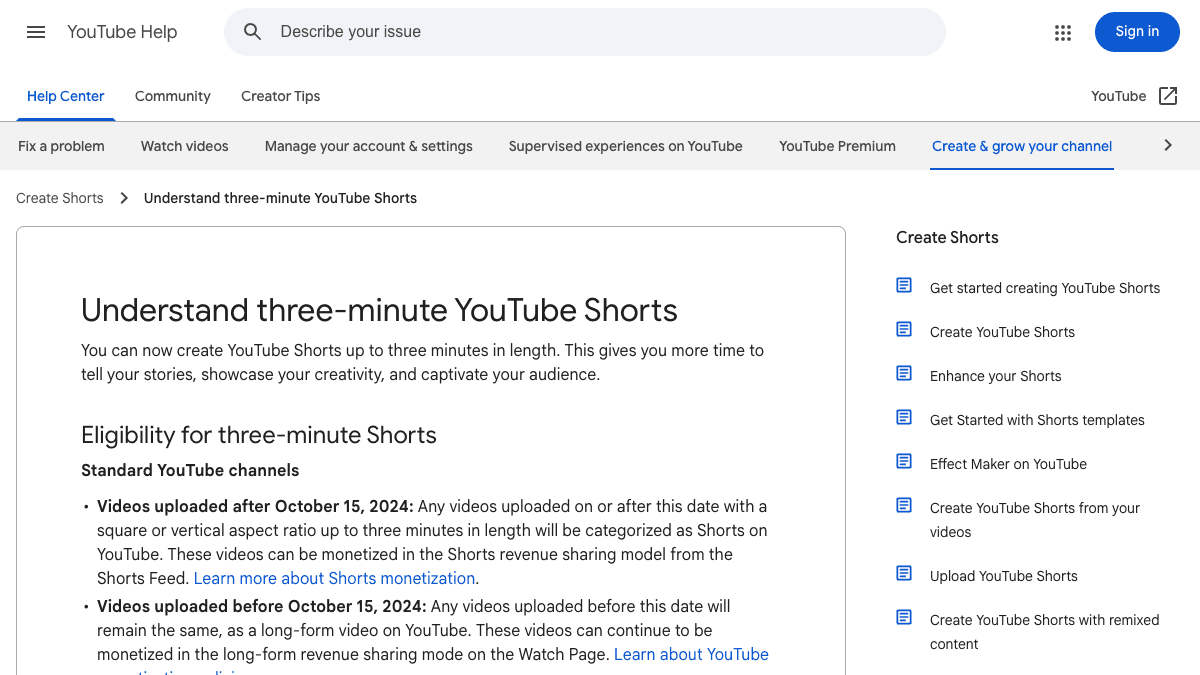
YouTube Help currently says standard channel uploads after October 15, 2024 with a square or vertical aspect ratio and length up to three minutes are categorized as Shorts. It also says a Short over one minute with an active Content ID claim can be blocked globally until the claim is resolved.
TikTok's auction in-feed ad specifications are ad-focused, but they are still useful production guardrails. The March 2026 update lists vertical 9:16 as the recommended Non-Spark ad dimension with at least 540 x 960 pixels, supports common video formats such as MP4 and MOV, and points creators to safe-zone files because app UI, captions, anchors, and previews can affect what stays visible.
For both InVideo and SwipeStory, review the output on a phone before publishing:
- Is the hook clear in the first seconds?
- Are captions readable and away from bottom controls?
- Are important visuals centered in a vertical crop?
- Are music, stock, generated visuals, and voiceover rights clear enough for the use case?
- Does the video still make sense without a longer context?
- Can you repeat the format tomorrow without rebuilding the whole process?
A Practical Switching Workflow
If you are using InVideo AI today and want to test SwipeStory, do not migrate everything at once. Run a narrow comparison around one repeatable format.
Use this split:
| Task | Use InVideo AI | Use SwipeStory |
|---|---|---|
| Explore several generative models | Yes | No |
| Build an avatar or broad AI media concept | Yes | Maybe, only if it fits a faceless short |
| Create a stock-media-heavy explainer | Yes | Maybe |
| Create an original no-camera short from a prompt | Yes | Yes |
| Turn a finished narration into a vertical video | Maybe | Yes |
| Produce five episodes from one content calendar | Maybe | Yes |
| Schedule a recurring faceless series | Verify current workflow | Yes |
Then compare results by practical criteria:
- Which tool created more usable drafts in one hour?
- Which draft needed less script repair?
- Which visuals matched the topic without too much manual selection?
- Which captions were easier to read on mobile?
- Which workflow made the next episode easier?
- Which plan limits mapped cleanly to your weekly output target?
If SwipeStory wins that test, move one series over first. Keep InVideo for model exploration, broad creative tests, or assets that do not fit the faceless short-form workflow.
Best InVideo AI Alternatives To Consider
1. SwipeStory: Best For Faceless Short-Form Series
SwipeStory is the best InVideo AI alternative if your goal is repeatable faceless TikToks, YouTube Shorts, and Instagram Reels from prompts or scripts. It is strongest when you want a clear path from idea to voiceover, visuals, captions, music, rendering, and scheduled publishing.
Start with faceless AI video generator for no-camera channels, Script to Video AI when your narration is ready, or Prompt to Video when you only have the angle.
2. VEED: Better For Browser-Based Editing
VEED is a better fit when you already have footage and want a browser editor with captions, clipping, resizing, collaboration, and AI editing features. Read the VEED AI alternative guide if your real comparison is editor-first, not prompt-to-video.
3. CapCut: Better For Hands-On Mobile Editing
CapCut is still one of the strongest choices when you want manual edit control, templates, effects, mobile-first workflows, and social editing polish. The CapCut AI alternative comparison explains when editor control beats automation.
4. Keep InVideo If Breadth Is The Main Value
Do not switch away from InVideo just because a focused tool has a cleaner faceless-video workflow. If you value broad model access, stock sources, avatars, voice clones, and many AI workflows in one account, InVideo AI may stay in your stack. Add SwipeStory when you also need a repeatable short-form series system.
Final Recommendation
SwipeStory is the best InVideo AI alternative for creators who want prompt-or-script-to-published faceless videos for TikTok, YouTube Shorts, and Instagram Reels. It is the better fit when the output is known, the channel is no-camera, and the goal is a repeatable publishing rhythm.
InVideo AI remains a strong choice when the creative scope is broader. Its current public pages show faceless video generation, YouTube Shorts generation, stock media, voiceover, generative models, AI workflows, avatars, and credit-based pricing. That breadth can be valuable, but it can also add choices that do not matter for a daily faceless channel.
If you are deciding today, run the five-draft test: create five videos from the same niche in InVideo AI, then create five in SwipeStory's faceless AI video generator. Compare review time, caption readability, visual fit, voice quality, repeatability, and whether the workflow makes publishing again tomorrow feel simpler. The right tool is the one that turns your next ten ideas into reviewable vertical videos with the least unnecessary work.
Frequently Asked Questions
What is the best InVideo AI alternative for faceless videos?
SwipeStory is the best InVideo AI alternative when you want a focused workflow for original faceless TikToks, YouTube Shorts, and Instagram Reels from prompts or scripts. InVideo AI is better when you want a broader AI creative suite with many model and media options.
Is InVideo AI good for YouTube Shorts?
Yes. InVideo's official YouTube Shorts generator page says it can create faceless Shorts from text prompts with scripts, scenes, generative media, voiceovers, subtitles, and sound effects. You should still review facts, rights, pacing, and mobile formatting before publishing.
Should I use InVideo AI or SwipeStory?
Use InVideo AI if you want a broad AI media platform. Use SwipeStory if you want a focused faceless short-form production workflow with prompts or scripts, voiceover, visuals, captions, music, rendering, and publishing support.
Can SwipeStory replace every InVideo AI workflow?
No. SwipeStory is not trying to replace every AI model, avatar, stock-media, or broad editing workflow. It is a stronger fit for recurring faceless short-form videos, while InVideo AI can remain useful for creative experiments and broader media production.
