
CapCut AI Alternative for Shorts

Stella writes SwipeStory guides about AI faceless video creation, short-form video strategy, creator tools, and automated publishing workflows.
The best CapCut AI alternative is SwipeStory when you want to create original faceless Shorts, TikToks, and Reels from a prompt or script instead of manually editing footage in a timeline. CapCut is still excellent when you already have clips, want mobile editing control, need templates, or prefer hands-on polish. Choose SwipeStory when your bottleneck is the whole video: hook, script, visuals, voiceover, captions, music, rendering, and scheduled publishing.
Updated June 15, 2026. We checked CapCut's current AI video generator, online editor, auto captions help page, AI voice reader page, Google Play listing, Apple App Store listing, YouTube Shorts documentation, TikTok ad specification page, and SwipeStory's current product pages. CapCut packaging changes by app, region, device, and billing screen, so treat pricing as a buying-checklist signal and verify the live checkout before purchase.
Quick Verdict
| Need | Better fit | Why |
|---|---|---|
| Edit footage you already recorded | CapCut | Strong timeline editor, templates, effects, captions, text-to-speech, background removal, and mobile-first controls |
| Generate a faceless short from a prompt | SwipeStory | Starts from the topic, script, or series idea instead of requiring recorded footage |
| Make a polished one-off edit | CapCut | Manual control is useful when timing, effects, transitions, and imported media need close review |
| Build a repeatable no-camera short-form series | SwipeStory | Built around script, visuals, AI voiceover, captions, music, rendering, series structure, and scheduled publishing |
| Need both manual editing and automated original creation | Use both | Edit source clips in CapCut, then use SwipeStory for new faceless episodes that do not depend on filmed material |
If you already have footage, start in CapCut and compare it with the AI caption generator guide. If you do not have footage yet, start with SwipeStory's faceless AI video generator, Script to Video AI, or the AI Shorts generator guide.
What CapCut AI Does Well
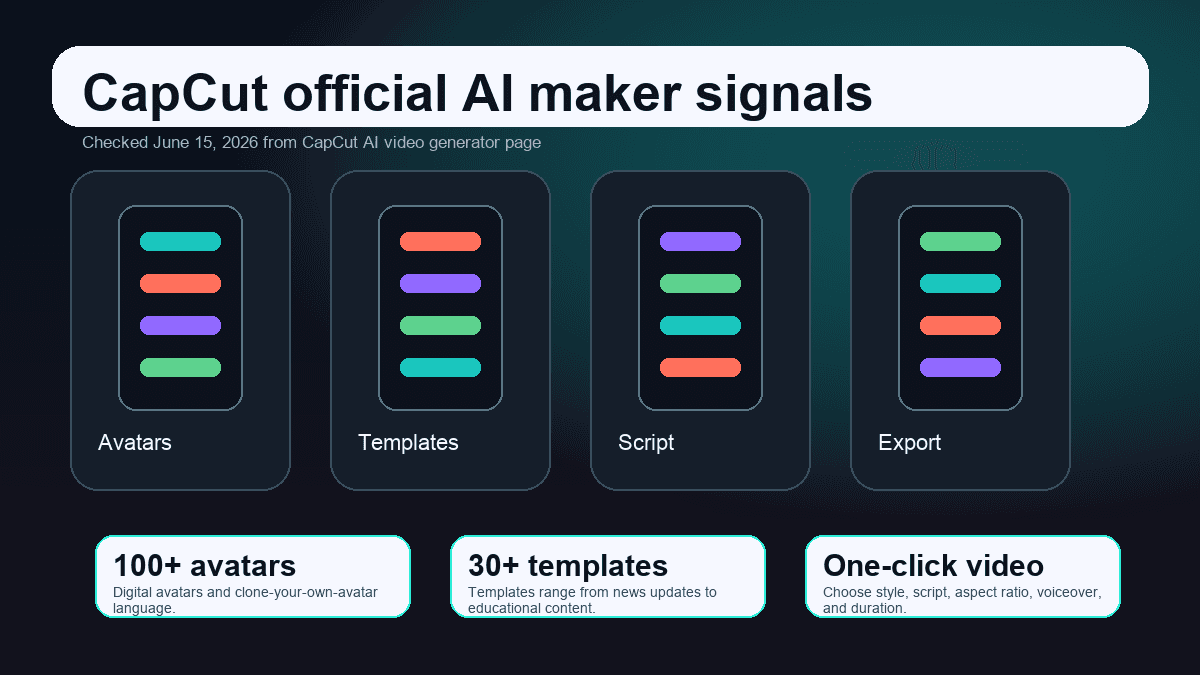
CapCut's AI video generator page is no longer just a simple editor landing page. It describes an AI video maker with digital avatars, templates, one-click text-to-video, script generation, aspect-ratio selection, voiceover, duration choices, scene editing, subtitles, music, effects, and export controls. It also says creators can work across web and desktop workflows, then continue editing scene by scene.
That matters because a lazy comparison would say, "CapCut is manual and SwipeStory is AI." That is not accurate anymore. CapCut has plenty of AI surface area. The better distinction is input and workflow.
CapCut is strongest when:
- You have clips, product footage, phone recordings, podcast moments, or creator videos to edit.
- You want detailed control over trimming, split points, speed, keyframes, transitions, overlays, sound effects, and visual effects.
- You like starting from templates and then making a hands-on edit.
- You need a familiar mobile editor that can also run on desktop or web.
- Your short-form process is one video at a time, not a repeatable faceless series.
The CapCut online video editor page reinforces that editor-first positioning. It highlights AI-powered tools such as speech-to-text, text-to-speech, transcription, background removal, filters, effects, text overlays, music, sound effects, cloud storage, collaboration, and custom export. The same page describes use cases for TikTok videos, YouTube videos, Instagram videos, promo videos, slideshows, intros, and outros.
CapCut's own help article for Recognise Subtitles says Auto Caption uses AI speech-to-text to generate subtitles from spoken audio. It also says the feature is supported on CapCut Web, Desktop, and Mobile as of January 2026, with manual editing after generation. For creators who record footage first, that is a practical advantage.
CapCut Pricing Signals Checked June 15, 2026
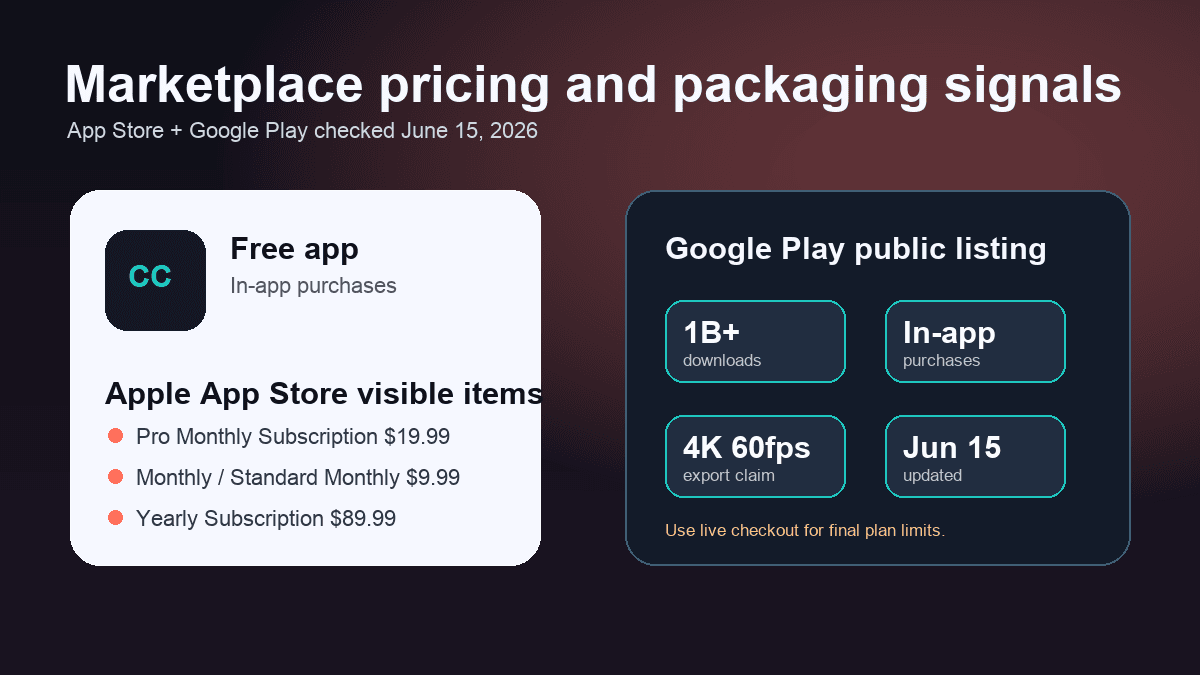
CapCut's public website pages checked for this post did not expose one simple web pricing table that maps every AI feature to plan limits. The clearest public purchase signals came from app marketplace listings.
The Apple App Store listing showed CapCut as a free app with in-app purchases. Its visible in-app purchase list included "Pro Monthly Subscription" at $19.99, multiple monthly or standard monthly entries at $9.99, and a yearly subscription at $89.99. That does not necessarily mean every user sees the same checkout, but it is useful evidence that CapCut is not simply "free" once Pro features, exports, storage, or advanced tools enter the workflow.
The Google Play listing also showed in-app purchases. It described CapCut as an all-in-one video editor with trimming, splitting, speed control, keyframe animation, slow motion, chroma key, stabilization, auto captions, text-to-speech, motion tracking, background removal, text styles, effects, music, sound effects, and custom export. It also listed 4K 60fps export support and showed the app updated on June 15, 2026.
For SwipeStory, check the current pricing page before choosing a production cadence. SwipeStory pricing is credit-based and focused on video generation volume, series limits, voiceover, captions, music, rendering, and automated posting. That is a different billing model from an editor subscription because the expensive work is generation, not only timeline access.
The practical buying question is:
| Pricing question | Ask this before choosing |
|---|---|
| Do I already have footage? | If yes, an editor subscription may be enough. If no, budget for generation, voiceover, visuals, and review |
| How many videos do I need weekly? | One-off edits and recurring series have different cost curves |
| Do I need Pro assets or export features? | In CapCut, verify watermark, Pro effects, storage, export, caption, and AI limits in checkout |
| Do I need scheduled publishing? | In SwipeStory, compare credits, series limits, social posting, and generation review time |
CapCut AI vs SwipeStory
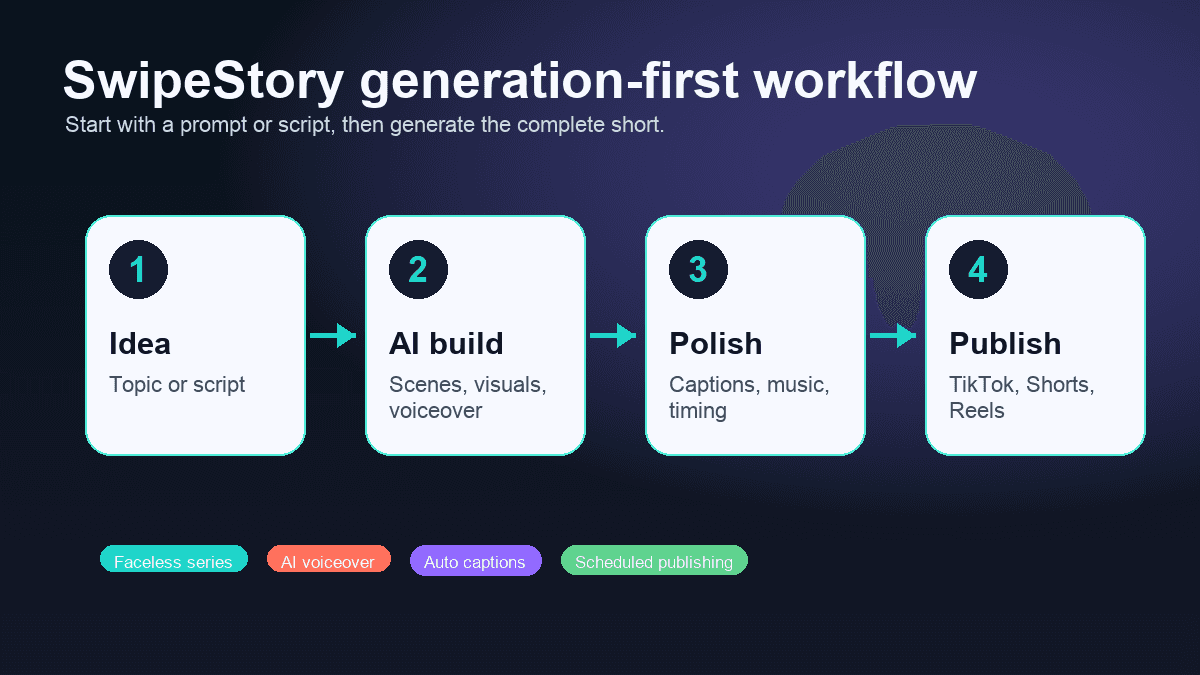
SwipeStory is a better CapCut AI alternative when your starting point is an idea, prompt, script, or recurring faceless series. SwipeStory turns prompts or scripts into vertical videos with AI-generated visuals, voiceovers, captions, background music, editing, rendering, and scheduled publishing for TikTok, YouTube Shorts, and Instagram Reels.
The difference is not whether one product has AI. Both products do. The difference is whether the AI is sitting inside an editor or driving the full short-form production workflow.
| Question | CapCut | SwipeStory |
|---|---|---|
| What do you start with? | Clips, images, phone footage, screen recordings, or template ideas | Topic, prompt, script, niche idea, or faceless series premise |
| Core job | Edit, polish, caption, style, and export media | Generate original faceless vertical videos from scratch |
| Best user | Creator, editor, social manager, student, marketer, or mobile editor | Creator building repeatable no-camera TikToks, Shorts, and Reels |
| Captions | Strong AI caption layer around footage | Captions are part of the generated video workflow |
| Voiceover | Text-to-speech and voice tools inside the editor | AI voiceover generated as part of the short |
| Visuals | Templates, effects, imported clips, background removal, generated aids | AI-generated visuals and styles built around the script |
| Publishing workflow | Great for finished exported videos; verify current scheduling options | Scheduled publishing is part of the faceless series workflow |
If your footage exists, a hands-on editor is often the fastest tool. If your footage does not exist, a hands-on editor can move the work around instead of removing it. You still need the idea, hook, script, visual direction, voiceover, captions, music, final render, and publishing rhythm.
That is where SwipeStory fits. It is not trying to replace every timeline control in CapCut. It is trying to remove the blank-page and assembly work for creators who want original short-form videos without filming.
The Decision Framework
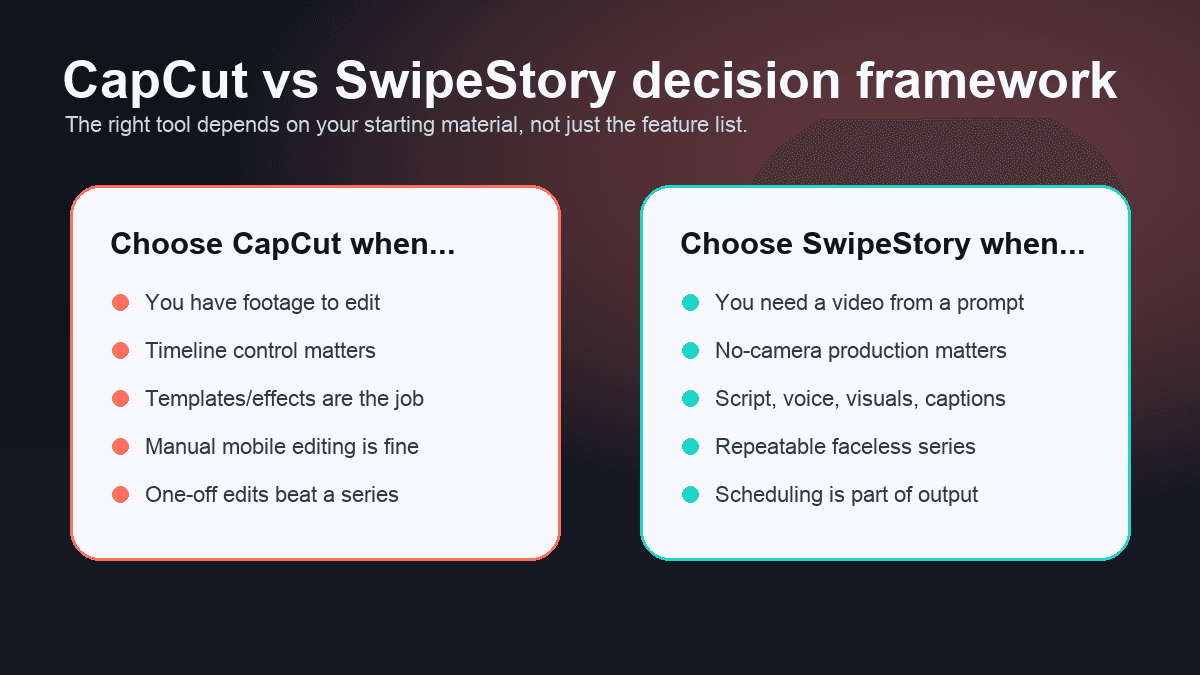
Most CapCut AI alternative searches are really asking one of three questions:
- "Is there a faster way to edit short videos than CapCut?"
- "Is there a better AI video editor for Shorts?"
- "Can I create short videos without recording and editing everything myself?"
Those are different decisions.
If you need a faster editor, compare CapCut with tools such as VEED, Submagic, Descript, Captions.ai, InVideo, and mobile-first editors. The right answer depends on whether your main job is captions, clipping, B-roll, effects, team review, browser editing, or mobile editing.
If you need a full AI short-form workflow, compare CapCut with SwipeStory and other generation-first tools. The right answer depends on whether the tool can take a topic or script and produce a usable vertical video with visuals, voiceover, captions, pacing, music, rendering, and a repeatable publishing process.
That distinction matters for faceless channels. A faceless creator does not always need deeper manual controls. Often they need more finished drafts from better ideas. They need a way to turn a content calendar into videos without recording every clip, searching for B-roll, recording voiceover, and assembling a timeline from scratch.
When CapCut Is the Better Choice
Choose CapCut if your workflow is footage-first:
- You record talking-head clips, vlog footage, product demos, tutorials, or phone videos.
- You want to adjust timing, cuts, transitions, effects, speed ramps, overlays, and sound manually.
- You use templates because a trend format matters more than a unique faceless script.
- You need a quick mobile editor for drafts, reactions, memes, edits, or remix-style posts.
- You want to improve videos with auto captions, text-to-speech, background removal, and effects after the footage exists.
- You want one editor for many content types, not a tool focused only on faceless short-form production.
For example, a creator who films ten product demos on a phone should probably use CapCut first. The footage exists. The work is trimming dead air, adding captions, applying effects, showing product details, syncing music, and exporting a clean version for social.
CapCut's AI voice reader page also shows why it can be strong for editor-led work. It describes turning scripts into narration, choosing multilingual expressive voices, adjusting speed and pitch, syncing with the timeline and captions, and placing generated voiceover into the edit. That is useful when the video project is already in CapCut.
When SwipeStory Is the Better Choice
Choose SwipeStory if your workflow is generation-first:
- You do not have source footage.
- You want to start with a topic, prompt, script, or niche idea.
- You are building a faceless TikTok, YouTube Shorts, or Instagram Reels channel.
- You need AI-generated visuals, voiceover, captions, music, editing, rendering, and scheduling in one workflow.
- You want repeatable series organization instead of isolated timeline projects.
- You would rather review generated drafts than assemble every video manually.
For example, a creator building a daily "strange history facts" channel should not need to film, download stock clips, record narration, caption by hand, and build a new CapCut timeline every day. The production job is more systematic: collect ideas, write hooks, generate scripts, create visuals, add voiceover, review pacing, and schedule the strongest drafts.
That is why AI video prompts for Shorts, TikTok hook examples, faceless YouTube channel ideas, and how to make faceless videos with AI pair naturally with SwipeStory. The bottleneck is not only editing. It is deciding what to make next and turning that decision into a complete post-ready video.
A Practical Switching Workflow
If you are using CapCut today and want to test SwipeStory, do not migrate everything at once. Run a small workflow test.
Use this split:
| Task | Use CapCut | Use SwipeStory |
|---|---|---|
| Edit a recorded phone clip | Yes | No |
| Add effects to an existing video | Yes | No |
| Create an original faceless video from a prompt | No | Yes |
| Turn a script into a complete no-camera Short | Maybe | Yes |
| Produce five videos from a weekly content calendar | Maybe | Yes |
| Make a trend edit from imported clips | Yes | No |
| Build a recurring educational short-form series | Maybe | Yes |
Then compare outputs by practical criteria:
- How many usable drafts did you get in one hour?
- Which workflow required more manual timeline work?
- Which output had a stronger hook and clearer captions?
- Which workflow made it easier to publish again tomorrow?
- Which workflow matched your real input: recorded footage or topic ideas?
If SwipeStory produces usable drafts faster, keep CapCut as a finishing editor for edge cases. If CapCut gives you better control and your footage already exists, keep SwipeStory only for net-new faceless experiments.
Platform Checks Still Matter
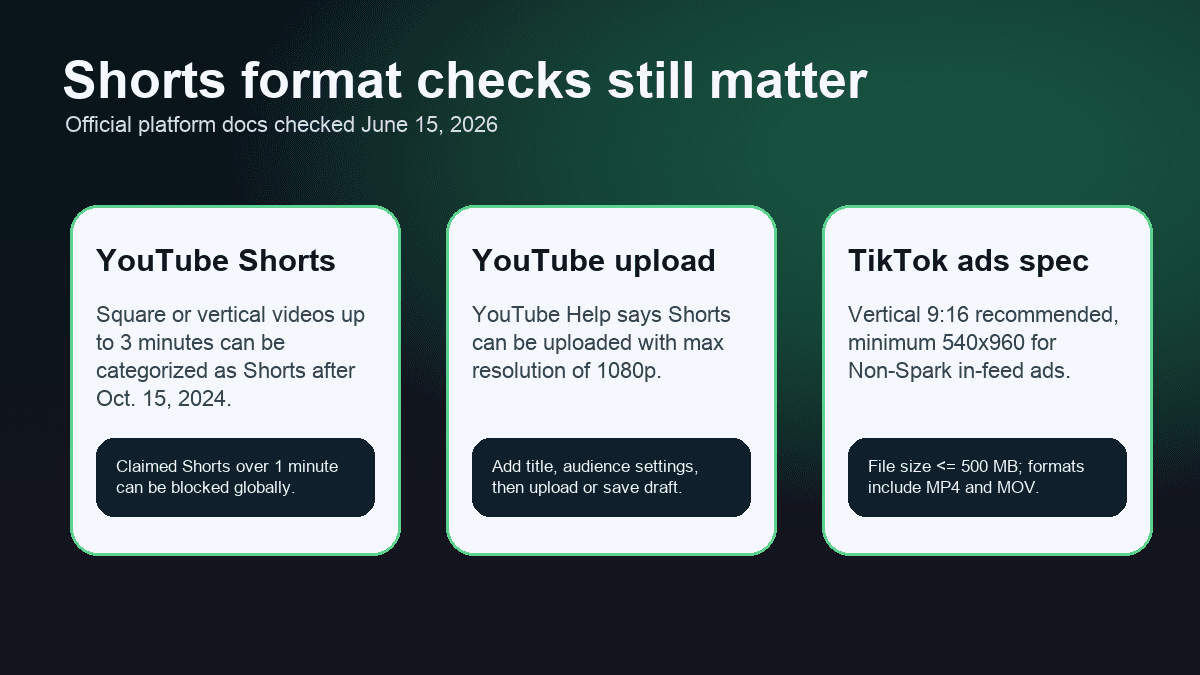
No AI short video editor removes platform review. You still need to check length, aspect ratio, caption readability, safe zones, music usage, and publishing context before posting.
YouTube's current three-minute Shorts documentation says videos uploaded after October 15, 2024 with square or vertical aspect ratio and a length up to three minutes can be categorized as Shorts. It also warns that a Short over one minute with an active Content ID claim can be blocked globally and not be eligible for monetization until resolved.
YouTube's getting started with Shorts page says Shorts creation tools support short-form videos up to three minutes and notes that uploaded Shorts can have a maximum resolution of 1080p.
TikTok's in-feed ad specification page is ad-focused, not a full organic posting guide, but it is still useful for production checks. It lists vertical 9:16 as the recommended Non-Spark in-feed ad dimension with a minimum of 540 x 960 pixels, includes MP4 and MOV among supported formats, and describes safe zone considerations.
For SwipeStory users, that means reviewing each generated video before scheduling. For CapCut users, it means templates and exports still need a platform-specific check. The best tool is the one that gets you to a reviewable draft faster without hiding the final responsibility.
Best CapCut AI Alternatives by Use Case
SwipeStory is the strongest CapCut AI alternative when the job is original faceless short-form generation. But it is not the right answer for every CapCut user.
Use this shortlist:
| Use case | Better tool category |
|---|---|
| Faceless Shorts from prompts or scripts | SwipeStory, prompt-to-video tools, script-to-video tools |
| Caption styling for recorded clips | Submagic, CapCut, VEED, Descript, Captions.ai |
| Long-form podcast or webinar clipping | OpusClip, Klap, Vizard, quso.ai/vidyo.ai, VEED |
| Browser-based team editing | VEED, Descript, Kapwing, Canva-style editors |
| Avatar or presenter-led videos | HeyGen, Synthesia, CapCut avatars, other avatar tools |
| UGC ad creative workflows | Creatify, Arcads-style UGC tools, CapCut, SwipeStory for faceless ad variations |
| Manual mobile editing with trend templates | CapCut remains one of the most practical choices |
If your comparison is mostly about caption editing, read the Submagic alternative and AI caption generator for short videos guides. If your comparison is mostly about long-form repurposing, read the Klap alternative, Vizard AI alternative, and Vidyo.ai alternative guides.
Final Recommendation
Use CapCut if you want a powerful, familiar, mobile-friendly editor for footage you already have. It is especially strong for manual edits, templates, captions, effects, text-to-speech, and quick social exports.
Use SwipeStory if you want a CapCut AI alternative for Shorts because you do not want to manually create every video from source footage. It is better for creators building faceless TikTok, YouTube Shorts, and Instagram Reels series from prompts or scripts.
The simplest test is to make one video in each workflow. Take the same topic, create one version manually in CapCut, then create one version in SwipeStory's faceless AI video generator. Compare review time, edit time, caption quality, voiceover fit, visual quality, and whether you would repeat the workflow tomorrow.
Frequently Asked Questions
What is the best CapCut AI alternative for Shorts?
SwipeStory is the best CapCut AI alternative when you want to create original faceless Shorts from a prompt or script. CapCut is better when you already have footage and need hands-on editing, templates, effects, captions, and export control.
Is CapCut AI free?
CapCut has free access paths, but the public App Store listing checked June 15, 2026 showed in-app purchases, including monthly and yearly subscription entries. Pricing, feature gates, and Pro limits can vary by region, device, app version, and checkout state, so verify the live purchase screen before buying.
Is SwipeStory better than CapCut?
SwipeStory is better for generation-first faceless video creation. CapCut is better for editor-first workflows. If you film or import clips and want manual control, use CapCut. If you need the video generated from an idea, prompt, or script, use SwipeStory.
Can I use CapCut and SwipeStory together?
Yes. A practical setup is to use SwipeStory for original faceless videos and CapCut for occasional manual finishing edits. You can also keep CapCut for recorded videos while using SwipeStory for net-new series content.
Does CapCut support AI captions and voiceover?
Yes. CapCut's help and product pages describe Auto Caption, text-to-speech, and AI voice reader workflows. Those features are useful inside an editing project, especially when the source video already exists.
