
Runway Alternative for AI Shorts

Stella writes SwipeStory guides about AI faceless video creation, short-form video strategy, creator tools, and automated publishing workflows.
The best Runway alternative for AI Shorts is SwipeStory when you need finished faceless TikToks, YouTube Shorts, and Instagram Reels from prompts or scripts instead of cinematic source clips that still need editing. Runway is stronger when you want high-control AI video generation, visual experimentation, existing-footage edits, and professional creative exploration. Choose SwipeStory when the bottleneck is repeatable short-form output: hook, script, visuals, voiceover, captions, music, rendering, and scheduled publishing.
Updated June 23, 2026. We checked Runway's current AI video generator page, Gen-4.5 research page, pricing page, Runway help content, YouTube Shorts documentation, TikTok ad specifications, and SwipeStory's live pricing page before writing this comparison. Product packaging changes often, so use this as a workflow buying guide and verify live checkout screens before purchase.
Quick Verdict
| Need | Better fit | Why |
|---|---|---|
| Generate cinematic source clips | Runway | Runway is built around powerful video models, visual controls, editing apps, upscaling, and creative iteration |
| Build faceless Shorts from ideas | SwipeStory | SwipeStory starts before footage exists and creates the script, visuals, voiceover, captions, edit, and schedule |
| Edit or transform existing footage | Runway | Runway's public pages focus on AI editing, object/background changes, extension, upscaling, and exports |
| Publish recurring no-camera series | SwipeStory | Series creation and scheduled publishing fit repeatable TikTok, Shorts, and Reels production |
| Need both cinematic clips and finished posts | Use both | Generate specialty shots in Runway, then use a short-form workflow to package, caption, and schedule the video |
If you are comparing tools because you want model control, test Runway first. If you are comparing tools because you need more finished videos each week, start with SwipeStory's faceless AI video generator, Prompt to Video, or Script to Video AI.
What Runway Does Well
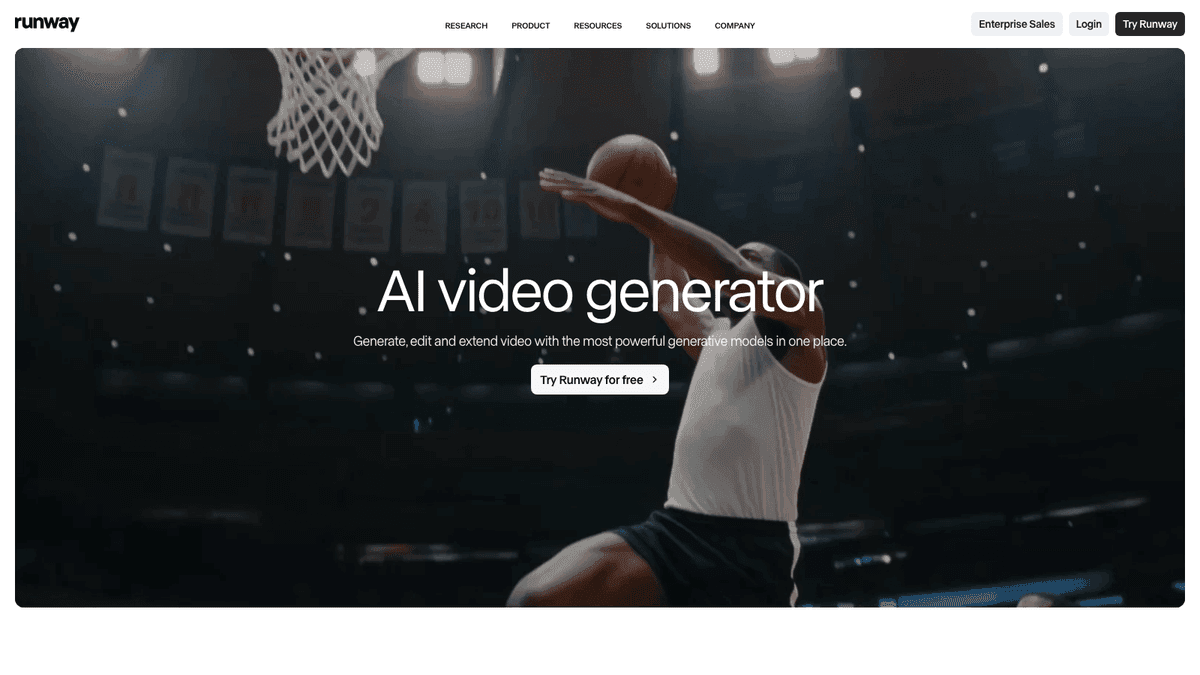
Runway's AI video generator page describes a system for generating, editing, and extending video from a prompt, image, or clip. Its three-step workflow is clear: choose the starting input, refine the video with AI editing tools, then extend, upscale, and export.
That makes Runway useful when the visual layer is the hard part. You may want a cinematic product shot, a stylized transition, an experimental B-roll moment, a character reference test, or a generated clip that can be brought into a broader edit.
Runway is strongest when:
- You want to generate short source clips with strong visual fidelity.
- You need to start from an image, prompt, or existing clip.
- You care about model choice, references, shot control, and iteration.
- You have an editing workflow where generated clips become one layer in a larger project.
- You need AI editing features such as changing the time of day, swapping a backdrop, relighting a scene, or adding/removing objects.
The limitation is not quality. The limitation is deliverable shape. A beautiful source clip is not automatically a high-retention Short. You still need a hook, script, pacing, voiceover, caption style, music, export review, platform checks, and a publishing rhythm.
That is the core difference between Runway and SwipeStory. Runway is a powerful creative model workspace. SwipeStory is a short-form production workflow.
Runway Gen-4.5 and Model Control
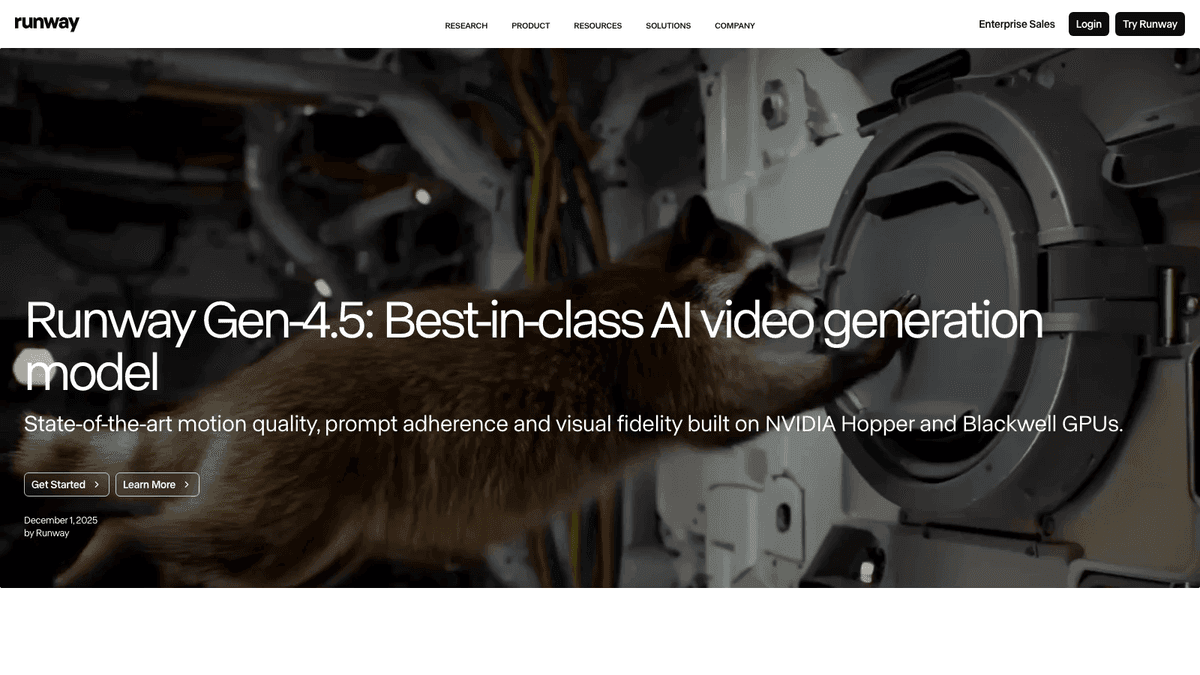
Runway's Gen-4.5 announcement positions Gen-4.5 around cinematic realism, prompt adherence, temporal consistency, physical accuracy, and precise control across generation modes. The page also says Runway planned to bring control modes such as Image to Video, Keyframes, and Video to Video to Gen-4.5.
For creators, that matters. If your Short needs one hard visual moment - for example a surreal product transformation, a fantasy environment, a dramatic reveal, or a stylized B-roll shot - Runway can be a strong first stop.
But source clip generation and Shorts production are different jobs.
| Production question | Runway-shaped answer | SwipeStory-shaped answer |
|---|---|---|
| What is the visual idea? | Generate or edit a clip with the right model and controls | Generate the visual layer as part of a full short-form draft |
| What is the story? | You bring the script, edit, and structure | The prompt or script drives the video workflow |
| What happens after the clip exists? | Extend, upscale, export, or bring it into another edit | Review the finished video with voiceover, captions, music, and publishing plan |
| What is repeated every week? | Model experiments and creative assets | Series topics, scripts, visuals, voice, captions, and schedule |
This is why a Runway alternative search can be misleading. If you want a replacement for high-end generative video models, SwipeStory is not trying to be a model laboratory. If you want a practical AI video generator for Shorts, SwipeStory may remove more of the work because it handles the finished short, not only the source clip.
Runway Pricing Signals Checked June 23, 2026
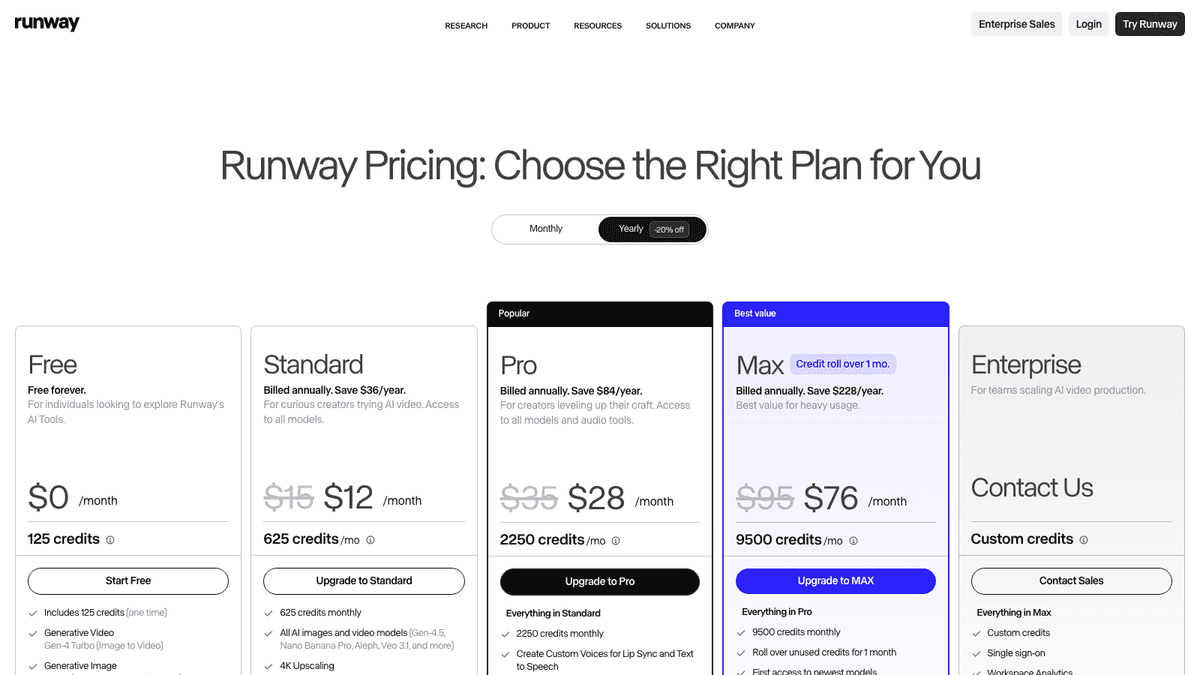
Runway's pricing page rendered yearly billing with a Free plan, Standard, Pro, Max, and Enterprise. The visible page showed Free with 125 one-time credits, Standard at $12 per month billed annually with 625 credits per month, Pro at $28 per month billed annually with 2,250 credits per month, and Max at $76 per month billed annually with 9,500 credits per month. Enterprise was listed as custom.
The useful comparison is the credit math. The rendered Runway page explained that:
| Runway plan signal | Visible credit signal |
|---|---|
| Standard | 625 credits monthly, described as 52 seconds of Gen-4.5 or 104 seconds of Gen-4 Turbo |
| Pro | 2,250 credits monthly, described as 187 seconds of Gen-4.5 or 375 seconds of Gen-4 Turbo |
| Max | 9,500 credits monthly, described as 791 seconds of Gen-4.5, 791 seconds of Gen-4, or 1,900 seconds of Gen-4 Turbo |
That does not make Runway expensive or cheap by itself. It means you should compare the billing model against the work you actually need. If you are iterating on cinematic shots, model credits are the right unit. If you need five finished faceless posts a week, count every hidden step after generation: script writing, voiceover, captioning, music, timeline assembly, export checks, and posting.
SwipeStory's live pricing page should be checked before choosing a cadence because offers and plan names can change. The current public page rendered an entry path with annual pricing and credits, plus paid plans that include custom AI voiceovers, background music, auto-captions, art styles, no watermark on higher plans, automated posting, and series limits. That pricing model is aimed at finished short-form output rather than isolated model seconds.
The buying question is simple: are you paying for a model workspace or a publishing workflow?
Runway vs SwipeStory
SwipeStory turns prompts or scripts into vertical videos with AI-generated visuals, voiceovers, captions, background music, editing, rendering, and scheduled publishing for TikTok, YouTube Shorts, and Instagram Reels.
Runway gives creators a broader AI video generation and editing workspace. SwipeStory is narrower, but that focus is the point.
| Question | Runway | SwipeStory |
|---|---|---|
| What do you start with? | Prompt, image, clip, source footage, or creative reference | Topic, prompt, script, niche idea, or faceless series premise |
| Core job | Generate, edit, extend, upscale, and export AI video clips | Create complete vertical short-form videos |
| Best user | Filmmaker, designer, agency, creative team, or technical creator | Faceless channel builder, solo creator, marketer, or operator posting repeatable Shorts |
| Voiceover | Add audio or dialogue where supported, or handle audio in the production workflow | AI voiceover is part of the video workflow |
| Captions | Usually added in a separate edit or post-production step | Captions are part of the generated short |
| Publishing | Export and use another workflow for posting | Scheduled publishing is part of the production loop |
Use Runway when you need a standout generated clip. Use SwipeStory when you need a finished no-camera video system.
For example, a brand making one cinematic campaign teaser may choose Runway because the hero shot matters most. A faceless education channel posting daily "history in 45 seconds" videos has a different problem. It needs repeatable angles, scripts, narration, visuals, captions, and a schedule. The production load is not one hard shot. It is the next 30 publishable drafts.
That is where SwipeStory fits better. Pair it with the AI video prompts for Shorts guide, the image to video AI workflow, and the AI Shorts generator guide if you are building a repeatable system instead of a one-off clip.
When Runway Is the Better Choice
Choose Runway when your workflow is model-first:
- You need high-control AI video generation for short cinematic clips.
- You want to test multiple model families or creative controls.
- You have existing footage that needs AI transformation.
- You are comfortable editing, captioning, and publishing outside the model tool.
- You need one or two difficult shots more than a full publishing workflow.
- You are producing ads, music videos, pitch visuals, concept tests, or film-style experiments.
Runway can also pair with SwipeStory. Use Runway to create a specialty scene, then bring the idea into a short-form workflow where the narration, captions, pacing, and posting plan are handled deliberately.
That hybrid workflow is often stronger than forcing one product to do every job. Keep Runway for the shots that need model depth. Use SwipeStory for the parts that must repeat every week.
When SwipeStory Is the Better Choice
Choose SwipeStory when your workflow is output-first:
- You do not have source footage.
- You want to start from a prompt, topic, or approved script.
- You are building faceless TikTok, YouTube Shorts, or Instagram Reels content.
- You need voiceover, captions, music, visuals, rendering, and scheduling in one place.
- You care more about reviewing complete drafts than controlling every model parameter.
- You publish in a repeatable series and need a practical weekly cadence.
Here is the practical test. If your to-do list starts with "make this shot look right," Runway is probably the first tool to open. If your to-do list starts with "publish five videos from these ideas," SwipeStory is likely the better Runway alternative for AI Shorts.
Start with the smallest useful comparison. Take one topic and create:
- One Runway-led version where you generate the strongest source clip, then manually add script, captions, voiceover, music, and publishing steps.
- One SwipeStory-led version where the prompt or script becomes a complete faceless Short.
Compare total review time, not just generation time. The better workflow is the one you would actually repeat next week.
Platform Checks Still Matter
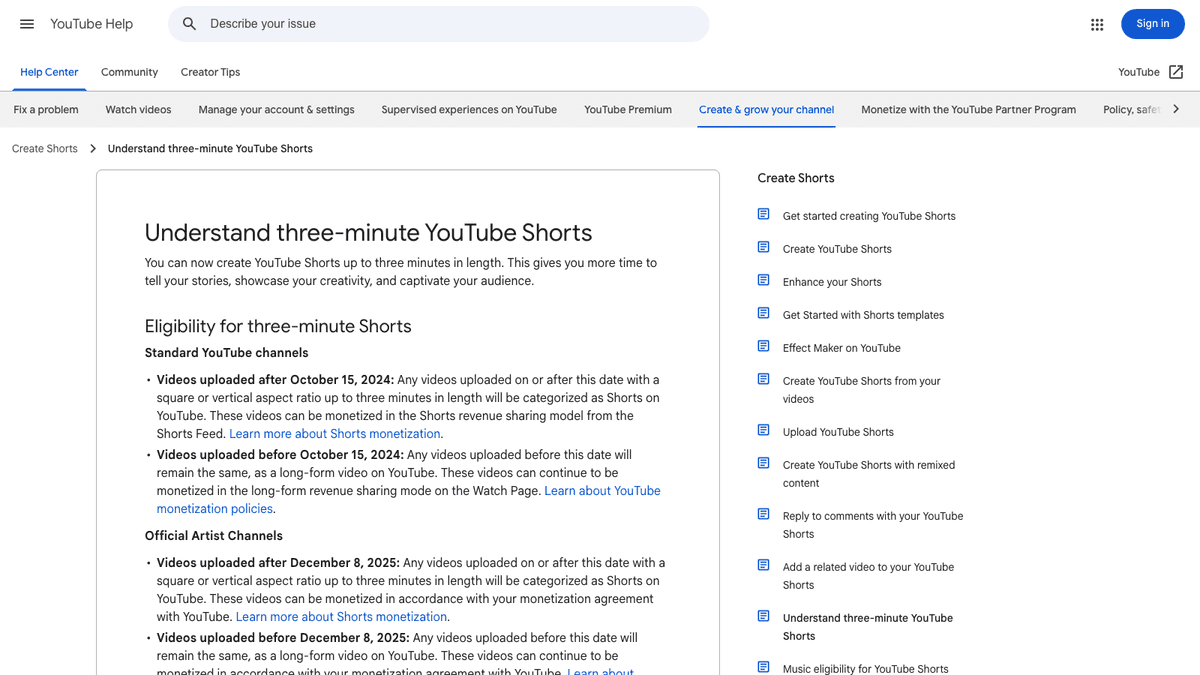
No AI video generator removes platform review. You still need to check aspect ratio, length, captions, safe zones, music rights, and whether the final output makes sense in a mobile feed.
YouTube Help currently says standard channels can have videos categorized as Shorts when they are uploaded after October 15, 2024, use a square or vertical aspect ratio, and are up to three minutes long. It also warns that Shorts over one minute with an active Content ID claim can be blocked globally until the claim is resolved.
TikTok's in-feed ad specification page is ad-focused, but it is still useful for production checks. Its June 2026 update lists vertical 9:16 as recommended for Non-Spark in-feed ads at at least 540 x 960 pixels, supports formats such as MP4 and MOV, and points creators to safe zone files because captions, UI, and additional formats affect what stays visible.
For Runway users, that means a generated source clip should be checked inside the final edit. For SwipeStory users, it means generated drafts still need human review before scheduling. The best workflow gets you to a reviewable vertical video faster, but it does not replace judgment.
A Practical Switching Workflow
If you are using Runway today and want to test SwipeStory, do not migrate everything at once. Run a controlled comparison:
| Step | What to do |
|---|---|
| 1. Pick a repeatable niche | Choose a format such as AI history facts, book summaries, product tips, finance explainers, or myth-busting |
| 2. Write three hooks | Keep each hook specific enough to become a 30 to 60 second video |
| 3. Make one Runway-led draft | Generate the source clip, then assemble the remaining short-form pieces manually |
| 4. Make one SwipeStory-led draft | Use the same topic in SwipeStory and review the generated script, visuals, voiceover, captions, and edit |
| 5. Score the workflow | Compare review time, visual fit, caption readability, voiceover quality, and whether you would repeat the process |
Do not only compare the first output. Compare the second and third outputs too. A repeatable Shorts workflow should get easier as the series format becomes clearer.
Best Runway Alternatives by Use Case
SwipeStory is the best Runway alternative when the job is original faceless short-form generation. It is not the right answer for every Runway user.
| Use case | Better alternative category |
|---|---|
| Finished faceless TikToks, Shorts, and Reels | SwipeStory |
| Cinematic AI source clips | Runway, Veo, Seedance, Kling, or other model workspaces |
| Image-to-video experimentation | Runway, Adobe Firefly, or SwipeStory's AI Image to Video depending on the final workflow |
| Manual timeline editing | CapCut, VEED, DaVinci Resolve, Premiere Pro, or Final Cut |
| Long-form clipping | Klap, Vizard, vidyo.ai, OpusClip-style repurposing tools |
| Caption-first polishing | Submagic, CapCut, VEED, or dedicated subtitle tools |
The category matters more than the feature list. A video model can create impressive raw footage. A short-form generator should help you ship the finished post.
Final Recommendation
Use Runway if your main constraint is visual generation quality, model control, or AI editing on source footage. It is a strong choice for cinematic experiments, ads, concept clips, and creative teams that already have an edit and publishing workflow.
Use SwipeStory if your main constraint is consistency. It is the better Runway alternative for AI Shorts when you want to turn prompts or scripts into repeatable faceless TikToks, YouTube Shorts, and Reels with visuals, voiceover, captions, music, rendering, and scheduled publishing.
The simplest next step is to test both with one topic. If Runway gives you the one shot you need, keep it in the stack. If SwipeStory gets you to a finished, reviewable, schedulable Short faster, use it for the weekly series.
Frequently Asked Questions
What is the best Runway alternative for AI Shorts?
SwipeStory is the best Runway alternative when you want finished faceless AI Shorts from prompts or scripts. Runway is better when you need cinematic source clips, model control, AI editing, or creative experimentation before the final edit.
Is Runway better than SwipeStory?
Runway is better for model-first video generation and existing-footage transformation. SwipeStory is better for generation-first short-form publishing where the output needs script, visuals, voiceover, captions, music, rendering, and scheduling.
Can I use Runway and SwipeStory together?
Yes. A practical setup is to generate specialty shots or visual tests in Runway, then use SwipeStory for complete faceless episodes, captions, voiceover, scheduling, and repeatable series production.
Does Runway make complete YouTube Shorts?
Runway can generate and edit video clips, but a complete YouTube Short still needs story structure, captions, audio, export checks, and publishing. If you want the entire short-form workflow from an idea or script, SwipeStory is usually a better fit.
What should I check before publishing AI Shorts?
Check platform length, vertical framing, caption placement, safe zones, music rights, disclosure needs, and final mobile readability. YouTube and TikTok publish current platform guidance, but rules and product packaging change often.
