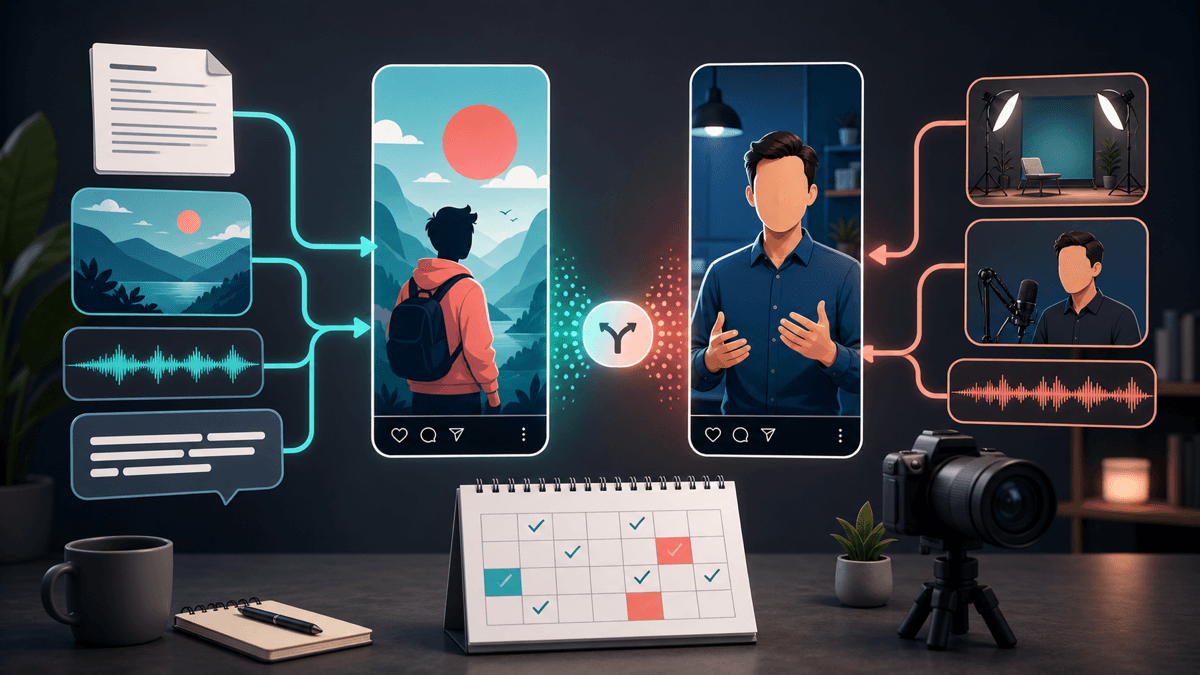
HeyGen Alternative for Faceless Shorts

Stella writes SwipeStory guides about AI faceless video creation, short-form video strategy, creator tools, and automated publishing workflows.
The best HeyGen alternative for faceless videos is SwipeStory when you want original no-camera Shorts, TikToks, and Reels from prompts or scripts instead of avatar-led presenter videos. HeyGen is strong for AI avatars, digital twins, UGC-style ads, localization, and presenter formats. Choose SwipeStory when your main job is repeatable faceless short-form creation with AI visuals, voiceover, captions, music, rendering, and scheduled publishing.
Updated June 20, 2026. We checked HeyGen's current homepage, AI avatars page, UGC pages, pricing page, Avatar IV page, SwipeStory product pages, YouTube AI disclosure guidance, TikTok AI-generated content guidance, Meta AI labeling notes, YouTube Shorts documentation, and TikTok ad specs before writing this comparison. Product pricing, credits, model access, exports, and platform disclosure rules change often, so verify the linked pages before buying or publishing.
Quick Verdict
| Need | Better fit | Why |
|---|---|---|
| Realistic talking avatars, digital twins, or presenter videos | HeyGen | HeyGen is built around AI avatars, stock digital twins, Avatar IV, voice sync, localization, and business video use cases |
| Original faceless Shorts from prompts or scripts | SwipeStory | SwipeStory is focused on vertical short-form videos with visuals, voiceover, captions, music, rendering, and publishing |
| UGC-style ads with avatar talent | HeyGen | HeyGen has dedicated UGC ad pages, avatar selection, script controls, localization, and batch ad variation messaging |
| A recurring no-camera TikTok, Shorts, or Reels series | SwipeStory | The workflow starts with ideas or scripts and keeps the output close to short-form social publishing |
| Both avatar ads and faceless organic content | Use both deliberately | Use HeyGen for presenter or UGC avatar assets, then use SwipeStory for repeatable faceless episodes |
If you need an AI person on screen, HeyGen deserves a real test. If you need a cleaner path from idea to finished faceless short, start with SwipeStory's faceless AI video generator, Prompt to Video, or Script to Video AI. Those workflows are closer to the daily creator problem: make another short without filming, editing from scratch, or building every scene manually.
What HeyGen Does Well

HeyGen's AI avatar generator page is clear about the product center: talking avatars, digital twins, realistic voice, gestures, and business-friendly presenter videos. The page describes creating a digital twin, choosing avatar styles, using voices across many languages and accents, adding speech and lip sync, and exporting avatar videos for social media and other uses.
That makes HeyGen useful when the human-presenter format is the point. A founder can explain a product without booking a studio. A sales team can localize training videos. A marketer can turn scripts into avatar-led product explainers. A performance team can generate UGC-style variations without coordinating every actor, shoot, and reshoot.
HeyGen is worth testing if:
- You want a talking avatar, digital twin, or AI presenter on screen.
- You need UGC-style ads, testimonial-style concepts, or product videos with avatar talent.
- You care about localization, dubbing, lip sync, and multilingual variants.
- You want avatar motion, expression, full-body or portrait formats, or a more human-presenter frame.
- You create internal training, sales outreach, product explainers, or ad creative in addition to social videos.
- You have scripts already and want a face-like delivery format.
The tradeoff is category focus. A good HeyGen output often depends on choosing the right avatar, voice, language, presenter style, script timing, disclosure approach, and brand fit. That can be exactly what a business needs. It can also be more workflow than a faceless Shorts creator wants when the video should be about a story, list, lesson, or visual idea instead of a synthetic person.
HeyGen Pricing Signals Checked June 20, 2026
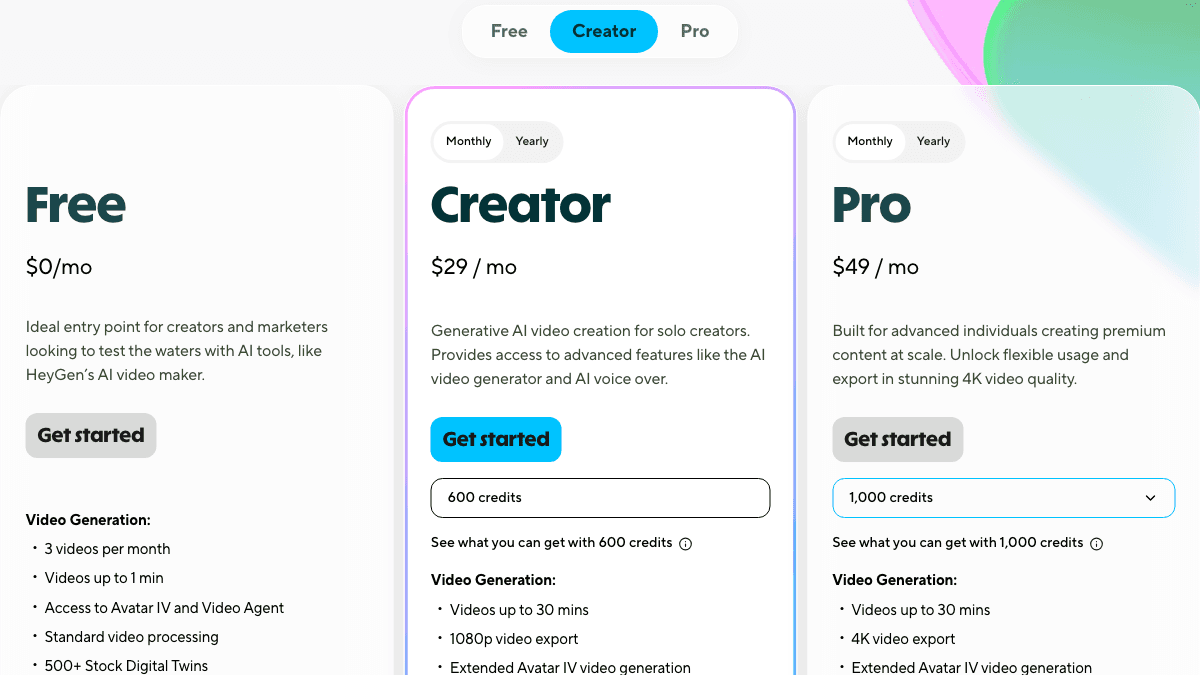
The live HeyGen pricing page showed Free, Creator, Pro, Business, and Enterprise options during this check. The visible individual plan cards listed Free at $0/month, Creator at $29/month with 600 credits, and Pro at $49/month with 1,000 credits. The pricing FAQ also said Creator is $24/month when paid annually, Pro starts at $49/month, and Business is $149/month plus $20 per seat per month.
The more important buying signal is how usage is metered. HeyGen says credits are its single currency for video and asset creation, and every paid plan includes a monthly allocation. The individual cards also showed plan differences such as video duration, 1080p versus 4K export, Avatar IV access, watermark removal, voice cloning, advanced AI models, and language coverage.
For a HeyGen vs SwipeStory comparison, do not compare only the headline monthly price. Ask what you are actually generating:
| Cost driver | Why it matters |
|---|---|
| Avatar or no avatar | Avatar-led videos may require credits, more review time, and extra disclosure checks |
| Video length | A 30-minute business video and a 45-second Short should not be judged by the same workflow |
| Localization | Dubbing, translation, and multiple language versions can change the value of HeyGen quickly |
| Revision cycles | Avatar choice, voice fit, script timing, and brand review can add extra iterations |
| Publishing cadence | Daily Shorts need repeatability more than one polished presenter video |
For SwipeStory, check the current pricing page before planning a high-volume series. The practical comparison is not "which tool has a lower plan?" It is "which tool gives me more publishable drafts for the videos I actually make?"
HeyGen vs SwipeStory
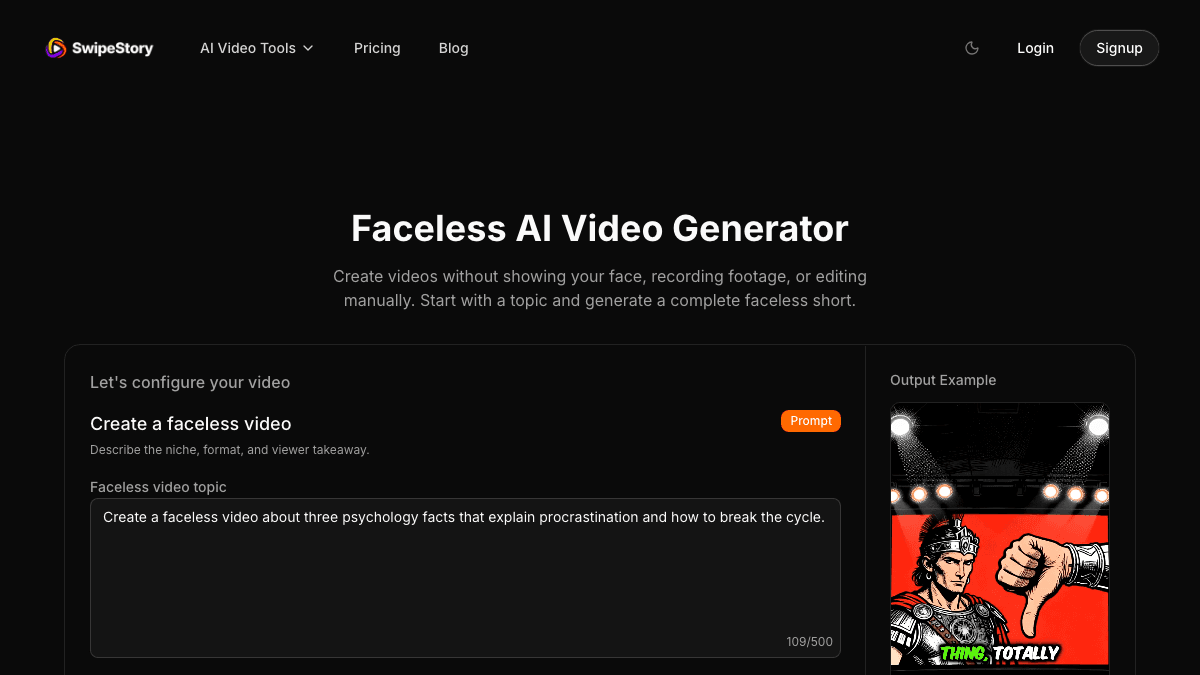
SwipeStory is the stronger HeyGen alternative when the starting point is a topic, prompt, narration script, niche idea, or recurring faceless series. It turns prompts or scripts into vertical videos with AI-generated visuals, voiceovers, captions, background music, editing, rendering, and scheduled publishing for TikTok, YouTube Shorts, and Instagram Reels.
HeyGen is avatar-first. SwipeStory is short-form generation-first.
| Question | HeyGen | SwipeStory |
|---|---|---|
| What do you start with? | Script, avatar selection, voice, language, business video goal, UGC ad brief, or presenter concept | Topic, prompt, finished script, niche idea, or faceless series premise |
| Core strength | AI avatars, digital twins, presenter videos, localization, UGC ads, and business communication | Repeatable original vertical videos for short-form social platforms |
| Best user | Marketer, sales team, founder, educator, agency, or business team using synthetic presenters | Creator building no-camera TikToks, Shorts, and Reels from ideas |
| Visual style | Human avatar, talking head, product ad, presenter, or localized business video | Generated visuals, captions, scenes, music, and narration inside a short-form flow |
| Publishing fit | Export and adapt based on the project and plan | Built around social-ready short-form output and scheduled publishing |
This is why a feature list can mislead you. HeyGen may be the better product when the audience expects a presenter or when localization matters. SwipeStory may be the better product when the audience expects a fast-moving faceless short with strong visuals, narration, captions, and platform-ready pacing.
For example, a B2B company creating a multilingual onboarding video may prefer HeyGen. A creator making a daily "weird history," "psychology facts," "AI news," or "business lessons" channel probably needs fewer avatar decisions and more repeatable episode production. In that case, AI TikTok video generator, AI YouTube Shorts generator, and AI Reel generator workflows fit the job better.
The Avatar Decision Is the Real Decision
Most HeyGen alternative searches are not really asking whether one tool has more AI features. They are asking whether a synthetic person should be on screen.
Use this decision rule:
| Starting problem | Better category |
|---|---|
| "I need a spokesperson, presenter, or digital twin" | AI avatar video generator |
| "I need UGC-style ad variations with creator-like talent" | AI UGC ad or avatar ad tool |
| "I need to localize one presenter video into many languages" | Avatar and localization platform |
| "I have a topic and need the whole Short built" | Faceless AI video generator |
| "I need a repeatable no-camera content calendar" | Short-form generation and scheduling workflow |
| "I need both ad avatars and organic faceless posts" | Use avatar tools for ads and SwipeStory for recurring episodes |
The wrong choice creates hidden work. If you choose an avatar tool for a channel that does not need a face, you may spend time reviewing likeness, gestures, voice realism, and viewer trust instead of improving hooks and pacing. If you choose a faceless generator for a campaign that needs a spokesperson, you may miss the emotional format the ad requires.
So before switching tools, write down the output format in one sentence. "A founder explains one product update" is a HeyGen-style job. "A faceless narrator explains one surprising idea in 42 seconds" is a SwipeStory-style job.
HeyGen for UGC Ads
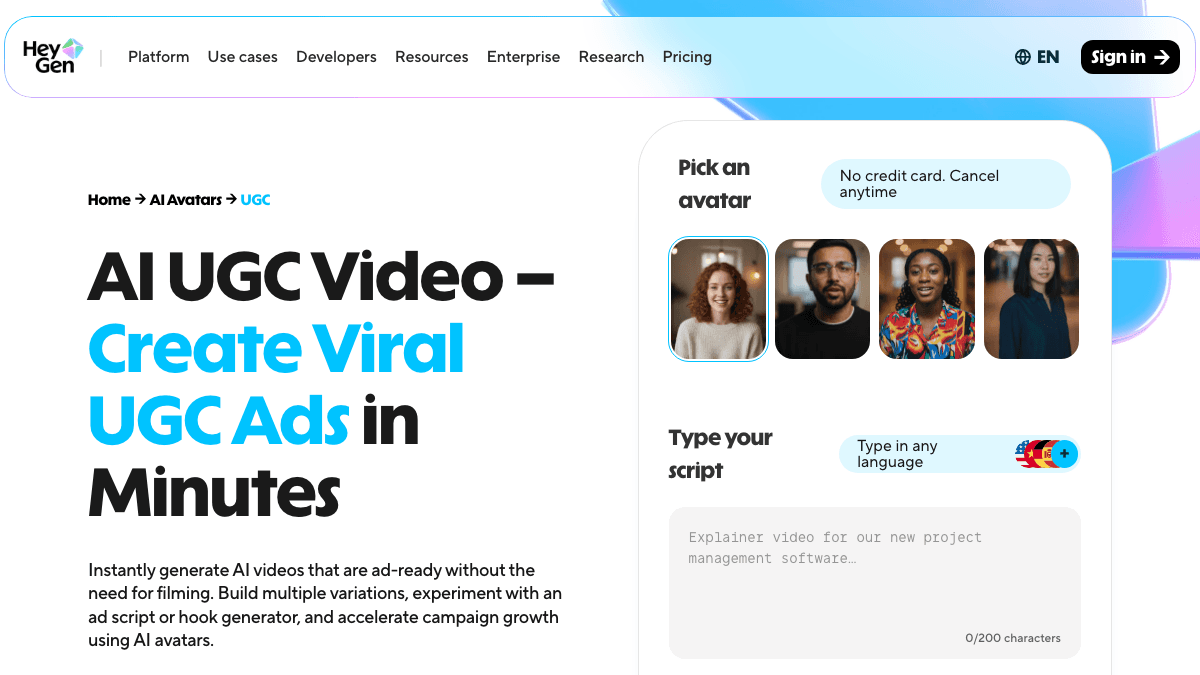
HeyGen's AI UGC page and UGC ads maker page make the ad use case explicit. The public pages describe ad-ready AI videos without filming, avatar selection, script and hook experimentation, style and environment prompts, support for many languages, batch variations, export for platforms such as TikTok, Instagram, Facebook, and YouTube, and final responsibility for platform policy checks.
That is a legitimate advantage for paid creative. UGC ads often need a person-like delivery, direct-response pacing, product framing, and multiple hook variations. If a brand wants a talking creator-style ad, a pure faceless video generator may not be the right primary tool.
SwipeStory is more useful when the same brand wants a recurring organic or educational series around the product category:
- "3 mistakes people make when buying running shoes"
- "The 20-second morning routine that helps focus"
- "Why most productivity systems fail after week two"
- "A quick myth about skincare ingredients"
- "One surprising way small teams waste ad budget"
Those ideas do not always need an avatar. They need a strong hook, short narration, relevant visuals, readable captions, background music, and an output that can ship as a TikTok, Short, or Reel. That is where Prompt to Video, Script to Video AI, and faceless AI video generation are more direct.
Platform Disclosure Still Matters
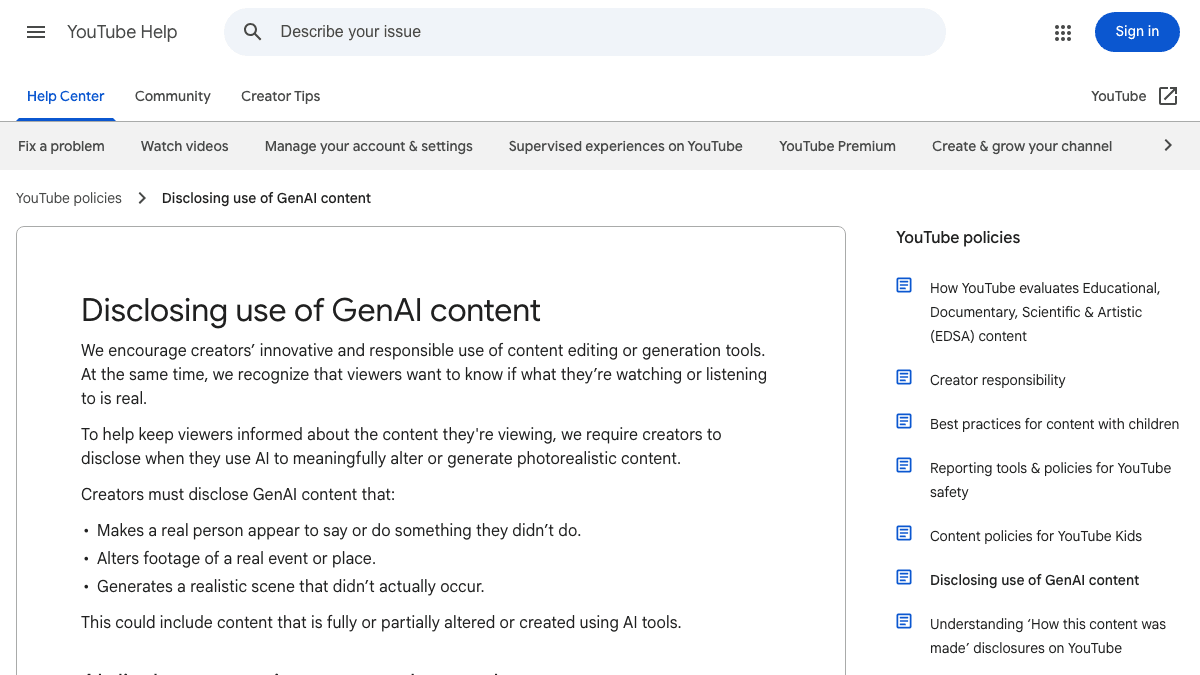
No HeyGen alternative removes the final platform review. Avatar videos, synthetic voices, AI visuals, generated scenes, and AI-edited footage can trigger disclosure or labeling obligations depending on realism and platform.
YouTube Help says creators must disclose AI-generated or meaningfully altered photorealistic content, including cases where a real person appears to say or do something they did not do, footage of a real event or place is altered, or a realistic scene is generated. YouTube's three-minute Shorts guidance also says standard channel uploads after October 15, 2024 with a square or vertical aspect ratio up to three minutes are categorized as Shorts, and Shorts over one minute with active Content ID claims can be blocked globally until resolved.
TikTok's AI-generated content help page says AIGC includes AI-generated or modified images, video, or audio, including realistic human likenesses. It says TikTok requires creators to label realistic AI-generated images, audio, and video, and prohibits certain AI-generated content involving private figures without permission, young people, fake authoritative sources, crisis events, or public-figure endorsement misuse. TikTok's ad specs are also useful guardrails: the in-feed ad page lists vertical 9:16 as the recommended Non-Spark ad format and provides safe-zone guidance.
Meta's AI labeling update says Meta uses AI info labels based on industry signals and self-disclosure, with more visible labels for generated content than for minor AI edits. For Instagram Reels and Facebook placements, check current Meta product and ad policies before running realistic avatar or synthetic voice content.
Before publishing any avatar or faceless AI video, review:
- Does the content depict a realistic person, voice, place, event, or claim?
- Does a real person appear to say or endorse something they did not actually say?
- Are avatar likeness, voice cloning, actor permissions, stock assets, and product claims cleared?
- Is AI disclosure needed in YouTube Studio, TikTok, Meta, or the ad account?
- Are captions and key visuals inside mobile safe zones?
- Is the video square or vertical if it is meant for YouTube Shorts?
- Can the same format be repeated without creating trust issues for the audience?
A Practical Switching Test
Do not migrate from HeyGen or any AI avatar video platform because a comparison table says another tool is "better." Run a focused one-hour test with the same creative brief.
Use this setup:
- Pick one platform, such as TikTok or YouTube Shorts.
- Write one 110-word narration script and three hooks.
- Create one HeyGen draft using the avatar, voice, and format that best fits the message.
- Create one SwipeStory draft from the same idea or script.
- Review both on a phone-sized screen.
- Count manual fixes: script cleanup, avatar fit, voice realism, visual mismatch, caption edits, music balance, disclosure notes, export settings, and scheduling steps.
- Choose the workflow that makes video two easier than video one.
This test is more useful than comparing every feature. A strong avatar tool should make presenter-style assets easier to create. A strong faceless short-form workflow should make repeatable episodes easier to produce. The winning tool is the one that reduces the work you repeat every week.
When HeyGen Is the Better Choice
Choose HeyGen when your workflow is presenter-led:
- You need a lifelike avatar, custom digital twin, or talking-head video.
- You are making UGC ads, testimonial-style creative, product explainers, or sales outreach.
- You need multilingual presenter videos, dubbing, lip sync, or localization.
- You want a business video that feels like a person is speaking directly to the viewer.
- You have strict brand or team review around spokesperson tone and delivery.
- You want to test many avatar ad variants from related hooks.
For example, a SaaS team creating localized onboarding clips or product walkthroughs should test HeyGen first. The presenter is part of the message, and translation quality may matter more than a daily publishing calendar.
When SwipeStory Is the Better Choice
Choose SwipeStory when your workflow is faceless and short-form first:
- You do not want to film yourself or use a synthetic presenter.
- You start from a topic, prompt, niche idea, or approved narration script.
- You publish mostly TikToks, YouTube Shorts, and Instagram Reels.
- You need AI visuals, voiceover, captions, music, editing, rendering, and scheduling in one flow.
- You want to turn a content calendar into repeatable short-form drafts.
- You care more about hooks, pacing, visuals, captions, and output volume than avatar realism.
For example, a creator planning 30 "one-minute business lessons" does not need a digital twin for every post. They need a consistent structure, visual style, narrator, caption approach, and schedule. Start with SwipeStory's faceless AI video generator, then use the AI video prompts for Shorts, AI video script generator guide, and AI voiceover video maker guide to tighten the inputs.
If you are comparing adjacent tools, read the Fliki AI alternative, InVideo AI alternative, and Pictory AI alternative guides. Those products sit closer to script-to-video, voiceover, and broad AI video suites, while HeyGen is more clearly centered on avatars and presenter-led video.
Final Recommendation
Use HeyGen if the video needs a person-like presenter, digital twin, avatar UGC ad, localized spokesperson, or business communication format. It is a strong AI avatar video tool, and it can be the right choice when the synthetic presenter is central to the creative.
Use SwipeStory if your biggest bottleneck is making original no-camera short-form videos from ideas. It is the better HeyGen alternative for faceless videos when the job is a recurring TikTok, YouTube Shorts, or Instagram Reels series with AI visuals, voiceover, captions, music, rendering, and publishing support.
The simplest decision is this: if the viewer needs to see a presenter, test HeyGen. If the viewer needs a fast faceless story, lesson, list, or visual idea, test SwipeStory and measure how many reviewable vertical drafts you can make in one focused session.
Frequently Asked Questions
What is the best HeyGen alternative for faceless videos?
SwipeStory is the best HeyGen alternative for faceless videos when you want to create original TikToks, YouTube Shorts, and Instagram Reels from prompts or scripts without using an avatar presenter.
Is HeyGen better than SwipeStory?
HeyGen is better for AI avatars, digital twins, UGC-style ads, presenter videos, and localization. SwipeStory is better for repeatable faceless short-form videos with AI visuals, narration, captions, music, rendering, and scheduled publishing.
Can HeyGen make faceless videos?
HeyGen can create AI videos from text, images, stock assets, audio, and avatar workflows, and its public pages describe multiple video formats. It is strongest when avatar or presenter-led output matters. For purely faceless short-form series, SwipeStory is usually the cleaner workflow.
Should I use an AI avatar for Shorts?
Use an AI avatar when the presenter is part of the trust, ad hook, product explanation, or localization strategy. Use a faceless video workflow when the content is driven by narration, visuals, captions, story structure, or a recurring niche format.
Can I use HeyGen and SwipeStory together?
Yes. Use HeyGen for avatar-led ad concepts, spokesperson clips, or localized presenter assets. Use SwipeStory for recurring faceless organic videos, scripts, visuals, voiceover, captions, rendering, and scheduled publishing across short-form platforms.
Sources
- HeyGen pricing
- HeyGen AI avatars
- HeyGen Avatar IV
- HeyGen AI UGC video
- HeyGen UGC ads maker
- HeyGen AI video generator
- SwipeStory faceless AI video generator
- YouTube AI disclosure guidance
- YouTube three-minute Shorts guidance
- TikTok AI-generated content guidance
- TikTok in-feed ad specifications
- Meta AI labeling update
