How to Repurpose Blog Posts into Videos (2026)

Stella writes SwipeStory guides about AI faceless video creation, short-form video strategy, creator tools, and automated publishing workflows.

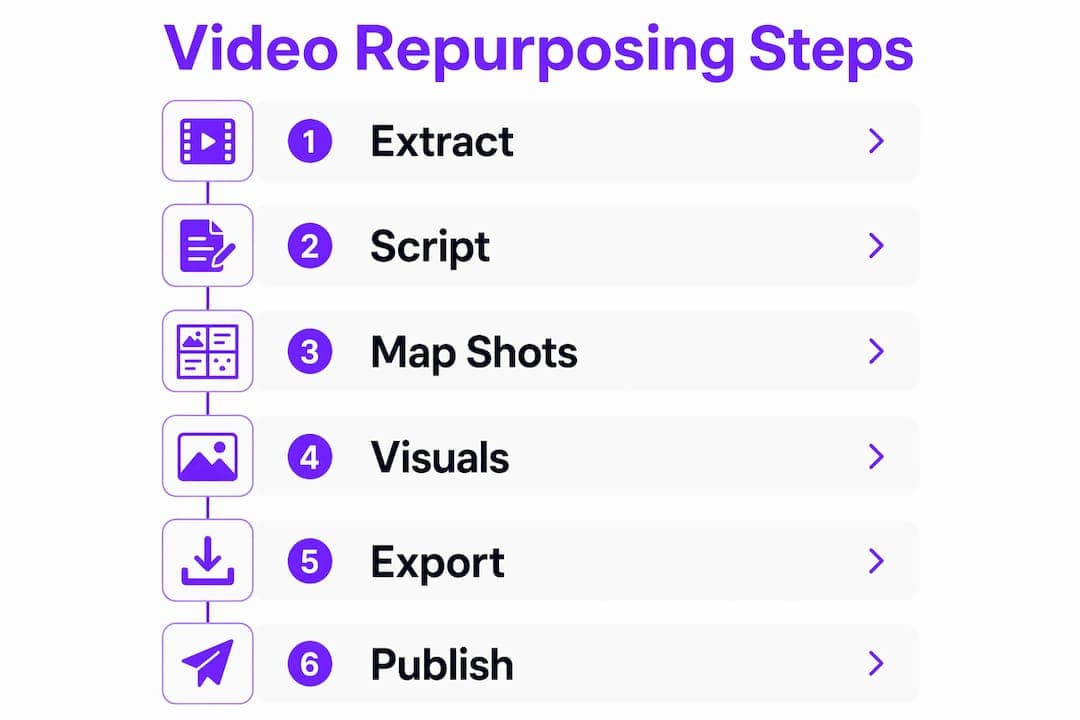
You can turn any blog post into a platform-ready video using a five-step workflow: extract core points, write a micro-script, map shots, assemble visuals and audio, then export and publish. A quick short-form clip takes 30–60 minutes, while a polished long-form video takes 3–5 hours. Either way, the same repeatable process applies.
The workflow in one line: Extract → Script → Map shots → Add visuals/audio → Export/Publish.
- Quick short-form clip (TikTok/Reels/Shorts): 30–60 minutes
- Polished long-form video (YouTube explainer): 3–5 hours
- Batched session producing multiple clips from one post: takes several hours
Most blog posts contain enough material for 3–5 short clips before you've even touched the full-length version.
Table of Contents
- How do you repurpose blog posts into videos step by step?
- How do you turn article copy into a tight video script?
- What visuals, voiceovers, and captions work best for video repurposing?
- What are the best format recipes for each platform?
- How do you batch blog posts into videos efficiently?
- Which metrics actually tell you if video repurposing is working?
- Your pre-production to publish checklist and micro-script templates
- Key Takeaways
- What the process actually looks like at scale
- Swipestory cuts the production time on every step above
- Useful sources and tools for next steps
How do you repurpose blog posts into videos step by step?
A repeatable five-step process covers every post type, every platform.
-
Extract and scope. Pull the post's three to five strongest points. Decide your target platform and clip length before writing a single word of script. A TikTok and a YouTube explainer need completely different structures, so locking the format first saves rewrites later.
-
Generate and refine your script. Paste the post into an AI writing tool and prompt it to produce a video-ready script at your target length. AI gets you a solid first draft fast; human editing tightens the hook and cuts the filler. Tools like Descript's article-to-video feature support script generation with adjustable length and tone, so you can reshape long-form copy into something punchy in minutes. For a deeper look at AI script generation, Swipestory's AI video script generator guide walks through prompting strategies that work.
-
Map script lines to shots. Go line by line and note what the viewer should see. A stat gets a text overlay. A process step gets a screen recording or B-roll. A quote gets a pull-quote graphic. This shot list becomes your production checklist.
-
Assemble visuals, voice, captions, and music. Add media directly to your script in the editor. You can highlight text and insert images, GIFs, captions, or sound effects that sync to the script in real time. Choose an AI voiceover or record your own narration. Add captions from the start, not as an afterthought.
-
Edit, export to spec, and publish. Trim dead air, check pacing, and export to the platform's required format. Descript lets you export to MP4 or publish directly to YouTube or generate an embeddable link for your blog.
How do you turn article copy into a tight video script?
Three micro-script templates cover most post types.

Template 1 — Hook → Problem → 3-point body → CTA (short-form, 15–60s) Best for listicles and how-to posts. Open with a bold claim or question, name the problem in one sentence, deliver three fast points, close with a direct CTA.
Template 2 — Hook → Mini-story → CTA (story/Reel, 15–30s) Best for case studies and opinion posts. Drop the viewer into a moment, resolve it in three sentences, then tell them what to do next.
Template 3 — Intro → Deep point → Visual demo → CTA (long-form/YouTube, 3–6 min) Best for tutorial and pillar posts. State the payoff upfront, develop one meaty point with supporting evidence, show it visually, then close with a CTA and chapter markers.
Example conversion. Original paragraph: "Email open rates drop when subject lines exceed 60 characters. Shorter lines get more clicks because mobile previews cut off anything longer."
Micro-script (30s): "Your email subject lines are too long. Mobile previews cut off at 60 characters, so readers never see the end. Keep it under 50. Here's how."
To pull hooks fast, scan your H2 headings and pull quotes. Every heading is a potential opening line. Every pull quote is a ready-made hook. AI script rewriting tools can also reshape the same copy into multiple length variants without starting from scratch.
Pro Tip: Write your hook last. Draft the body first so you know exactly what you're promising, then write the opening line that delivers on that promise.
What visuals, voiceovers, and captions work best for video repurposing?
| Element | Best use case | Notes |
|---|---|---|
| Stock clips/B-roll | Process steps, abstract concepts | Keep clips under 3s each for short-form |
| Screenshots | Software tutorials, data callouts | Add a zoom or highlight to direct attention |
| AI-generated images | Custom visuals, branded scenes | Faster than sourcing; watch for artifacts |
| AI voiceover | Faceless or high-volume content | Consistent tone; less personal |
| Recorded narration | Personal brand, storytelling | Builds trust; requires decent audio setup |
| Captions | Every platform, every format | Mandatory for accessibility and silent viewing |
Aspect ratios by platform: 9:16 for TikTok, Reels, and Shorts; 16:9 for YouTube long-form; 1:1 for LinkedIn feed posts; 4:5 for Instagram feed.
AI speakers let you add a voiceover without recording a single word, which is useful for high-volume batching. Recorded narration still wins for personal brand content where the creator's voice is part of the value. For image-driven posts, Swipestory's image-to-video tool converts static photos into animated video sequences without any filming.
Pro Tip: Write every script as if captions are the only thing the viewer will read. If the script makes sense without audio, it will perform better on every platform.
What are the best format recipes for each platform?
TikTok / Reels / Shorts
- Hook in the first 2 seconds, no exceptions
- Vertical framing (9:16), 15–60s total
- Captions on screen throughout
- CTA in the final 3 seconds and in the caption
YouTube (short and long-form)
- Shorts follow the same hook-first rule as TikTok
- Long-form: state the payoff in the first 30 seconds, use chapter markers every 2–3 minutes, end card CTA at the final 20 seconds
- Thumbnail text should match the opening hook word-for-word
- 30–90s professional summary with text overlays for key data points
- Square (1:1) or landscape (16:9) both work; square gets more feed real estate on mobile
- CTA in the first comment, not the caption, to avoid reach suppression
Shot list examples:
- 5-shot short: Hook graphic → talking head or voiceover → stat overlay → product/process visual → CTA card
- 8-shot tutorial: Hook → problem statement → step 1 screen → step 2 screen → step 3 screen → result visual → recap text → CTA
- 3-shot social excerpt: Pull quote graphic → supporting visual → CTA
Descript's article-to-video workflow also outputs audio and social snippets from the same source text, so one import can feed multiple format derivatives at once. For platform-specific YouTube Shorts presets, Swipestory's YouTube Shorts generator handles vertical formatting automatically.
How do you batch blog posts into videos efficiently?
| Model | Input | Output | Time estimate |
|---|---|---|---|
| Single-post → multiple shorts | 1 blog post | 3–5 clips | 2–3 hours |
| Multi-post → single long video | 3–4 related posts | 1 YouTube video | 4–6 hours |
| Assembly-line batch | 5 posts | 10–15 clips | 1 full day |
A typical 1,500-word post yields 3–5 short clips. A 3,000-word pillar post can produce a full YouTube explainer plus 5–7 shorts. The clip-highlighting and summary features in AI editors speed up excerpt identification considerably, cutting the extraction phase from 30 minutes to under 10.
Batching checklist:
- Extract top points from each post before opening any video tool
- Write all scripts in one session before touching visuals
- Source all visuals in one pass using a shared asset folder
- Record or generate all voiceovers together
- Run final QC on pacing, captions, and audio levels before exporting
- Save export presets per platform so you're not re-entering settings each time
For deeper batching and format strategies, ClipForge's repurposing guide covers workflow models that scale well for small teams.
Which metrics actually tell you if video repurposing is working?
Track these six numbers per video:
- Views and impressions — baseline reach
- Average view duration — the real signal; under 30% means the hook failed
- Completion rate — for short-form, aim above 60%
- CTR on end cards or links — measures whether the CTA converted
- Traffic back to the blog post — use UTM parameters on every video description link
- Soft conversions — newsletter signups, link clicks, DMs attributed to the video
For ROI, compare the time cost of production against incremental traffic. A quick 45-minute short that drives 500 additional monthly visitors to a post earning $5 CPM in ad revenue pays for itself in the first month. A polished 4-hour YouTube video needs higher sustained traffic to justify the production time, but compounds longer.
Use UTM parameters in every video description link (e.g., ?utm_source=youtube&utm_medium=video&utm_campaign=blog-repurpose) so Google Analytics 4 separates video-driven traffic cleanly from organic search.
Your pre-production to publish checklist and micro-script templates
Production checklist:
- Identify the post's three to five core points
- Choose platform and target length
- Write script using a micro-template
- Build shot list from script lines
- Source or generate all visuals
- Record or generate voiceover
- Assemble in editor; add captions and music
- QC: pacing, audio levels, caption accuracy
- Export to platform spec
- Publish with UTM link, caption, and CTA
Five micro-scripts by post type:
- How-to: "Here's how to [outcome] in [timeframe]. Step 1: [action]. Step 2: [action]. Step 3: [action]. Try it and let me know."
- Listicle: "[Number] things most people get wrong about [topic]. Number one: [point]. Number two: [point]. Number three: [point]. Save this."
- Case study: "[Brand/person] went from [before] to [after] by doing one thing: [insight]. Here's exactly how."
- Opinion: "Unpopular opinion: [claim]. Here's why I believe it. [Evidence in 2 sentences]. Agree or disagree?"
- Roundup: "The best [tools/resources] for [goal] right now. [Item 1], [Item 2], [Item 3]. Link in bio."
Export presets: MP4, H.264, 1080p for all platforms; 9:16 at 1080×1920 for vertical short-form; 16:9 at 1920×1080 for YouTube; 1:1 at 1080×1080 for LinkedIn/Instagram feed.
Key Takeaways
Turning blog content into videos works best when you lock the platform and format before writing a single script line — everything else flows from that decision.
| Point | Details |
|---|---|
| One workflow, every post | Extract → Script → Map shots → Visuals/Audio → Export/Publish covers every format. |
| Time estimates | A quick short-form clip takes 30–60 minutes; a polished long-form video takes 3–5 hours. |
| Clip yield per post | A typical 1,500-word post produces 3–5 short clips without additional research. |
| Measure what matters | Average view duration and completion rate reveal hook and pacing problems faster than view counts. |
| Swipestory automates the workflow | Swipestory handles script generation, AI voices, image creation, and export presets in one tool, with 60,000+ videos already generated. |
What the process actually looks like at scale
The hardest part of video repurposing isn't the first video. It's the tenth. By then, the novelty has worn off and the friction in your workflow becomes obvious. The teams that scale past a dozen videos per month almost always do one thing differently: they separate the thinking from the doing. Scripts get written in one focused session. Visuals get sourced in another. Editing happens last, with everything already queued.
The quality-versus-speed tradeoff is real, but it's not binary. A 45-minute short produced consistently every week outperforms a polished 5-hour video published once a month, at least for audience growth. Polish matters more for YouTube long-form, where watch time and retention directly affect algorithmic distribution. For short-form, the hook and the first three seconds matter more than production quality.
One thing worth saying plainly: AI-generated scripts need a human pass before they go anywhere near a camera or voiceover. The AI draft is a time-saver, not a finished product. The best hooks almost always come from the human edit, not the initial generation. That combination, AI for speed and human judgment for quality, is what actually produces content worth watching.
Swipestory cuts the production time on every step above
If the five-step workflow above sounds like a lot to manage manually, Swipestory automates the parts that eat the most time. Paste your blog post, and the platform generates a script, selects visuals, adds an AI voiceover, and renders a finished short-form video ready for TikTok, Instagram, or YouTube. No editing software, no asset hunting, no export settings to configure.
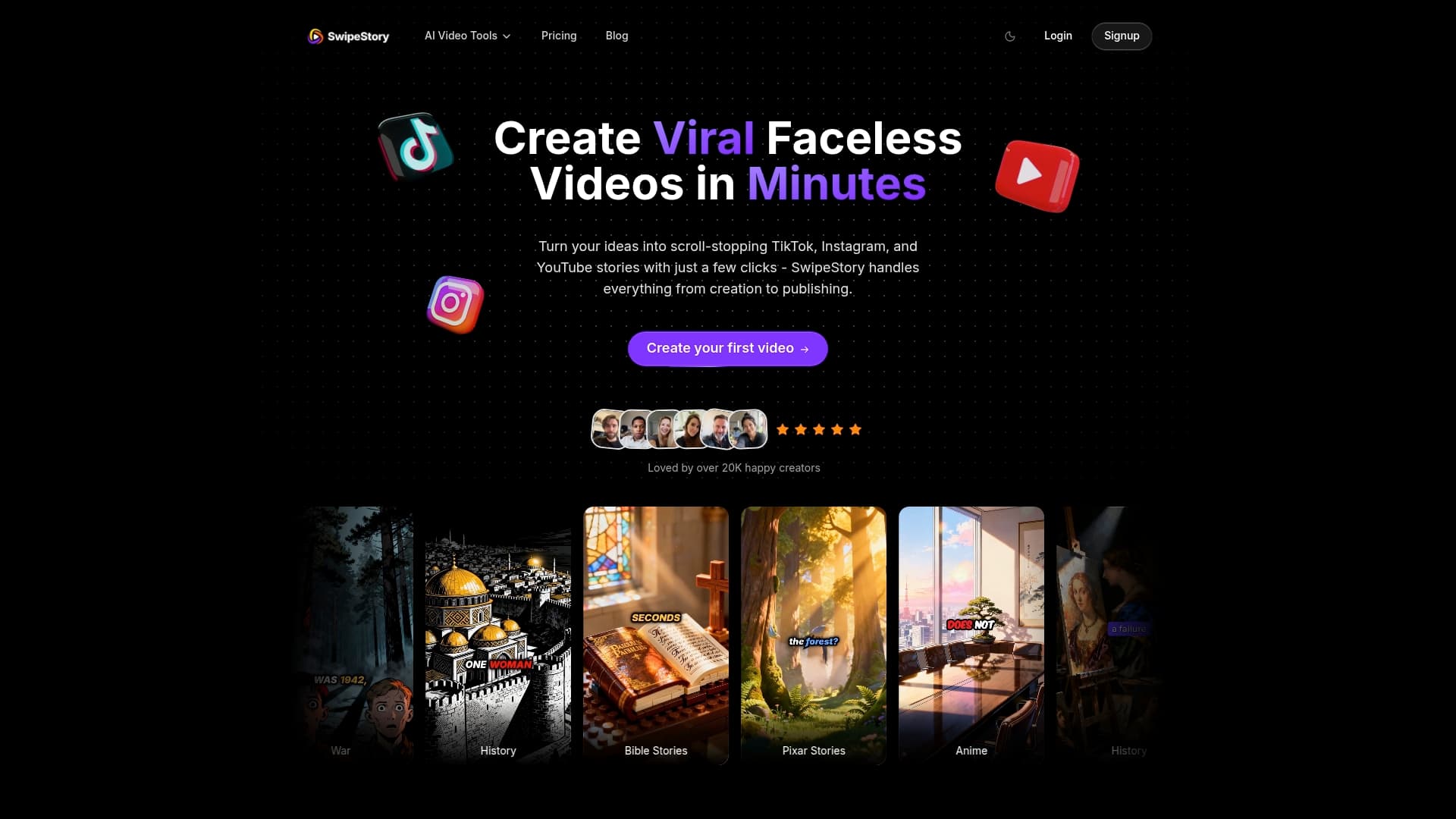
The platform has generated over 60,000 short videos for thousands of creators, which means the templates and presets have been stress-tested across real content at scale. Features include customizable captions, AI image generation, cloud rendering, and direct export to vertical or landscape formats. For creators who want a faceless video workflow without filming anything, Swipestory handles the entire pipeline. Ready to convert your next post? Try the AI video generator and have your first clip ready in under an hour.
Useful sources and tools for next steps
- Descript Article to Video — paste a blog post and generate a script, add media, and export to MP4 or publish directly to YouTube
- Swipestory AI Video Generator — end-to-end short-form video creation from text, with AI voices and image generation
- Swipestory Script to Video — convert a finished script into a short video with automated visuals and voiceover
- Swipestory YouTube Shorts Generator — platform-specific presets for vertical short-form content
- ClipForge repurposing guide — overview of repurposing tool categories and batching workflows for 2026
- Swipestory AI Script Generator Guide — practical prompting strategies for turning long-form copy into video-ready scripts
